14
Smart AC1/TD
w w w . t i m e t e c c l o u d . c o m
3 User Management
3.1 Adding Users
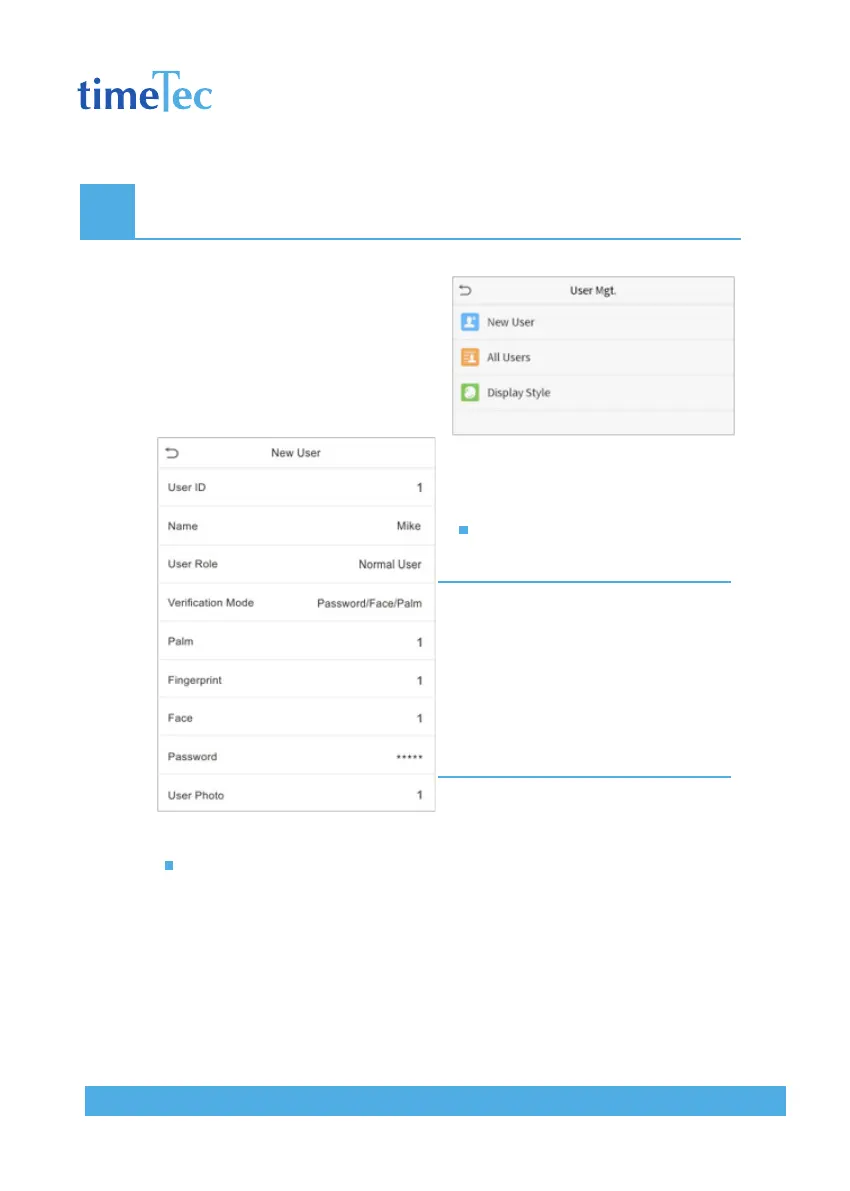
Click User Mgt. on the main menu.
Click New User.
Register a User ID and Name
Enter the user ID and name.
Note:
1. A user name may contain 17 characters.
2. The user ID may contain 1-9 digits by default.
3. During the initial registration, you can modify
your ID, which cannot be modified after regis
tration.
4. If a message “Duplicated ID” pops up, you
must choose another ID.
Setting the User Role
There are two types of user accounts: the normal user and the super admin.
If there is already a registered administrator, the normal users have no rights
to manage the system and may only access authentication verifications. The
administrator owns all management privileges. If a custom role is set, you can
also select user defined role permissions for the user.
Click User Role to select Normal User or Super Admin.



 To Next Page