48
Smart AC1/TD
w w w . t i m e t e c c l o u d . c o m
13 Connect to Software
13.1 Connect to AWDMS/ Ingress Software
Download this file from this links below:
Ingress version 4.0.1.9 (with AWDMS support)
Ingress Server: https://s3.amazonaws.com/files.fingertec.com/Software+Releases/In-
gress/2020/4.0.1.9/Ingress+Server+(MySQL).zip
Ingress Client: https://s3.amazonaws.com/files.fingertec.com/Software+Releases/In-
gress/2020/4.0.1.9/Ingress+(MySQL).zip
ADWMS version 3.1
https://s3.amazonaws.com/files.fingertec.com/Software+Releases/AWDMS/AWDMS3.1.zip
ADWMS Setup Tool
ht tp s: // s3 .a ma zo na ws .c om /f il es .f in ge rt ec .c om /S of tw ar e + R e l e a s e s / A W D M S /
AWDMS+Setup+Tool.zip
13.2 Software Quick Installation
Both Ingress and AWDMS MUST BE INSTALLED on the same PC. First, install the
Ingress Server and install the AWDMS after. For Ingress installation, please refer
to the Ingress User Manual which can be found at https://www.fingertec.com/cus-
tomer/download/postsales/SUM-Ingress-E.pdf.
Kindly ensure the firewall and Antivirus software on the PC have been switched
off before proceeding.
Run the AWDMS setup tool after installing
the AWDMS and reboot your PC.
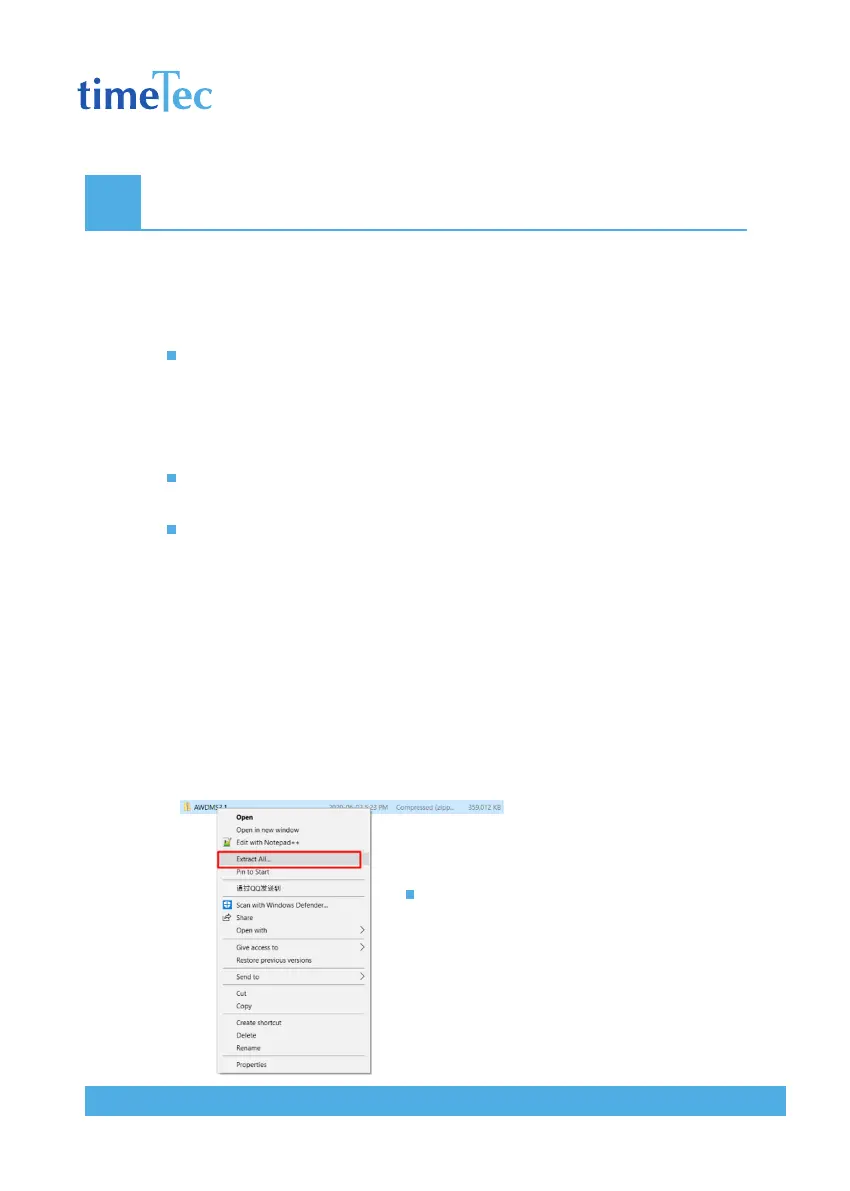
First, right click on the AWDMS3.1.zip file,
then click Extract All



 To Next Page