49
Smart AC1/TD
w w w . t i m e t e c c l o u d . c o m
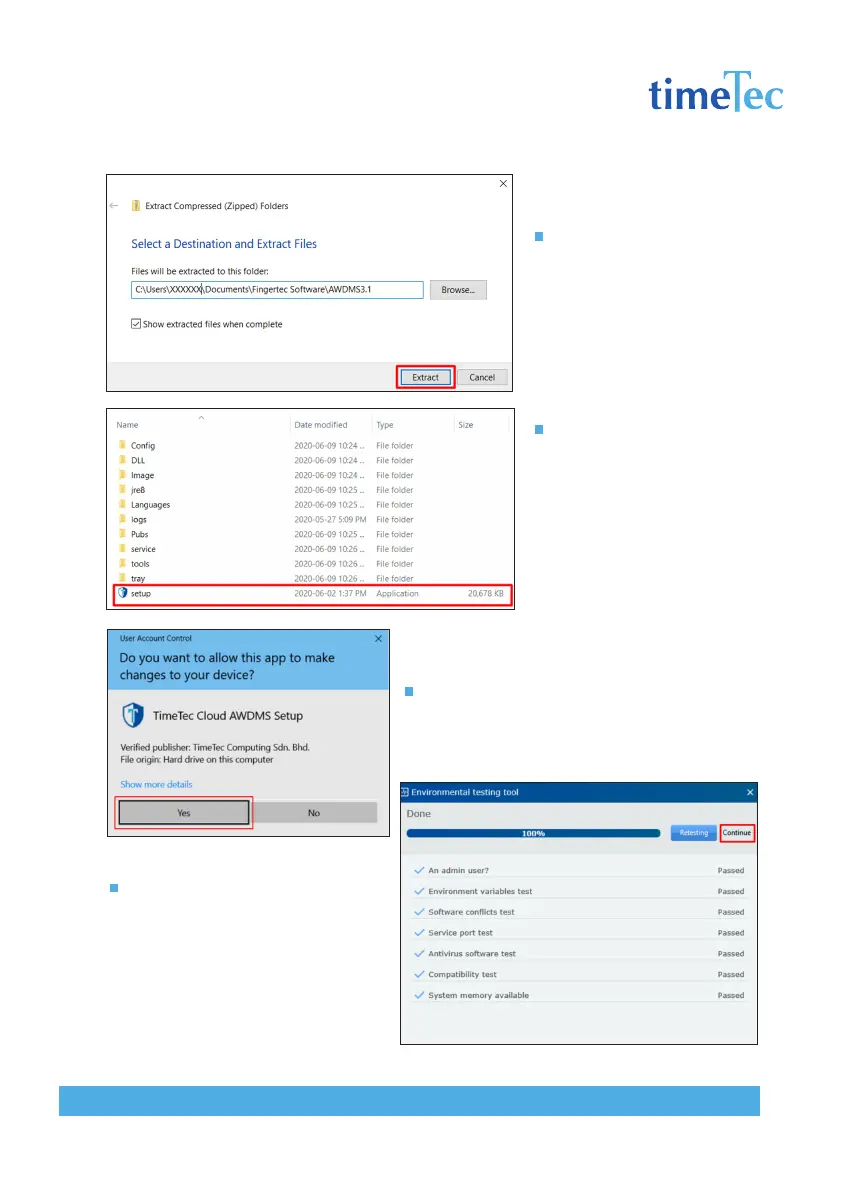
Click Extract
Go to the AWDMS3.1 fold-
er. Look for setup.exe and
click on setup.exe.
Once the User Account Control permission is
prompted, select Yes to continue.
The AWDMS setup will run an en-
vironment testing prior to the actual
installation, click Continue when the
test is completed.



 To Next Page