6
Smart AC1/TD
w w w . t i m e t e c c l o u d . c o m
1.3 Palm Registration
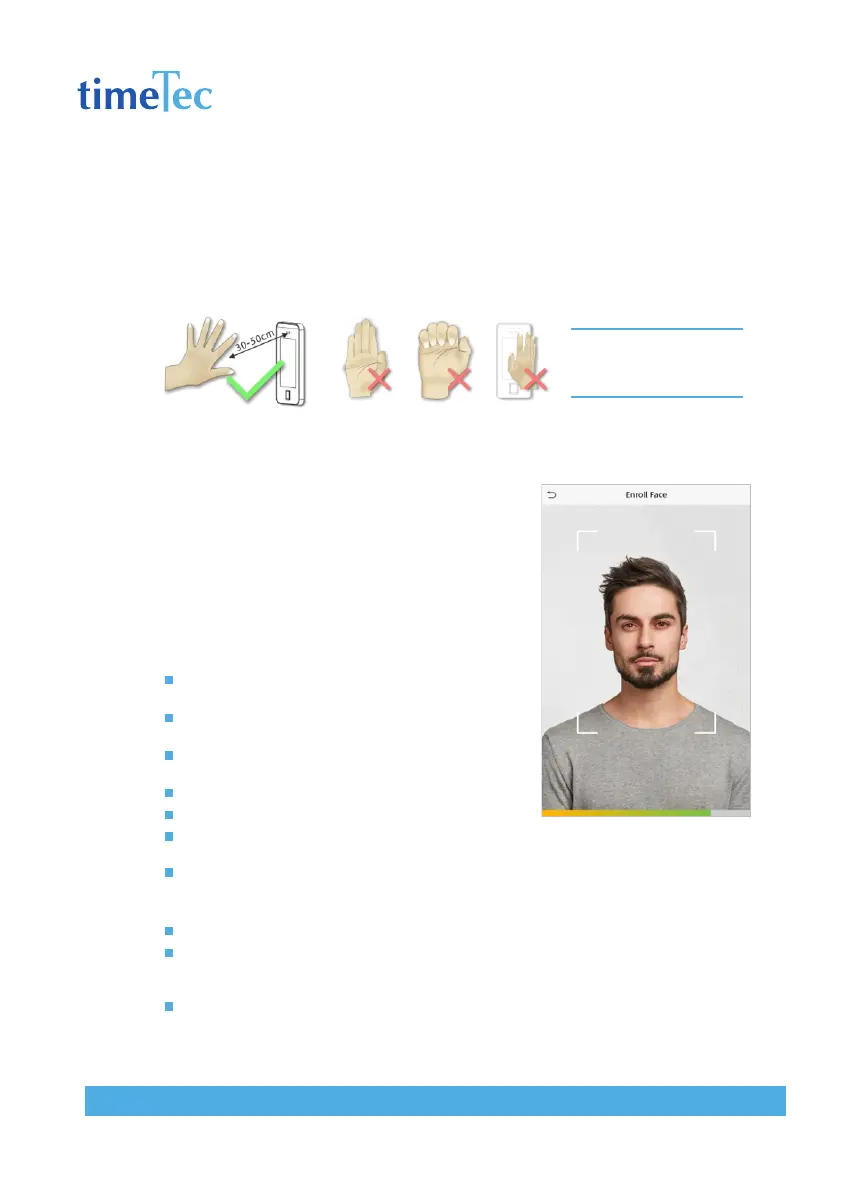
Place your palm in the palm multi-mode collection area, such that the palm is placed
parallel to the device.
Make sure to keep space between your fingers.
Note: Place your palm within
30-50cm of the device.
1.4 Face Registration
Try to keep the face in the centre of the screen
during registration. Please face the camera and
stay still during face registration. The page looks
like this:
Correct face registration and authentication
method
Cautions for registering a face
When registering a face, maintain a distance of 40cm to
80cm between the device and the face.
Be careful not to change the facial expression. (smiling
face, drawn face, wink, etc.)
If you do not follow the instructions on the screen, the
face registration may take longer or may fail.
Be careful not to cover the eyes or eyebrows.
Do not wear hats, masks, sunglasses or eyeglasses.
Be careful not to display two faces on the screen. Register
one person at a time.
It is recommended for a user wearing glasses to register both faces with and without glasses.
Cautions for authenticating a face
Ensure that the face appears inside the guideline displayed on the screen of the device.
If glasses have been changed, authentication may fail. If the face without glasses has been
registered, authenticate the face without glasses. If only the face with glasses has been regis
tered, authenticate the face with the previously worn glasses again.
If a part of the face is covered with a hat, a mask, an eye patch, or sunglasses authentication
may fail. Do not cover the face, allow the device to recognize both the eyebrows and the
face.



 To Next Page