13
Smart AC1/TD
w w w . t i m e t e c c l o u d . c o m
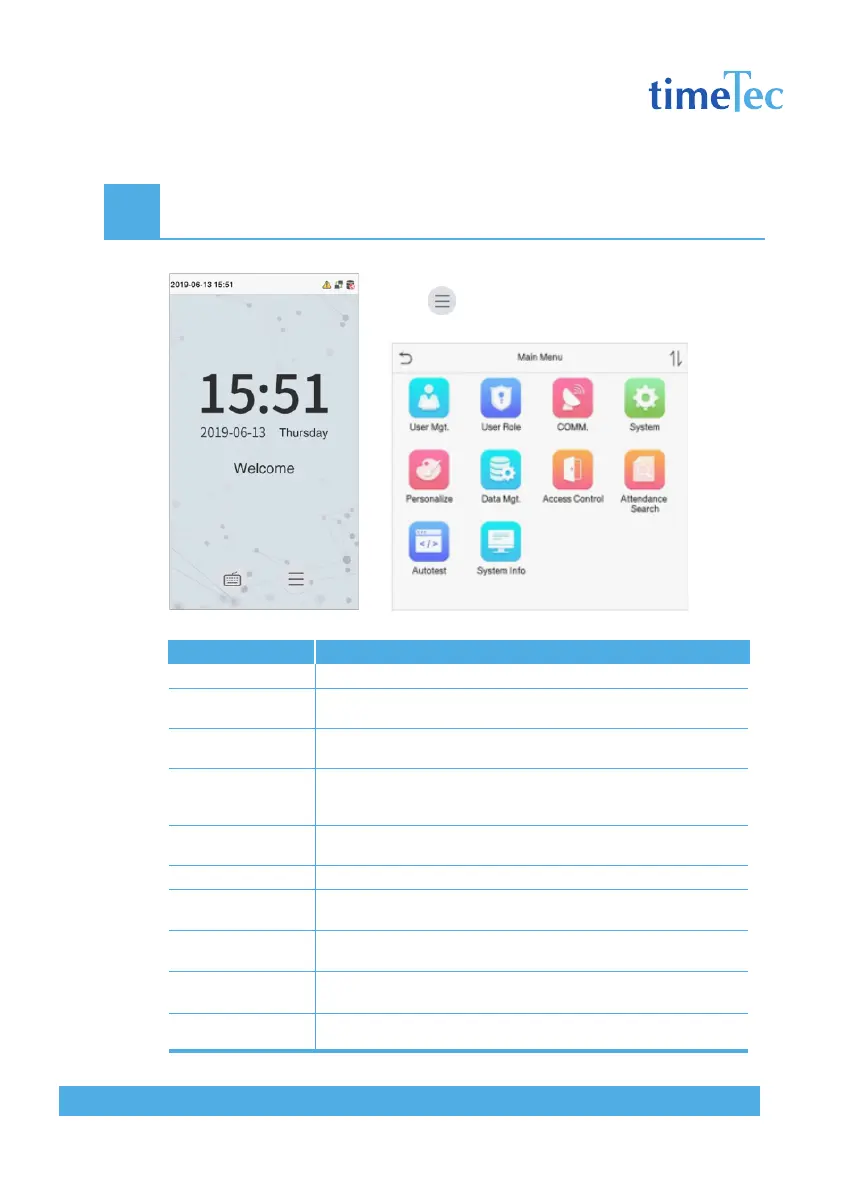
2 Main Menu
Press on the initial interface to enter the main
menu, as shown below:
Items
User Mgt.
User Role
COMM.
System
Personalize
Data Mgt.
Access Control
Attendance Search
Autotest
System Info
Descriptions
To add, edit, view, and delete basic information about a user.
To set the permission scope of the custom role and enroller, that
is, the rights to operate the system.
To set the relevant parameters of network, PC connection, cloud
server and wiegand.
To set parameters related to the system, including date & time,
attendance/access logs setting, face, palm parameter, resetting
to factory settings and detection managementê.
This includes user Interface, voice, bell, punch state options and
shortcut key mappings settings.
To delete all relevant data in the device.
To set the parameters of the lock and the relevant access control
device.
Query the specified access record, check attendance photos and
blacklist photos.
To automatically test whether each module functions properly,
including the screen, audio, camera and real-time clock.
To view data capacity, device and firmware information of the
current device.



 To Next Page