32
Smart AC1/TD
w w w . t i m e t e c c l o u d . c o m
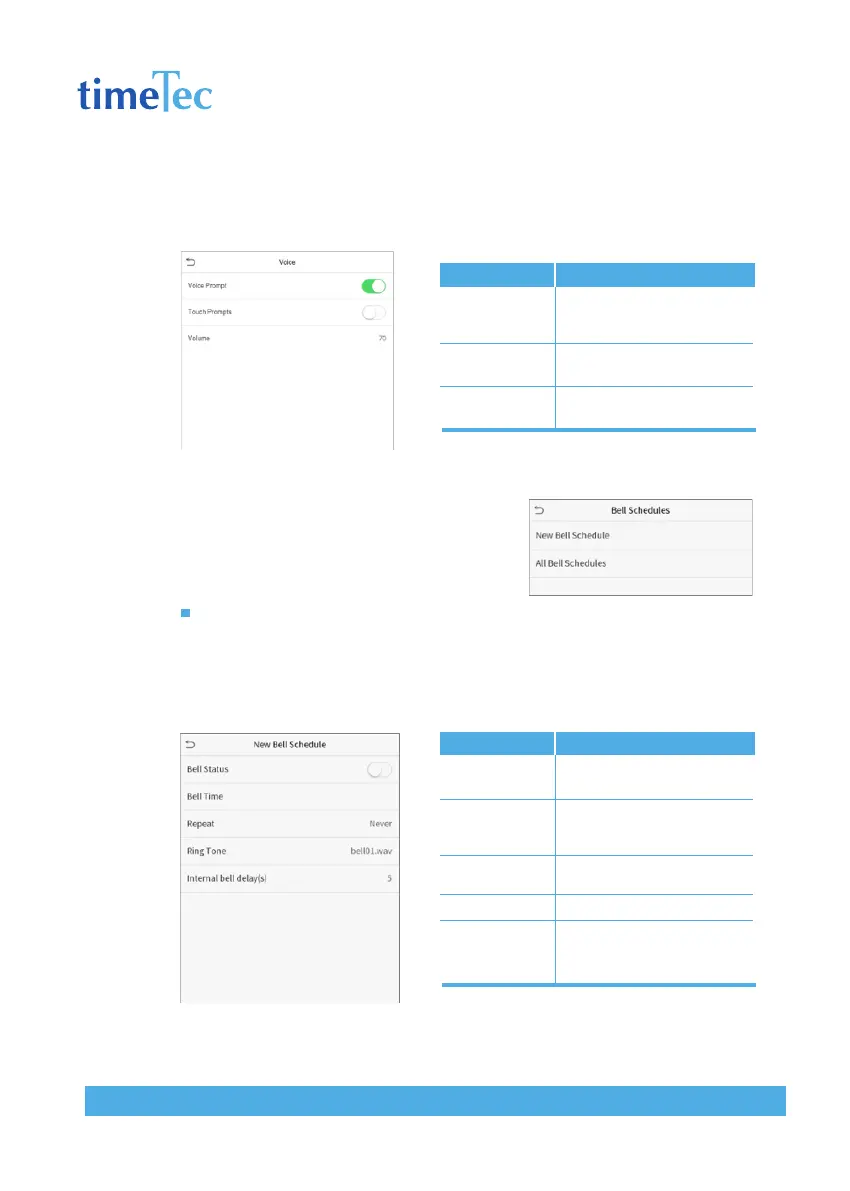
7.2 Voice Settings
Click Voice on the Personalize interface.
7.3 Bell Schedules
Click Bell Schedules on the Personalize interface.
Add a bell
Click New Bell Schedule to enter the adding
interface:
Back to the Bell Schedules interface, click All Bell Schedules to view the newly add-
ed bell.
Items
Voice Prompt
Touch Prompt
Volume
Descriptions
Select whether to enable
voice prompts during op-
erating.
Select whether to enable
keypad sounds.
Adjust the volume of the
device; valid value: 0-100.
Items
Bell Status
Bell Time
Repeat
Ring Tone
Internal bell
delay(s)
Descriptions
Set whether to enable the
bell status.
At this time of day, the
device automatically rings
the bell.
Set the repetition cycle of
the bell.
Select a ring tone.
Set the duration of the inter-
nal bell. Valid values range
from 1 to 999 seconds.



 To Next Page