44
Smart AC1/TD
w w w . t i m e t e c c l o u d . c o m
10 Attendance Search
When the identity of a user is verified, the record will be saved in the device. This function
enables users to check their access records.
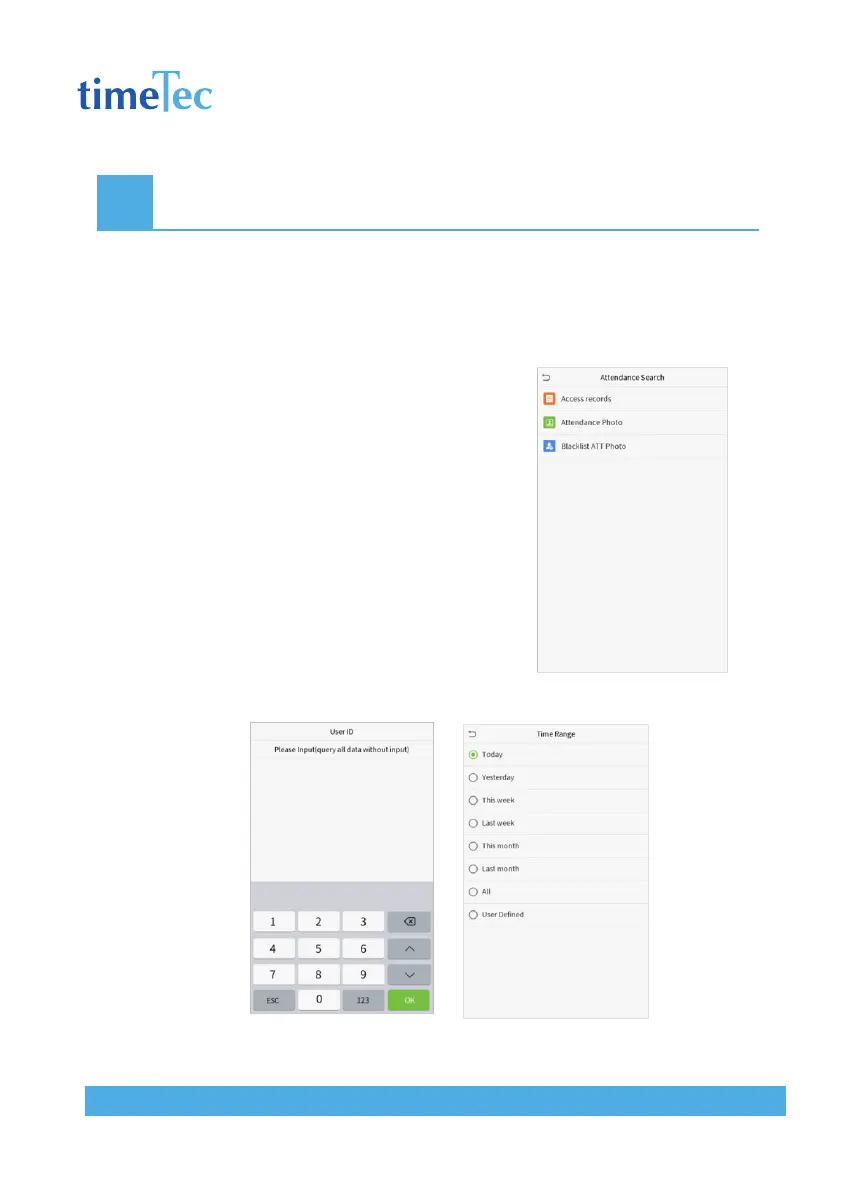
Click Attendance Search on the main menu interface.
The process of searching for attendance and blacklist pho-
tos is similar to that of searching for access records. The
following is an example of searching for access records.
On the Attendance Search interface, click Access Records.
1. Enter the user ID to be searched and click OK. If
you want to search for records of all users, click
OK without entering any user ID.
2. Select the time range in which the records you want
to search for.



 To Next Page