40
Smart AC1/TD
w w w . t i m e t e c c l o u d . c o m
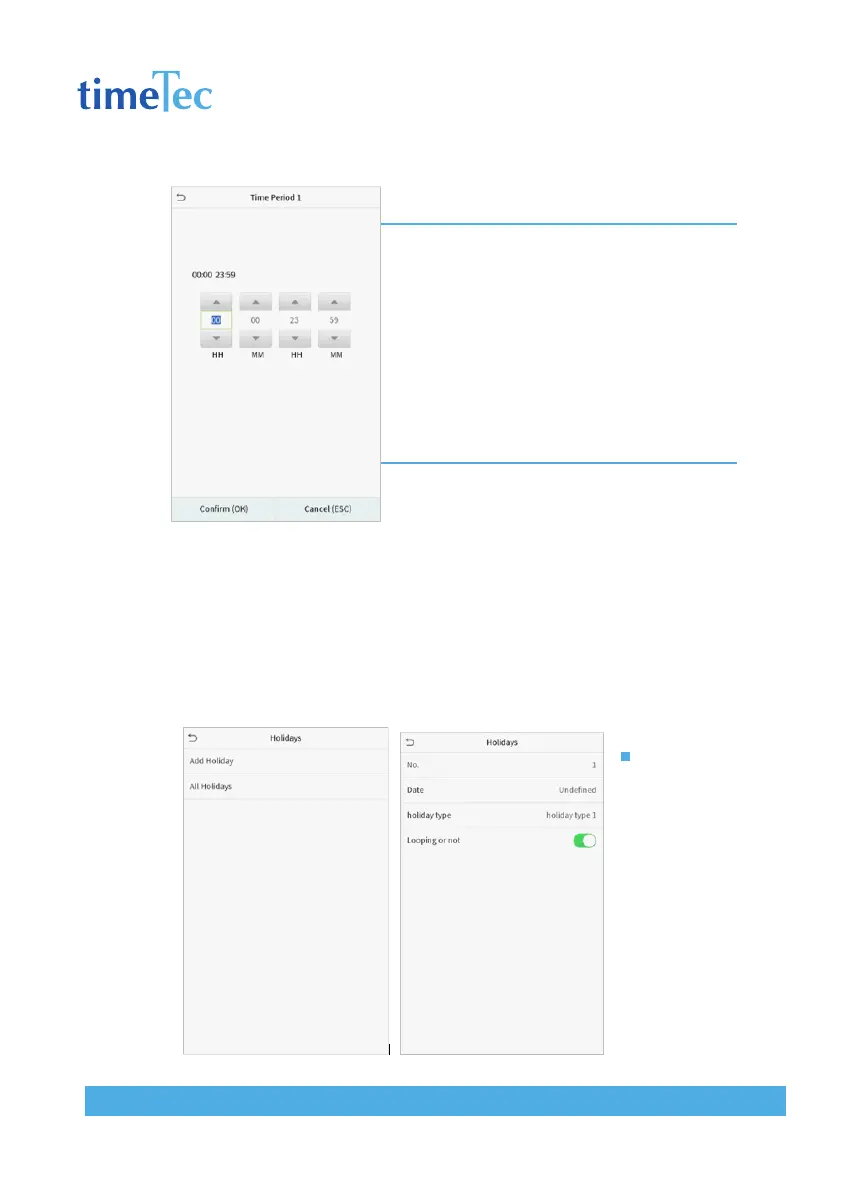
Note:
1. When the ending time is earlier than the starting time,
such as 23:57~23:56, it indicates that access is pro-
hibited all day; when the ending time is later than the
starting time, such as 00:00~23:59, it indicates that the
interval is valid.
2. The effective time period to unlock the door:
open all day (00:00~23:59) or when the ending time is
later than the starting time, such as 08:00~23:59.
3. The default time zone 1 indicates that door is open all
day long.
9.3 Holiday Settings
Whenever there is a holiday, you may need a special access time; but changing
everyone’s access time one by one is extremely cumbersome, so you can set a
holiday access time which is applicable to all employees, and the user will be
able to open the door during the holidays.
Click Holidays on the Access Control interface.
Add a New
Holiday
Click Add Holiday
on the Holidays
interface and
set the holiday
parameters.



 To Next Page