15
Smart AC1/TD
w w w . t i m e t e c c l o u d . c o m
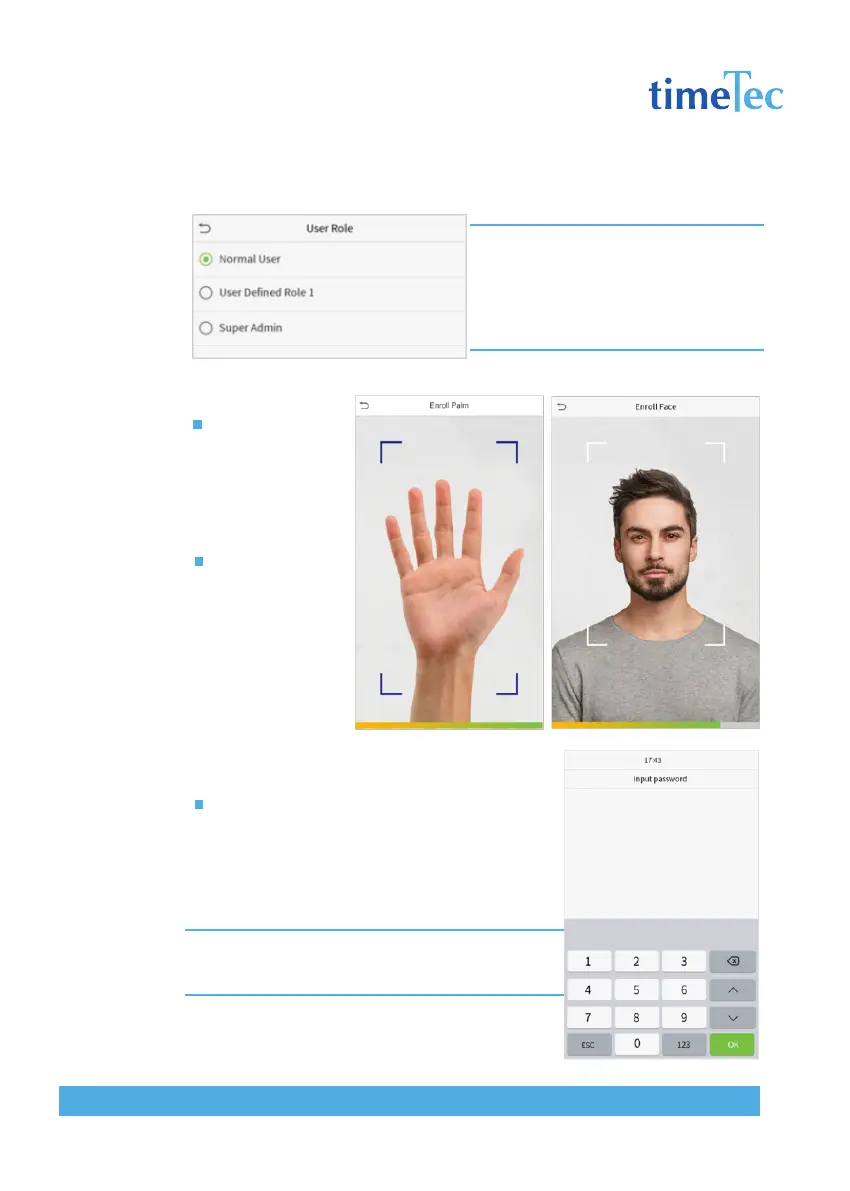
Note: : If the selected user role is the Super Admin,
the user must pass the identity authentication to
access the main menu. The authentication is based
on the authentication method(s) that the super ad-
ministrator has registered. Please refer to 1.6 Verifi-
cation Method.
Register palm
Click Palm to enter
the palm registration
page. Select the
palmto be enrolled.
Register face
Click Face to enter
the face registration
page. Please face
the camera and stay
still during face
registration. The
registration interface
is as follows:
Register password
Click Password to enter the password registration
page. Enter a password and re-enter it. Click OK. If
the two entered passwords are different, the
prompt “Password not match” will appear.
Note: The password may contain one to eight digits by default.



 To Next Page