19
Smart AC1/TD
w w w . t i m e t e c c l o u d . c o m
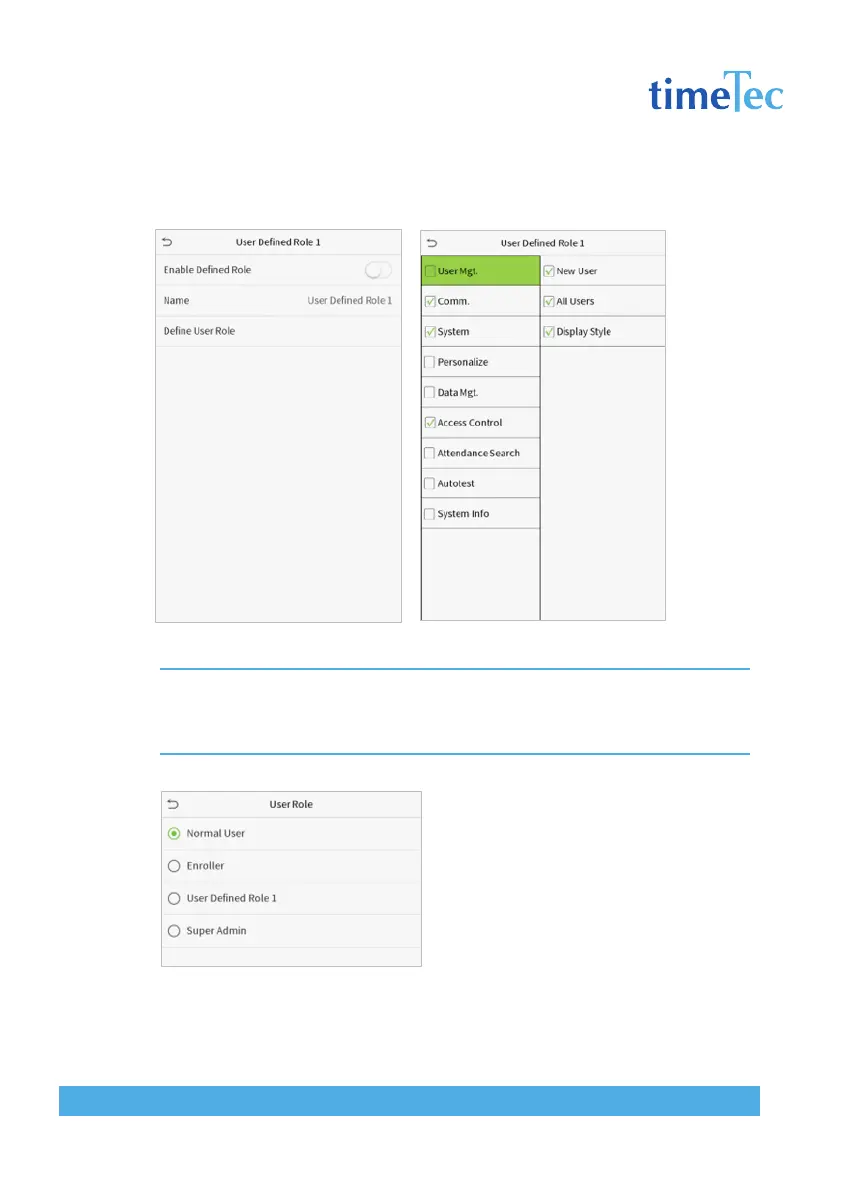
Note: During privilege assignment, the main menu is on the left and its sub-menus are on the right. You only need
to select the features in sub-menus. If the device has a role enabled, you may assign the roles you set to users by
clicking User Mgt. > New User > User Role.
If no super administrator is registered, the
device will prompt “Please register super ad-
ministrator user first!” after clicking the en-
able bar.



 To Next Page