TH2827 Series Operation Manual Chapter 2 Introduction
4
Chapter 2 Introduction
In this chapter, the basic operation features of TH2827 series are described.
Please read the content carefully before using TH2827 series instruments, thus
you can learn the operation of TH2827.
2.1 Introduction to front panel
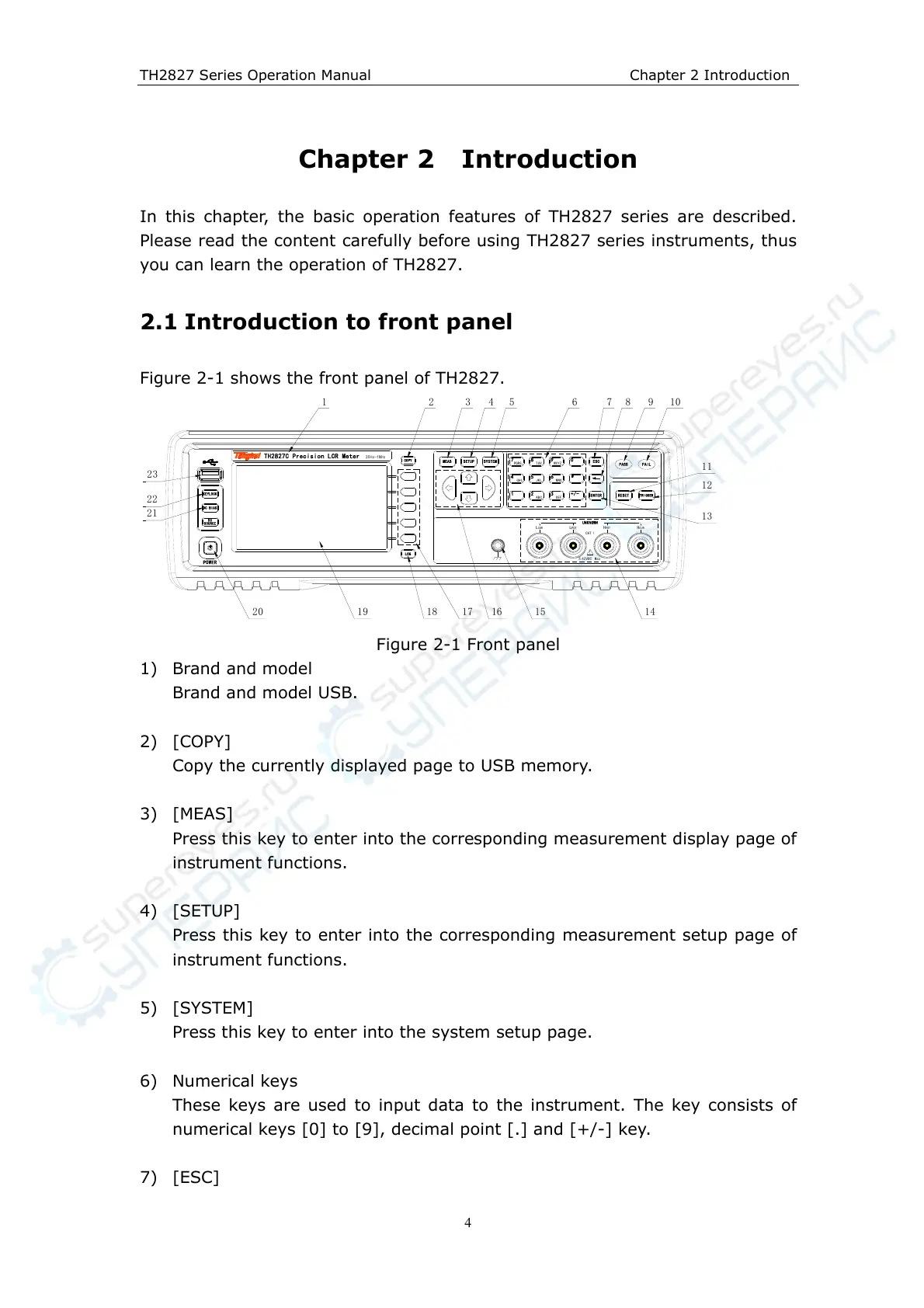
Figure 2-1 shows the front panel of TH2827.
POWER
!
CATⅠ
±42VDC Max
MEAS SETUP SYSTEM
LCUR
LPOT HPOT HCUR
UNKNOWN
COPY
7
PQRS
98
TUV WXYZ
654
GHI JKL MNO
321
ABC DEF
ENTER
ESC
+/-
0
RESET
KEYLOCK
DC BIAS
SOURCE
DC
PASS FAIL
TRIGGER
LOG
TH2827C Precision LCR Meter 20Hz-1MHz
1
20 19
6 9
15 14
22
18
23
12
2
17 16
7 10
21
11
8
13
3 4 5
Figure 2-1 Front panel
1) Brand and model
Brand and model USB.
2) [COPY]
Copy the currently displayed page to USB memory.
3) [MEAS]
Press this key to enter into the corresponding measurement display page of
instrument functions.
4) [SETUP]
Press this key to enter into the corresponding measurement setup page of
instrument functions.
5) [SYSTEM]
Press this key to enter into the system setup page.
6) Numerical keys
These keys are used to input data to the instrument. The key consists of
numerical keys [0] to [9], decimal point [.] and [+/-] key.
7) [ESC]



 To Next Page