TH2827 Series Operation Manual Chapter 3 Introduction to [MEAS]
41
– (absolute limit) and the high limit will be + (absolute limit).
4) The cursor will automatically move to LOW of BIN 2. Repeat step 3 until the
limits of BIN 9 are input. Then the cursor will automatically move LOWof 2
nd
.
5) After inputting the low limit of the secondary parameter, the cursor will
automatically move to HIGH
of 2
nd
.
6) Input the high limit of the secondary parameter.
7) In Low limit of BIN 1, use numeric keys to input the low limit. After inputting
the data, you can use (p, n, µ, m, k, M, *1) to replace [ENTER] to input the
limit value. When [ENTER] is used to input the limit value, the default unit is
the same as that being input last time. When pressing *1, the default unit will
be F, H or .
8) After inputting the low limit of BIN 1, the cursor will automatically move to
HIGH
of BIN 1. Input the high limit of BIN 1.
9) The cursor will automatically move HIGH of BIN 2. For the limit mode is
sequential mode, the low limit of BIN 2 will be the high limit of BIN 1. Input
the high limit of BIN 2.
10) Repeat step 9 until the high limit of BIN 9 is input. Then the cursor will
automatically move to LOW
of 2
nd
. Input the low limit of the secondary
parameter.
11) The cursor will automatically move to HIGH
of 2
nd
. Input the high limit of the
secondary parameter.
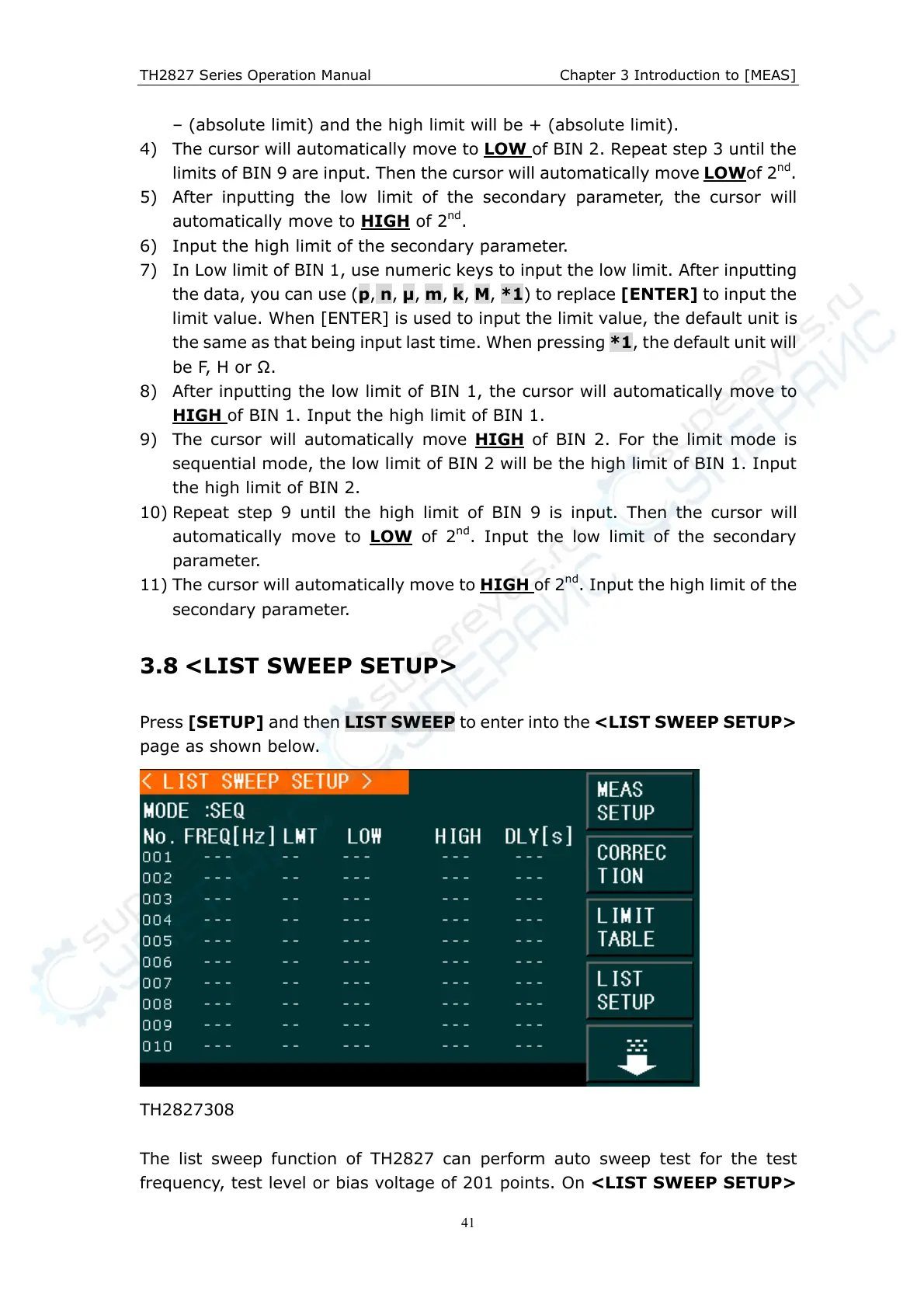
3.8 <LIST SWEEP SETUP>
Press [SETUP] and then LIST SWEEP to enter into the <LIST SWEEP SETUP>
page as shown below.
TH2827308
The list sweep function of TH2827 can perform auto sweep test for the test
frequency, test level or bias voltage of 201 points. On <LIST SWEEP SETUP>



 To Next Page