TH2827 Series Operation Manual Chapter 3 Introduction to [MEAS]
19
displayed:
DECIMAL AUTO
DECIMAL HOLD
DECIMAL LOCATION +
DECIMAL LOCATION -
2) Press DECIMAL AUTO to reset the decimal position of the primary or the
secondary parameter test result to its default setting.
3) Press DECIMAL HOLD to lock the decimal location of primary parameter
TEST result.
4) Press DECIMAL LOCATION + to increase the displayed digit by ten times.
5) Press DECIMAL LOCATION - to decrease the displayed digit by ten times
———————————————————————————————————————
NOTE: Under the following circumstance, the function of decimal lock will be
cancelled automatically to recover to floating decimal point status.
Test function is changed.
In deviation test, the deviation test mode (ABS, %, OFF) is changed.
———————————————————————————————————————
3.2 <BIN NO. DISP>
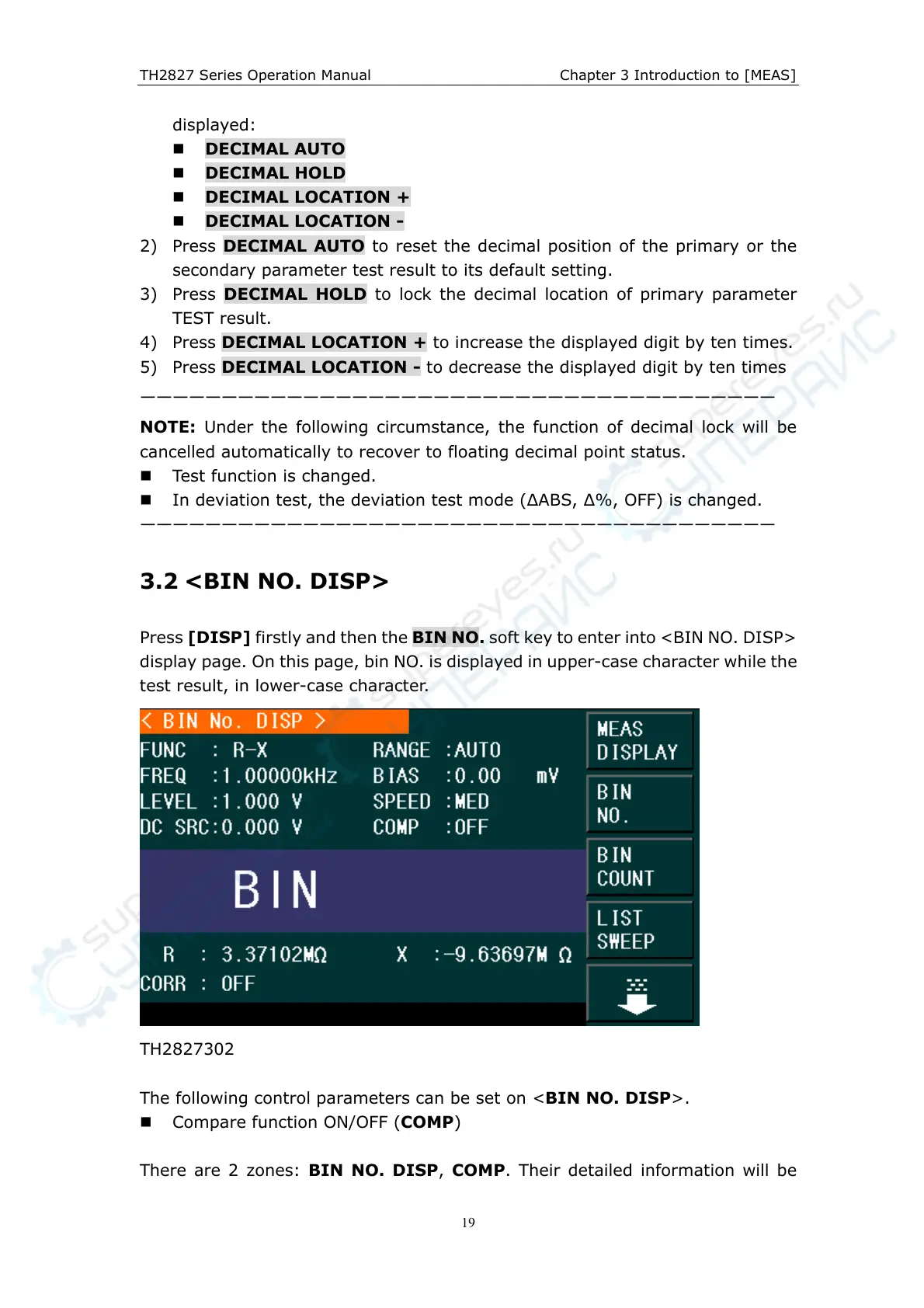
Press [DISP] firstly and then the BIN NO. soft key to enter into <BIN NO. DISP>
display page. On this page, bin NO. is displayed in upper-case character while the
test result, in lower-case character.
TH2827302
The following control parameters can be set on <BIN NO. DISP>.
Compare function ON/OFF (COMP)
There are 2 zones: BIN NO. DISP, COMP. Their detailed information will be



 To Next Page