TH2827 Series Operation Manual Chapter 3 Introduction to [MEAS]
30
MEAS
When the reference component is connected to the test terminal, you should
press MEAS. Then TH2827 will test the reference component and the test
result will be automatically input as the value of REF B.
4) Use MEAS or numeric keys to input the reference value of the secondary
parameter. If the reference values of primary and secondary parameters have
been set in steps 2), you can skip this step.
5) Move the cursor to the DEV A
zone, the following soft keys will be displayed:
∆ABS
∆%
OFF
6) Use above soft keys to se the deviation mode of the primary parameter.
7) Move the cursor to the DEV B
zone, the following soft keys will be displayed.
∆ABS
∆%
OFF
8) Use above soft keys to se the deviation mode of the secondary parameter.
3.6 <CORRECTION>
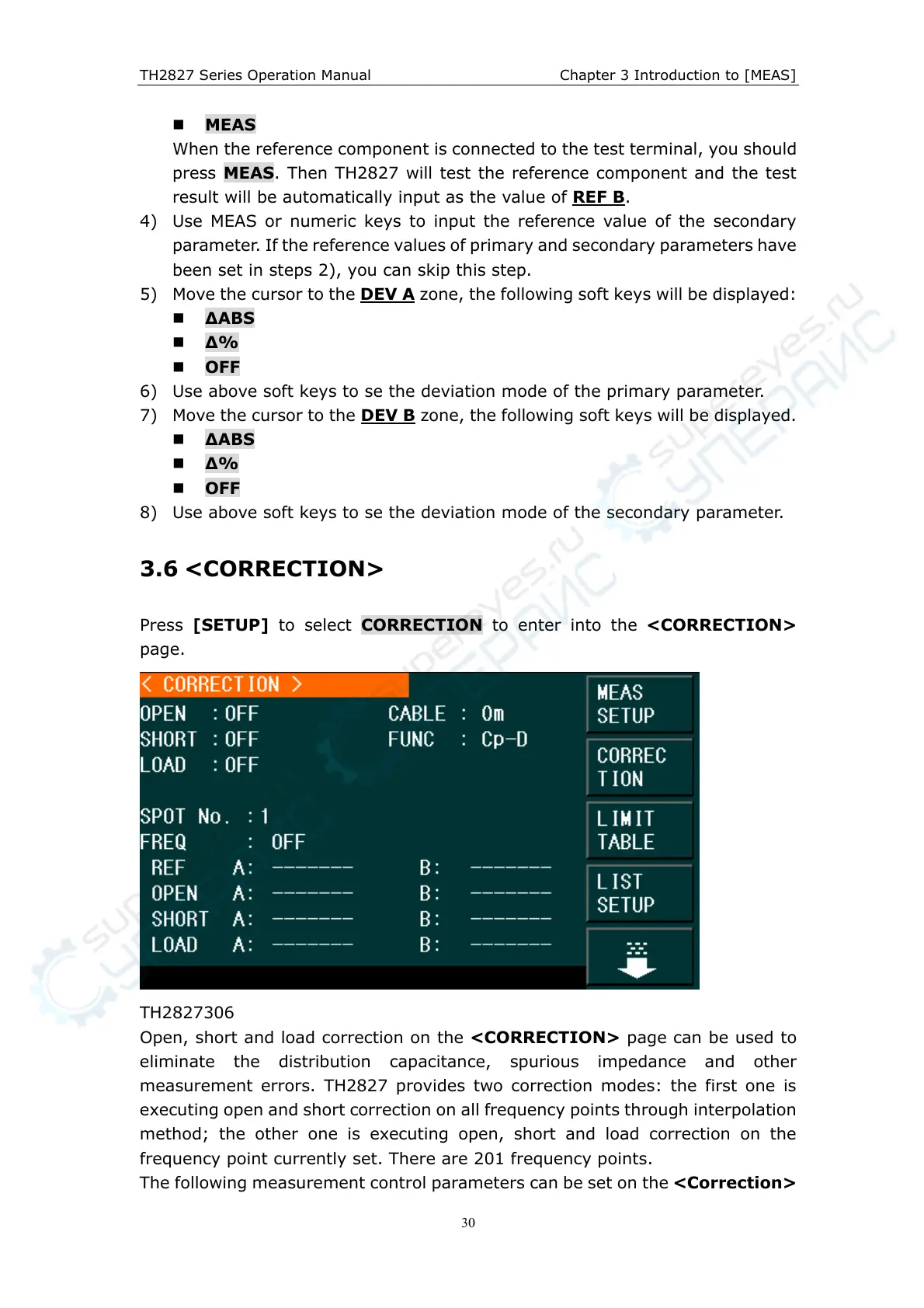
Press [SETUP] to select CORRECTION to enter into the <CORRECTION>
page.
TH2827306
Open, short and load correction on the <CORRECTION> page can be used to
eliminate the distribution capacitance, spurious impedance and other
measurement errors. TH2827 provides two correction modes: the first one is
executing open and short correction on all frequency points through interpolation
method; the other one is executing open, short and load correction on the
frequency point currently set. There are 201 frequency points.
The following measurement control parameters can be set on the <Correction>



 To Next Page