TH2827 Series Operation Manual Chapter 3 Introduction to [MEAS]
11
Chapter 3 Introduction to [MEAS]
3.1 <MEAS DISPLAY>
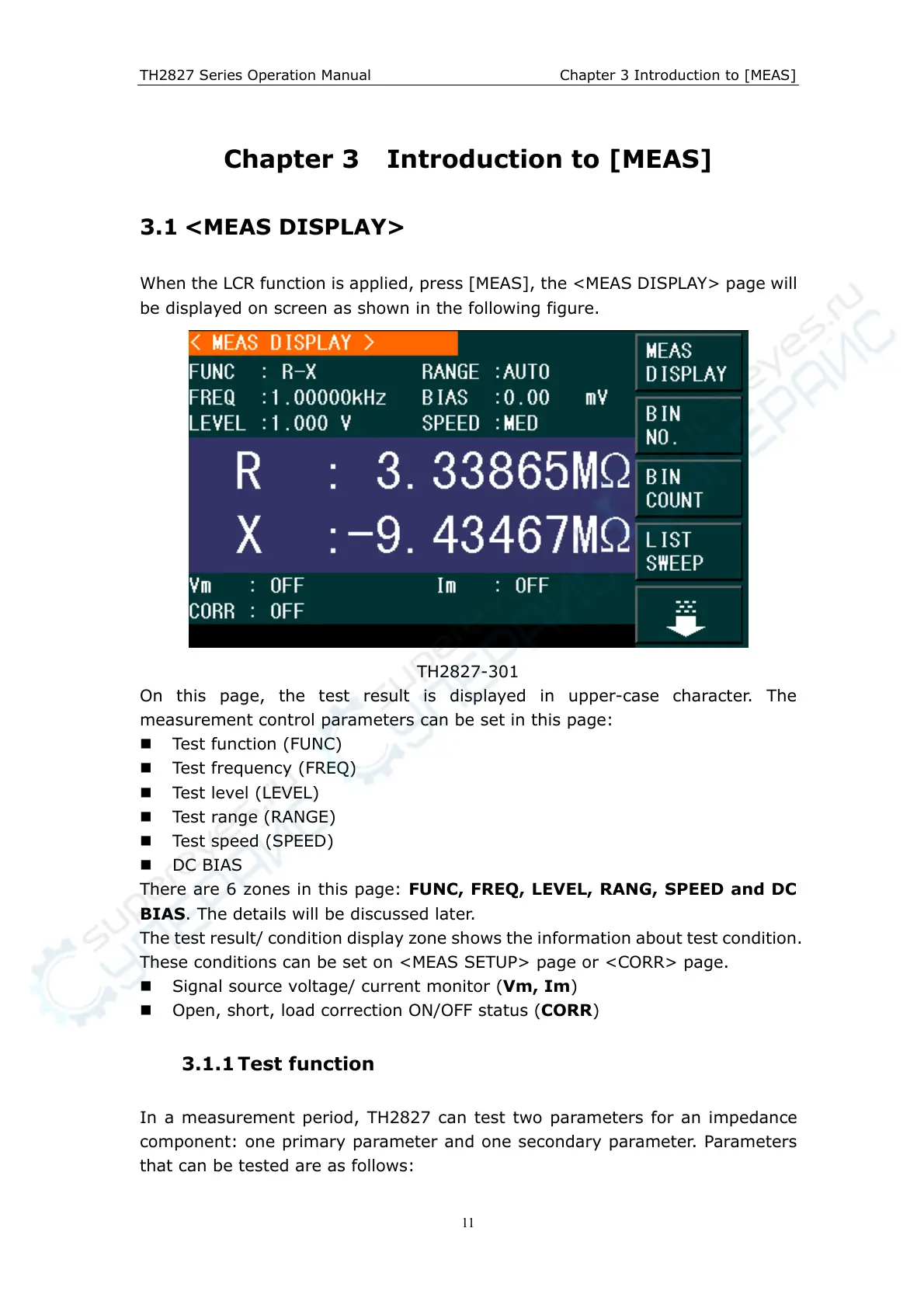
When the LCR function is applied, press [MEAS], the <MEAS DISPLAY> page will
be displayed on screen as shown in the following figure.
TH2827-301
On this page, the test result is displayed in upper-case character. The
measurement control parameters can be set in this page:
Test function (FUNC)
Test frequency (FREQ)
Test level (LEVEL)
Test range (RANGE)
Test speed (SPEED)
DC BIAS
There are 6 zones in this page: FUNC, FREQ, LEVEL, RANG, SPEED and DC
BIAS. The details will be discussed later.
The test result/ condition display zone shows the information about test condition.
These conditions can be set on <MEAS SETUP> page or <CORR> page.
Signal source voltage/ current monitor (Vm, Im)
Open, short, load correction ON/OFF status (CORR)
3.1.1 Test function
In a measurement period, TH2827 can test two parameters for an impedance
component: one primary parameter and one secondary parameter. Parameters
that can be tested are as follows:



 To Next Page