TH2827 Series Operation Manual Chapter 3 Introduction to [MEAS]
27
then instrument cannot work normally.
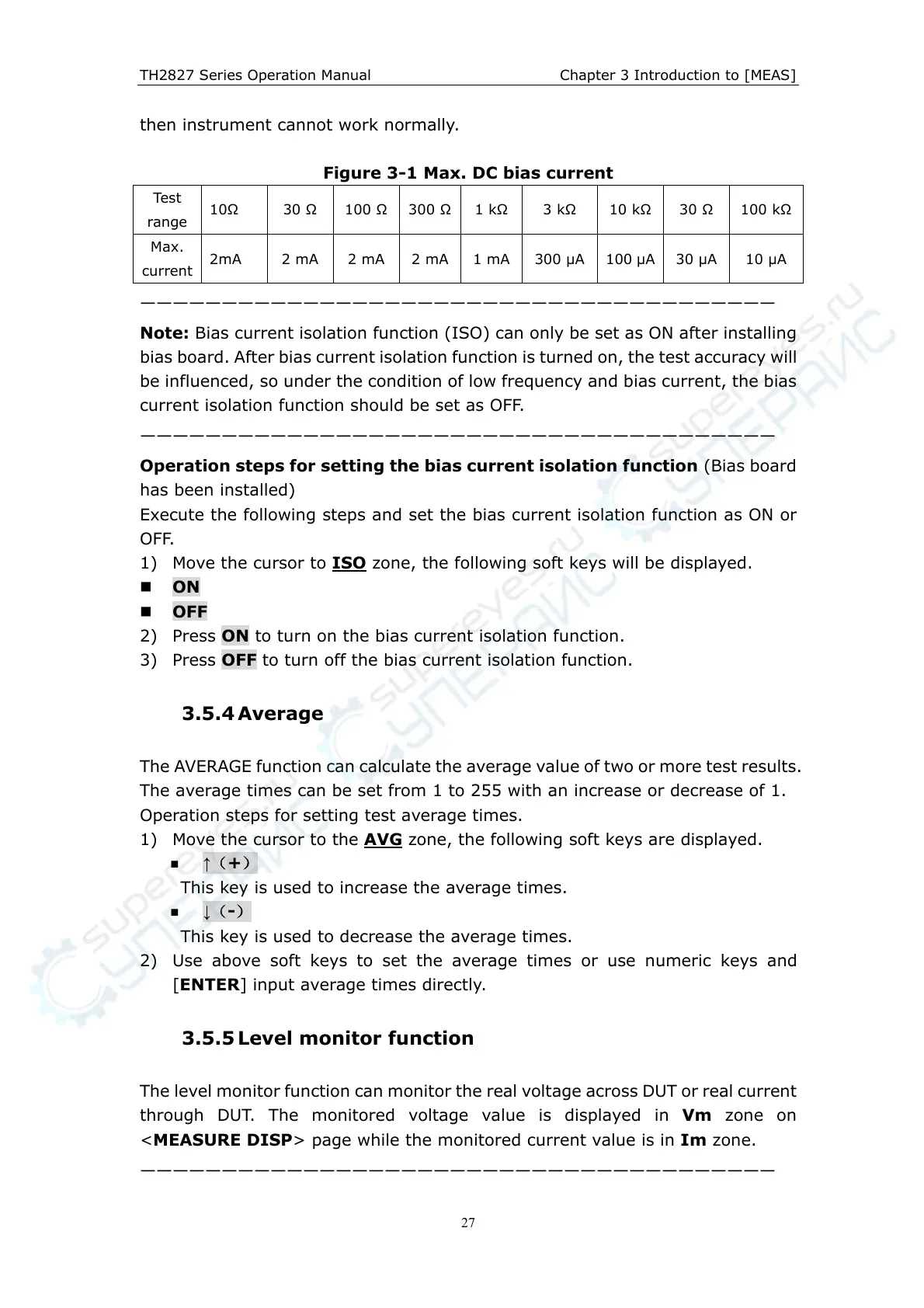
Figure 3-1 Max. DC bias current
Test
range
10 30 100
300
1 k
3 k 10 k
30 100 k
Max.
current
2mA 2 mA 2 mA 2 mA
1 mA
300 µA
100 µA 30 µA 10 µA
———————————————————————————————————————
Note: Bias current isolation function (ISO) can only be set as ON after installing
bias board. After bias current isolation function is turned on, the test accuracy will
be influenced, so under the condition of low frequency and bias current, the bias
current isolation function should be set as OFF.
———————————————————————————————————————
Operation steps for setting the bias current isolation function (Bias board
has been installed)
Execute the following steps and set the bias current isolation function as ON or
OFF.
1) Move the cursor to ISO
zone, the following soft keys will be displayed.
ON
OFF
2) Press ON to turn on the bias current isolation function.
3) Press OFF to turn off the bias current isolation function.
3.5.4 Average
The AVERAGE function can calculate the average value of two or more test results.
The average times can be set from 1 to 255 with an increase or decrease of 1.
Operation steps for setting test average times.
1) Move the cursor to the AVG
zone, the following soft keys are displayed.
↑(+)
This key is used to increase the average times.
↓(-)
This key is used to decrease the average times.
2) Use above soft keys to set the average times or use numeric keys and
[ENTER] input average times directly.
3.5.5 Level monitor function
The level monitor function can monitor the real voltage across DUT or real current
through DUT. The monitored voltage value is displayed in Vm zone on
<MEASURE DISP> page while the monitored current value is in Im zone.
———————————————————————————————————————



 To Next Page