1. Before Use
23
1.3.4 Turning ON/OFF the Power
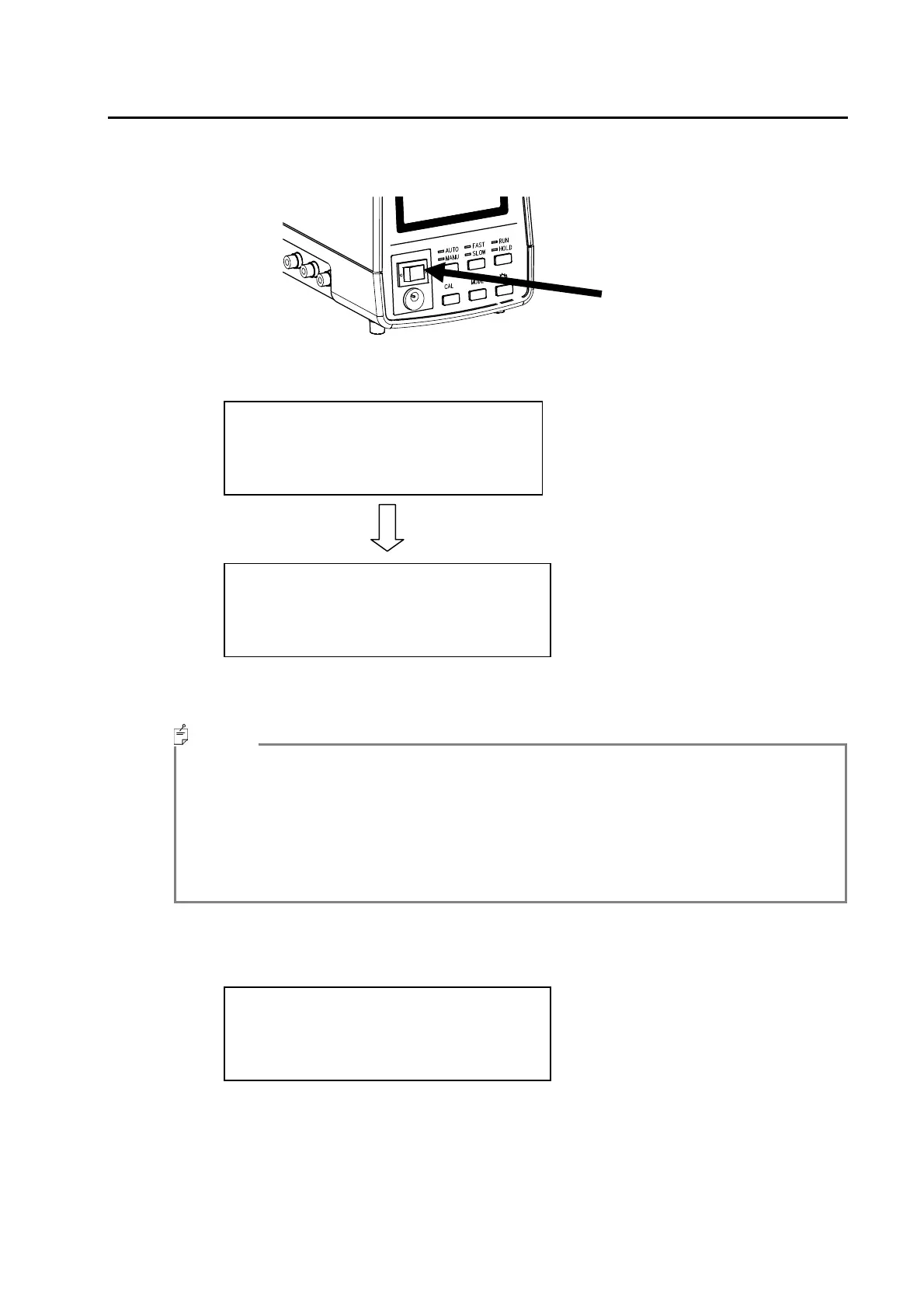
When turning the power ON, flip the power switch to the right side.
After the power has been turned ON, the instrument will warm up for 10 minutes, then the zero-
adjustment starts and then measurement starts automatically.
To finish measurement, press the RUN/HOLD switch. The final measurement results of
continuous measurement will be displayed.
・ If it has been 1 year or more since calibration has been performed by Topcon factory, a
screen recommending maintenance will be displayed before zero-adjustment.
Maintenance Recommended Screen Display
☞
「1.4 Maintenance Recommended Display」
・ In the REMOTE mode (when dip switch 1 is on the REMOTE side), the screen that is
displayed after the power is turned ON will differ.
☞
「1.3.2 Connecting a PC」「Dip Switch Settings」
When the power is turned ON and dip switch 8 is on the WRITE side, the following screen is
displayed.
After this screen is displayed, set dip switch 8 to the PROTECT side.
Calibrating 1
F2.0 ABS K00 G00-0
x= 0.1930
y= 0.4899
L= 3.016E+01 cd/m^2
Memo
Attention !!
Please set
the PROTECT/WRITE SW
to the PROTECT side.



 To Next Page