2. Measurement Operation
29
[KX][KY][KZ].
7
Select [Device Difference Correction - Write Correction Factor] from the [Measurement]
menu. The calculated correction factors are written in the respective luminance
colorimeters.
■ Using the Direct Correction Function
In addition to using the CM-700 software to perform correction between instruments, there is a
method of using RS-232C cable to directly connect to luminance colorimeters, and this function
is called the Direct Correction function. In the method of using the Direct Correction function, a
RS-232C cable and a reference light source sample are necessary.
Request
・ The reference light source sample should have stable light output and be the
same type as the light source to be measured.
・ To use the Direct Correction function, the RS-232C parameters of the two
luminance colorimeters must be the same.
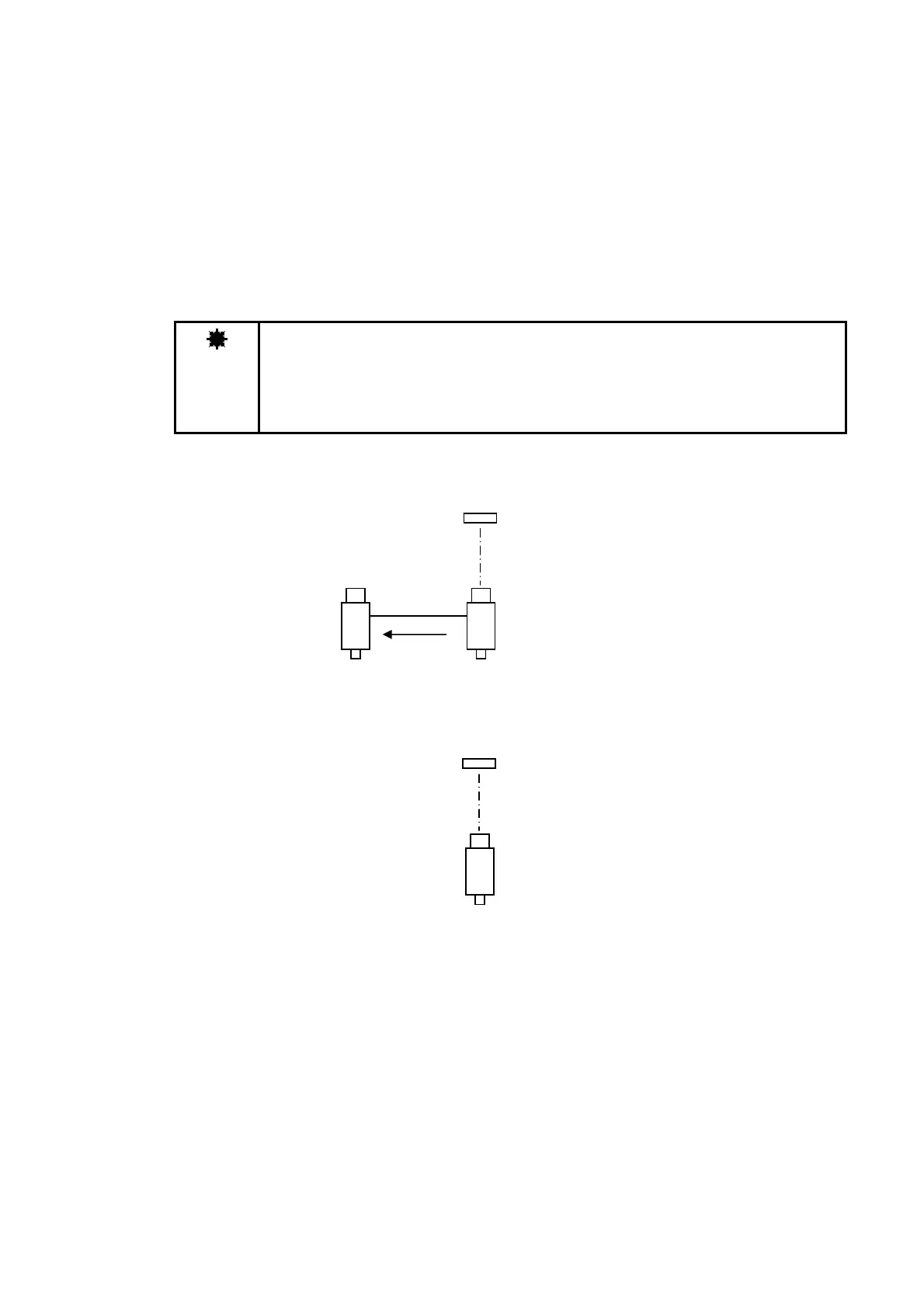
When using the Direct Correction function, first, measure the light source using the reference
instrument, and write that measurement data to the BM-7A to be corrected.
Next, place the BM-7A to be corrected in the location where the reference instrument placed,
and measure the same light.
A correction factor is calculated for the BM-7A to be corrected based on the data of the
reference instrument, and the data of the BM-7A to be corrected.
SR-3
Source
BM-7A
RS-232C
Reference instrument
Measurement Data
BM-7A
Source



 To Next Page