5. Excel Sample Program
80
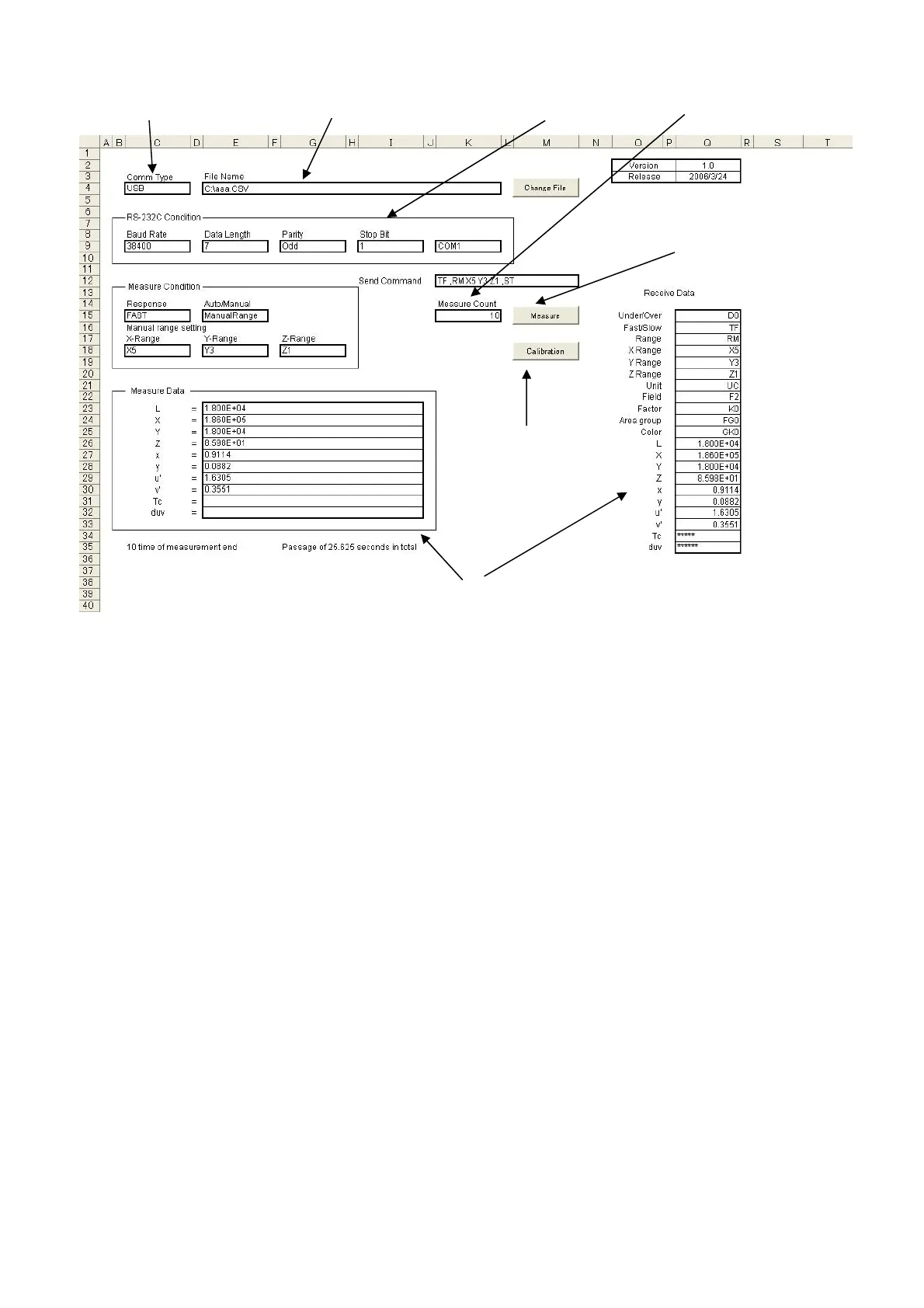
1. Select either USB or RD-232C.
2. Set the save file name. Data is saved in CSV format.
3. When RS-232C was selected in step 1, set the parameters so that they match the settings
on the BM-7A side.
Setting the device
☞
「3.9 RS-232C Parameters」
4. Input the number of times measurement to be performed.
5. Click on the Measurement button.
6. The measurement results are displayed.
7. Execute zero adjustment for the first measurement.
1. USB/RS232C selection
2. File name
3. RS232C
arameter
4. Measurement count
5. Measurement button
7. zero ad
ustment
6. Measurement



 To Next Page