Configuring a Spread Spectrum Radio Modem
P/N 7010-0736
3-9
4. On the Serial Interface tab, select the following baud rate
parameters and click Apply (Figure 3-3).
• Baud Rate – select a baud rate for the modem’s serial port.
The same rate must be used for the receiver and the modem.
• RTS/CTS – controls the flow of data between the receiver and
modem. “On” enables handshaking/hardware flow control.
Channel Assign a channel on which to transmit/receive data. Each
channel uses a unique communication frequency, allowing up to
five simultaneously transmitting radio modems, without
interference, at the jobsite.
• Use the same channel for both receiver in the same network.
• Assign different channels to other networks.
a. Recommended setting for this link rate.
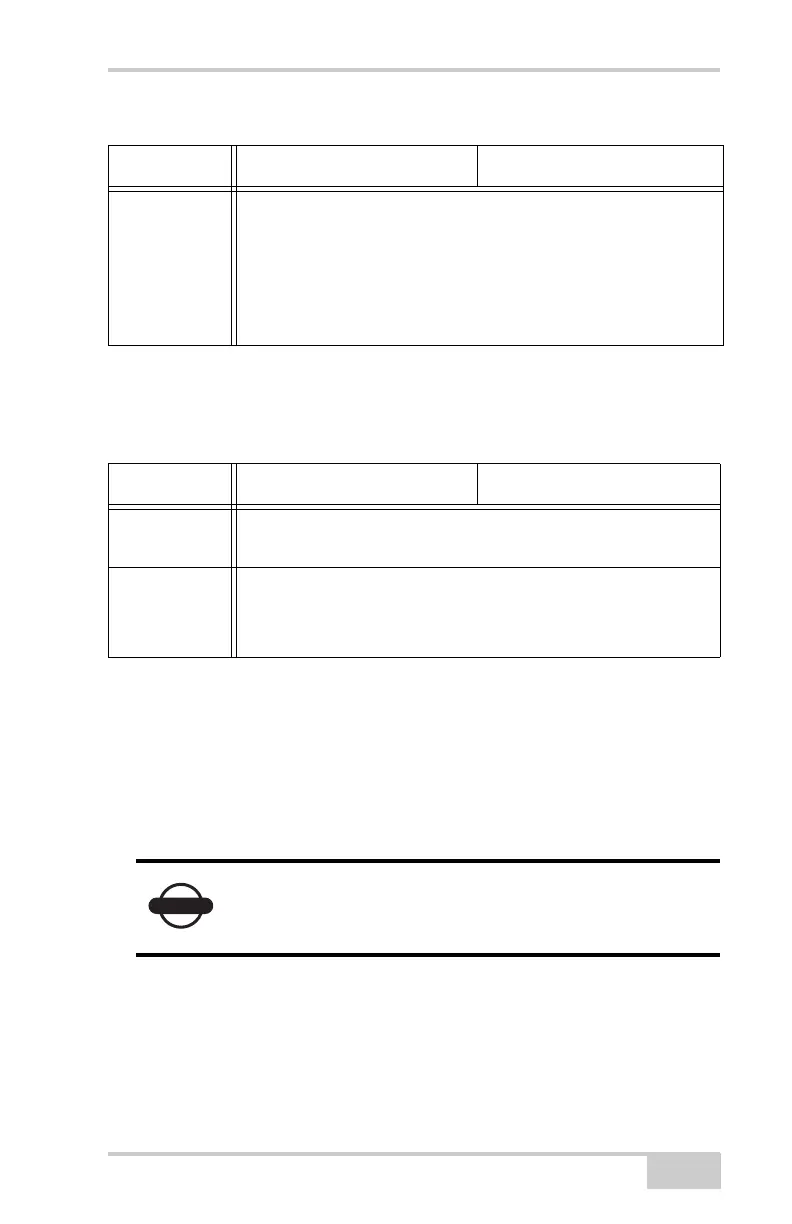
Table 3-3. Receiver Parameters for the Serial Interface Tab
Parameter Base Receiver Rover Receiver
Baud Rate Select a baud rate for the modem’s serial port. The same rate
must be used for the receiver and the modem.
RTS/CTS Controls the flow of data between the receiver and modem.
• On – enables handshaking/hardware flow control.
• Off – disables handshaking.
If the serial baud rate exceeds the link rate, enable
hardware handshaking to prevent the radio link
from overflowing, resulting in data loss.
Table 3-2. Receiver Parameters for the Radio Link Tab (Continued)
Parameter Base Receiver Rover Receiver



 To Next Page