Loading New Firmware
P/N 7010-0816
5-19
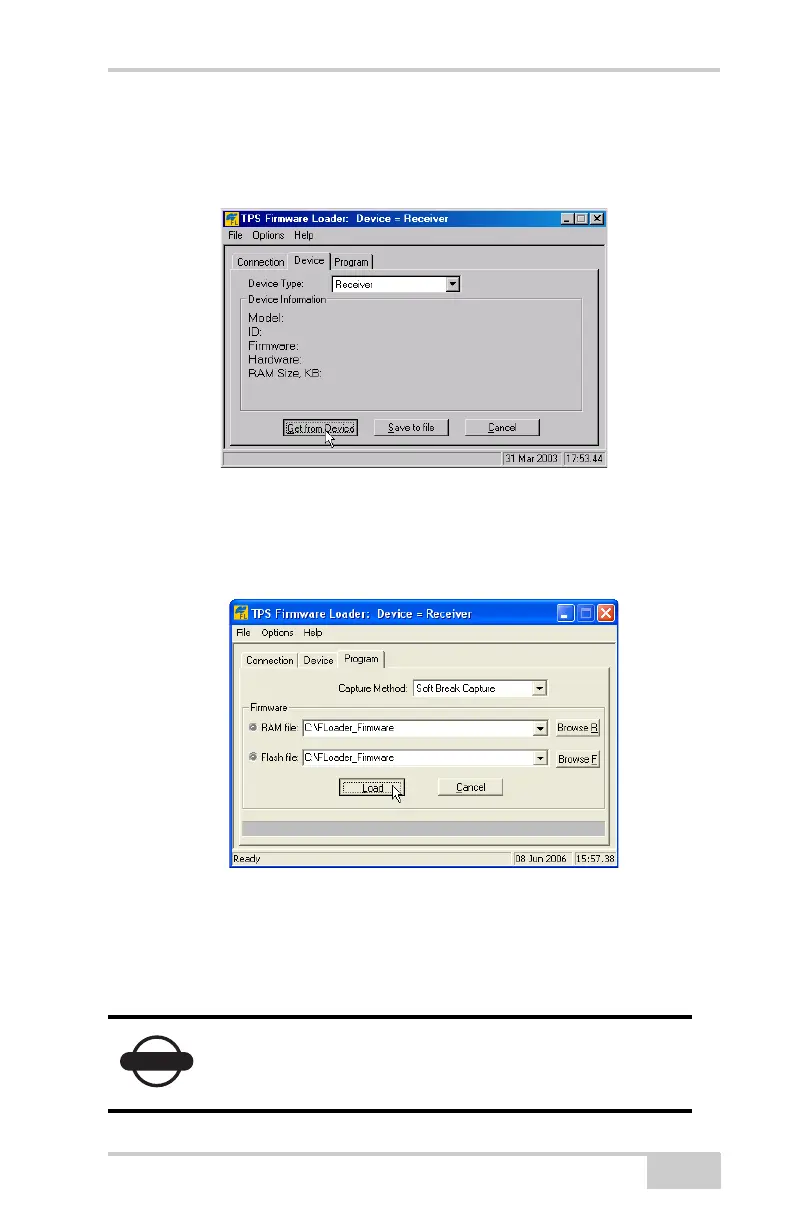
1. In FLoader, click the Device tab, and set the Device Type to
“Receiver.” Click Get from Device for device information
(Figure 5-19).
Figure 5-19. Set Device Type
2. Click the Program tab, and set the Capture Method to “Soft
Break Capture” (recommended) (Figure 5-20 on page 5-19).
Figure 5-20. Program Tab Settings
3. Browse for and select the receiver board’s RAM file and Flash
file (Figure 5-20).
4. Click Load and wait until 100% of the files load into the receiver.
NOTICE
If you selected an incorrect file, an error message
displays at the bottom of the dialog box. Select the
correct file.



 To Next Page
 Loading...










