Configuring the Receiver
LoadingNewFirmware
42
P/N:1001608‐01
Checking the Receiver’s OAF
TouseTRUtoviewthestatusofthereceiver’soptions:
1. ConnectthereceivertoacomputerandopenTRU.SeetheTopconReceiverUtility(TRU)ReferenceManualformore
informationaboutconnectingthereceivertoacomputer.
2. InTRU,connecttothereceiver.
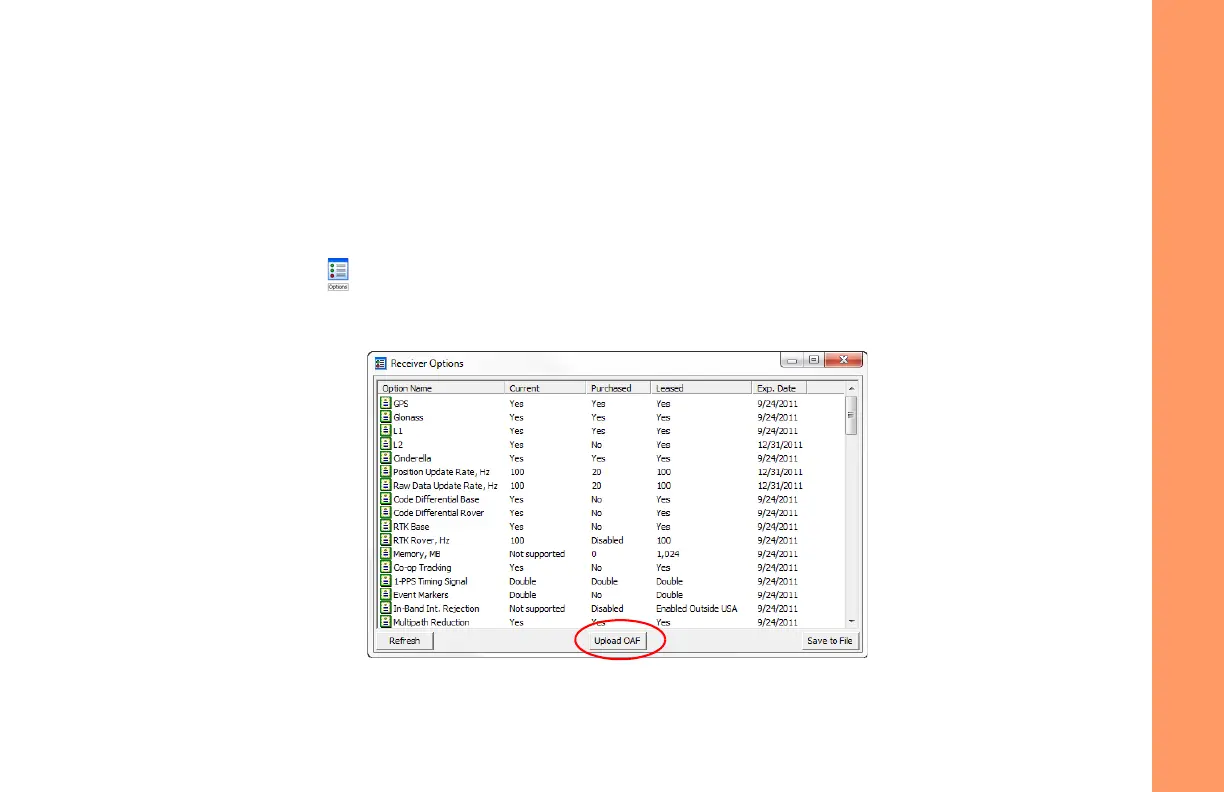
3. ClicktheOptionsiconinthemainwindow.TheReceiverOptionswindow(Figure 19)displays,soyoucanview
thecurrentauthorizationoptionsanduploadnewones.
Figure19:ReceiverOptions



 To Next Page