11
COMPONENT NAMES AND FUNCTIONS
BASIC OPERATION SWITCHES
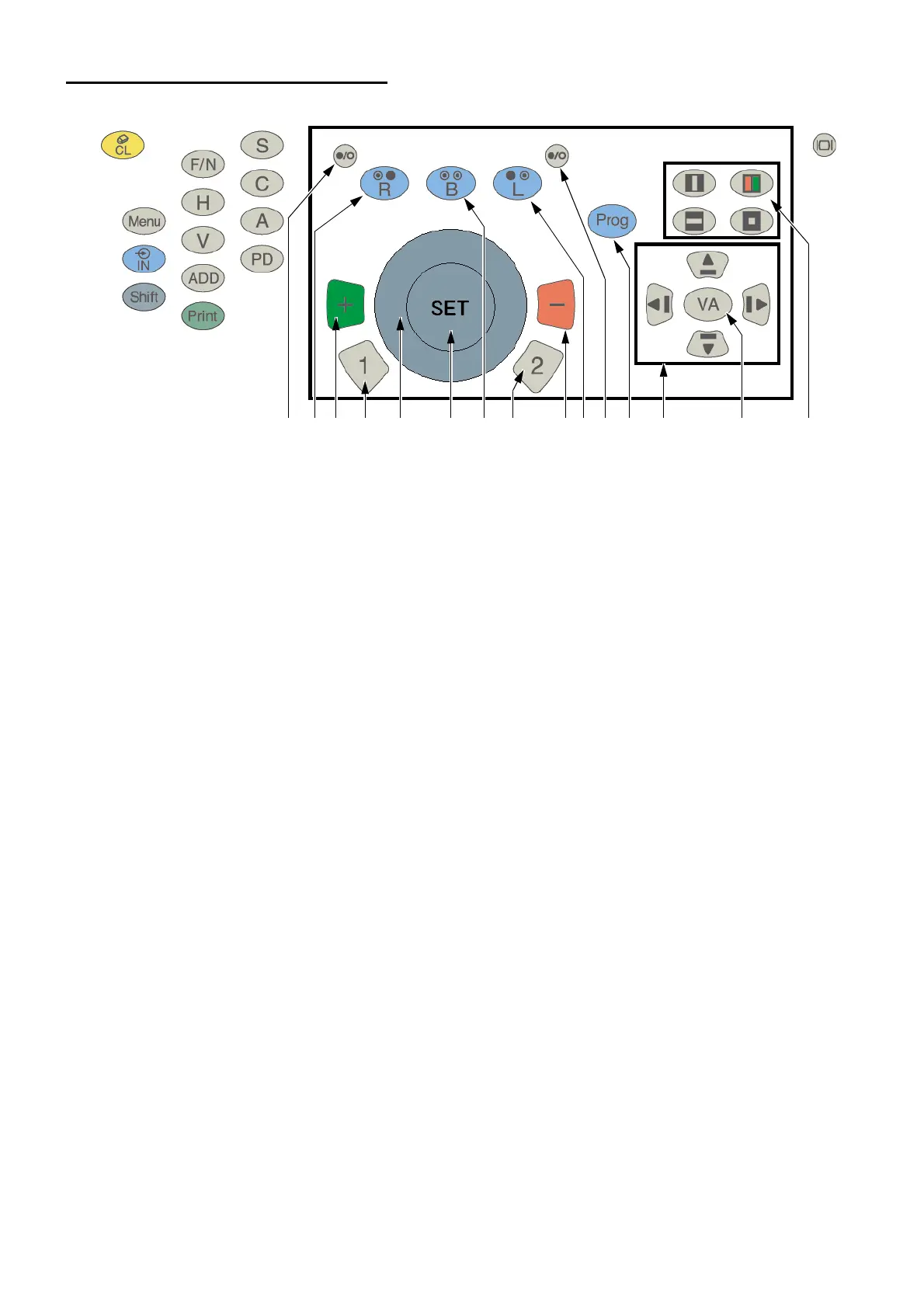
(1) [Dial]
This dial is used to change the refractive power or astigmatic axis of the lens.
Select the data to be changed according to the tests or setting.
Turn clockwise: The value is changed toward the negative side.
Turn counterclockwise: The value is changed toward the positive side.
(2) [SET] switch
This switch is used to advance the course program by 1 step.
Press this switch as pressing the [Shift] switch, and the course program is returned by 1 step.
This is used as a response switch in the smart cross cylinder test.
(3) [1] switch
This switch is used to start the cross cylinder test.
In monocular mode, the cross cylinder lens is set to the eye to be tested and the test starts.
In binocular mode, the test starts automatically with the right eye test mode.
When the object of the dial operation is the astigmatic power, the astigmatic power test starts.
The cross cylinder lens with green frame is set.
(4) [2] switch
This switch works in the same way as the [1] switch.
The cross cylinder lens with red frame is set.
(5) [+] switch
This switch works in the same way as the dial.
Each time you press this switch, the value is changed toward the positive side by 1 step.
(6) [-] switch
This switch works in the same way as the dial.
Each time you press this switch, the value is changed toward the negative side by 1 step.
(10) (7) (5) (1) (2) (8) (4) (6)(9)(11) (12) (13) (14) (15)(3)



 To Next Page