44
BASIC OPERATION
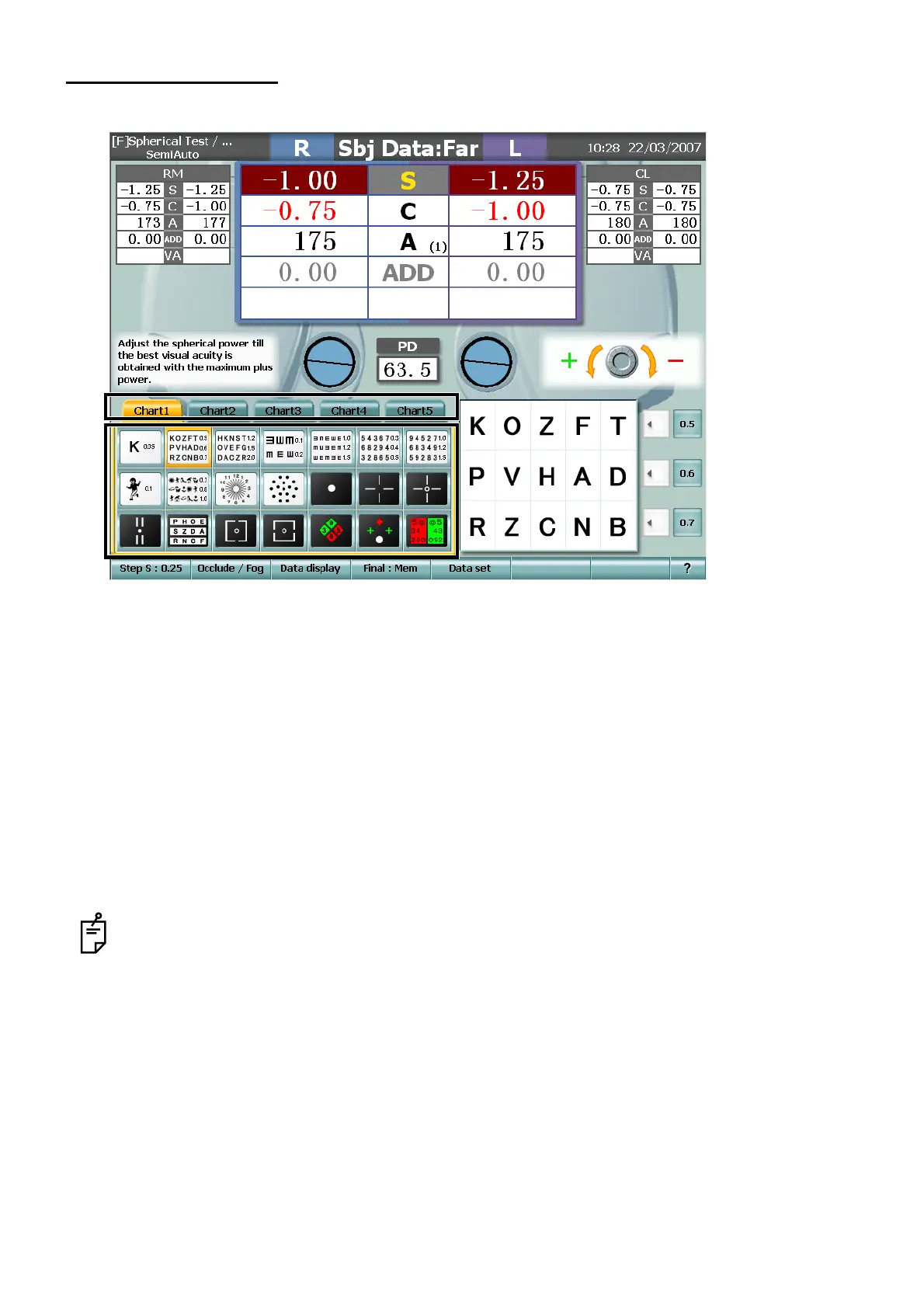
CHANGE OF CHART
To change the chart, touch a desired chart directly.
Changing the chart tab
You can register total 105 charts (21 charts on each of 5 pages). If the chart to be changed is not
found on the current page, touch the chart tab to access the page including the desired chart.
Selecting the chart
By following the procedure shown below, you can select one of the following two operations: one is
to change the chart only, and the other is to change the chart and at the same time execute the rel-
evant test (Semi-Auto course function).
• Touch the chart picture. → Changing the chart + Executing the relevant test (Semi-Auto course
function)
• Touch the chart picture as pressing the [Shift] switch. → Only changing the chart
When the TOPCON liquid crystal visual acuity chart PC-50 is set at a distance of more than 4m,
the targets of visual acuity 0.02 (in "decimal" notation)/300 (in "meter" notation)/1000 (in "feet"
notation) are not indicated. To register the chart including the targets of this visual acuity in the
chart page, check the setting distance of PC-50.
Refer to "REGISTRATION OF ORIGINAL COURSE" in "OTHER FUNCTIONS" for registering the
chart.



 To Next Page