68
SETTING AND CHANGING THE SOFTWARE
Course Construction
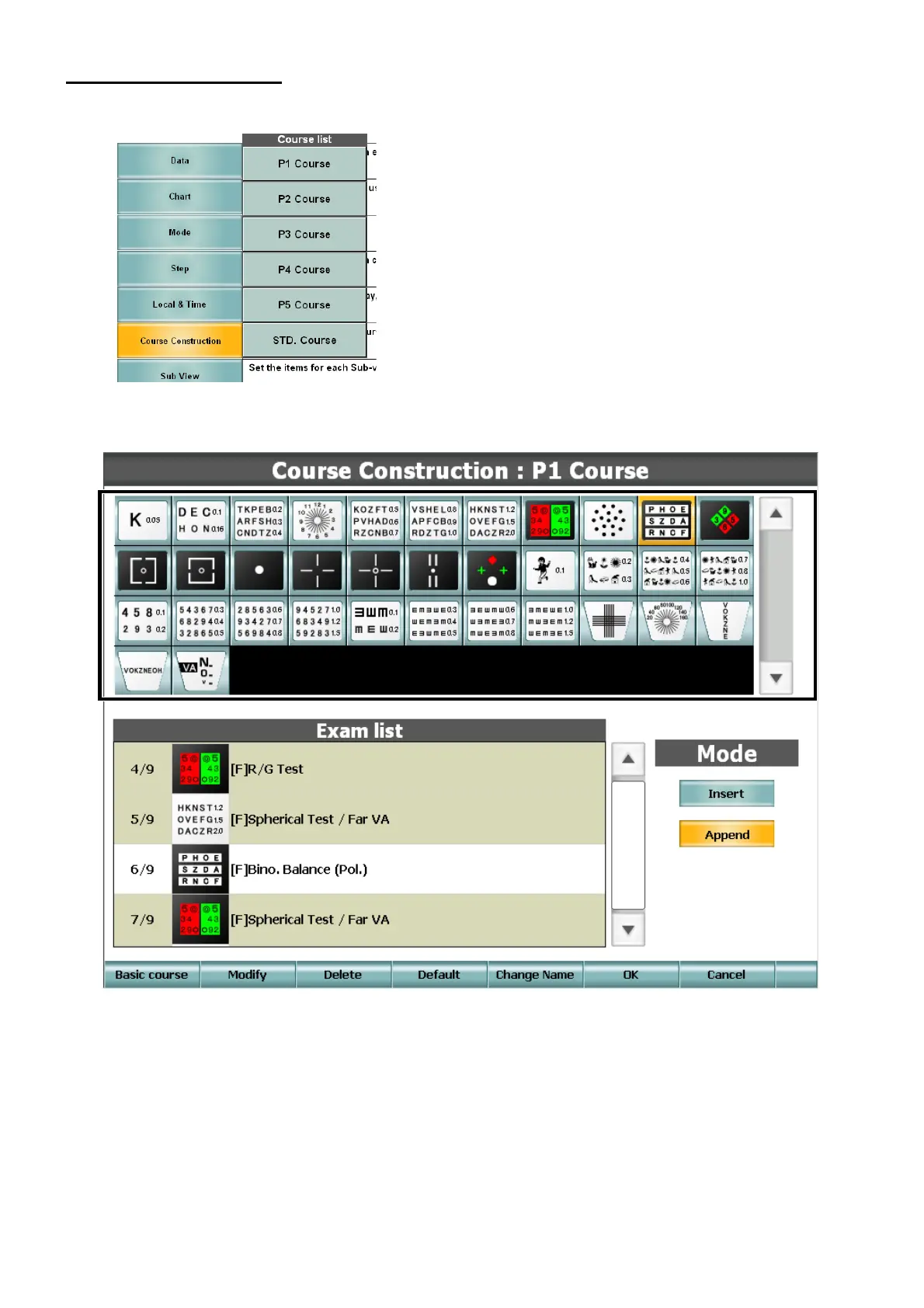
The list of courses is displayed.
You can register or edit the selected course.
• Title bar
Displays the course, which is being edited.
• Chart list
Displays the list of charts to be used in tests.
Select a chart in the list. The chart is registered into "Exam. list" with the test data related to it.



 To Next Page