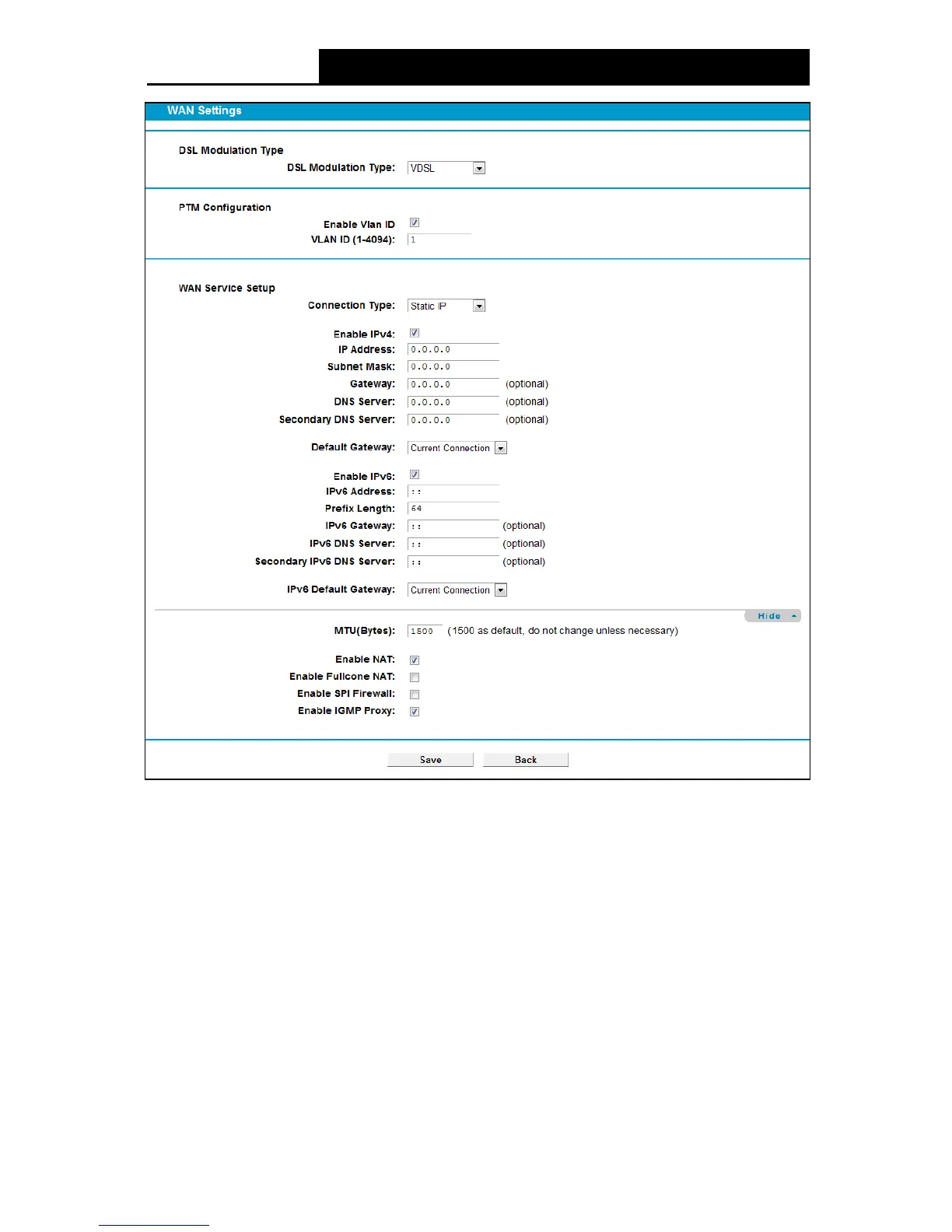
Check the box to enable IPv4.
IP Address: Enter the IP address in dotted-decimal notation provided by your ISP.
Subnet Mask: Enter the subnet Mask in dotted-decimal notation provided by your ISP,
usually is 255.255.255.0.
Gateway (Optional): Enter the gateway IP address in dotted-decimal notation provided by
your ISP.
DNS Server/ Secondary DNS Server: Here you can set DNS Server (at least one) manually.
The Route will use this DNS Server for priority.
De fault Gate way: Select a WAN Interface from the drop-down list as the IPv4 default
gateway.
Enable IPv6: Check the box to enable IPv6.



 To Next Page
 Loading...











