52
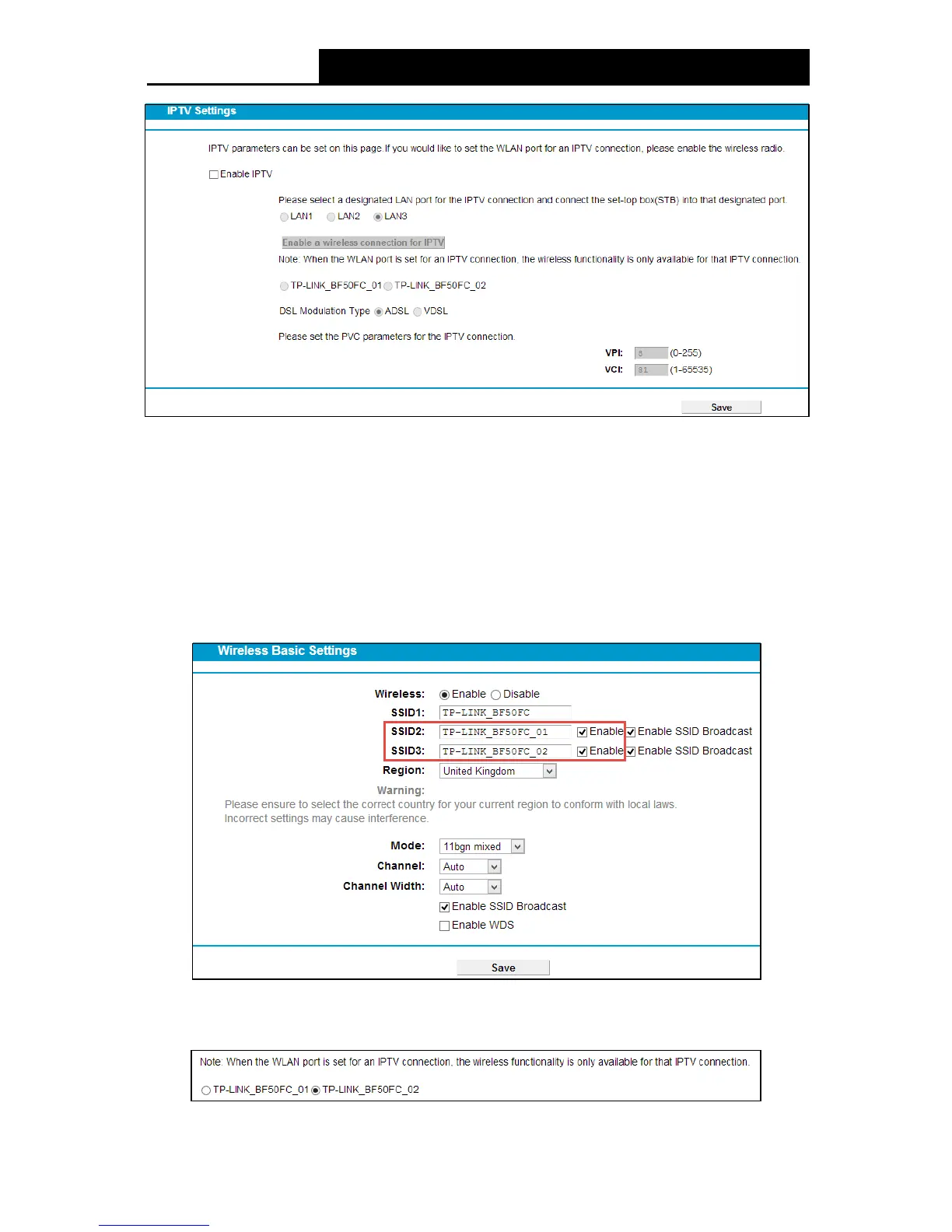
Figure 4-35
Enable IPTV: Check the box to enable IPTV function.
Enable a wireless connection for IPTV: If enabled, the set-top box can connect wirelessly
to the modem router. To use this function, follow the steps below:
1. Select Enable IPTV.
2. Select Enable a wireless connection for IPTV.
3. Enable SSID2 or SSID3 for IPTV connection and click Save . You may rename the
SSID.
Figure 4-36
4. Select your desired wireless network for IPTV connection.



 To Next Page