66
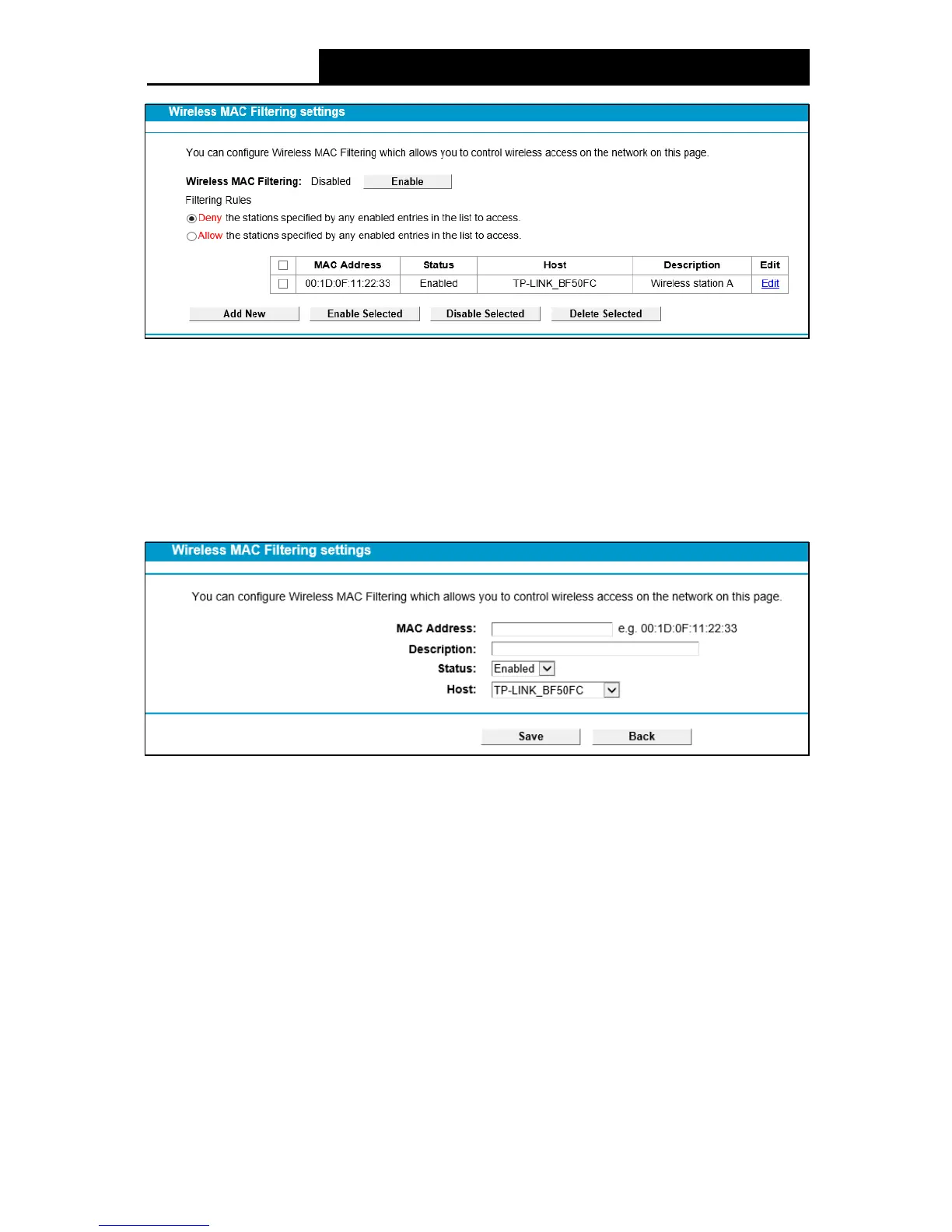
Figure 4-50
To filter wireless users by MAC Address, click Enable. The default setting is Disabled.
M AC Addr e ss: The wireless station's MAC address that you want to filter.
Status: The status of this entry either Enabled or Disabled.
Description: A simple description of the wireless station.
To Add a Wireless MAC Address filtering entry, click the Add Ne w button. The following page will
appear, shown in Figure 4-51:
Figure 4-51
To add or modify a MAC Address Filtering entry, follow these instructions:
1. Enter the appropriate MAC Address into the M AC Add re ss field. The format of the MAC
Address is XX:XX:XX:XX:XX:XX (X is any hexadecimal digit). For example:
00:1D:0F:11:22:33.
2. Give a simple description for the wireless station in the Description field. For example:
Wireless station A.
3. Select Enabled or Disabled for this entry on the Status drop-down list.
4. Click the Save button to save this entry.
To edit or delete an existing entry:
1. Click the Edit in the entry you want to modify.
2. Modify the information.
3. Click the Save button.



 To Next Page