EasyManua.ls Logo

TPG CA-202A - Page 102

Default Icon
200 pages
Print Icon
To Next Page IconTo Next Page
To Previous Page IconTo Previous Page
Loading...
Po
wer source
voltage
The voltage of
power source is
too low
Check if the voltage
of power source is
nor
under
. mal.
e of
drive’s heat sink
reaches the
protection level.
Setting level: F4.12
has
fan
of drive is fault.
C
th
fa
Drive overheat
The temperatur
The surrounding
temperature is
too high.
The heat sink
foreign body.
The cooling
Improve the
ventilation.
lean the dust on
e heat sink.
Return the drive to
replace the cooling
n.
Motor o
verheat
r is over the
Motor is over heat. C
vy.
s
The internal
temperature of
moto
warning level.
Warning level:
F4.21
heck if the motor
eaload is too h
Check if the
accel./decel. time i
too short.
Check if V/F setting
is proper.
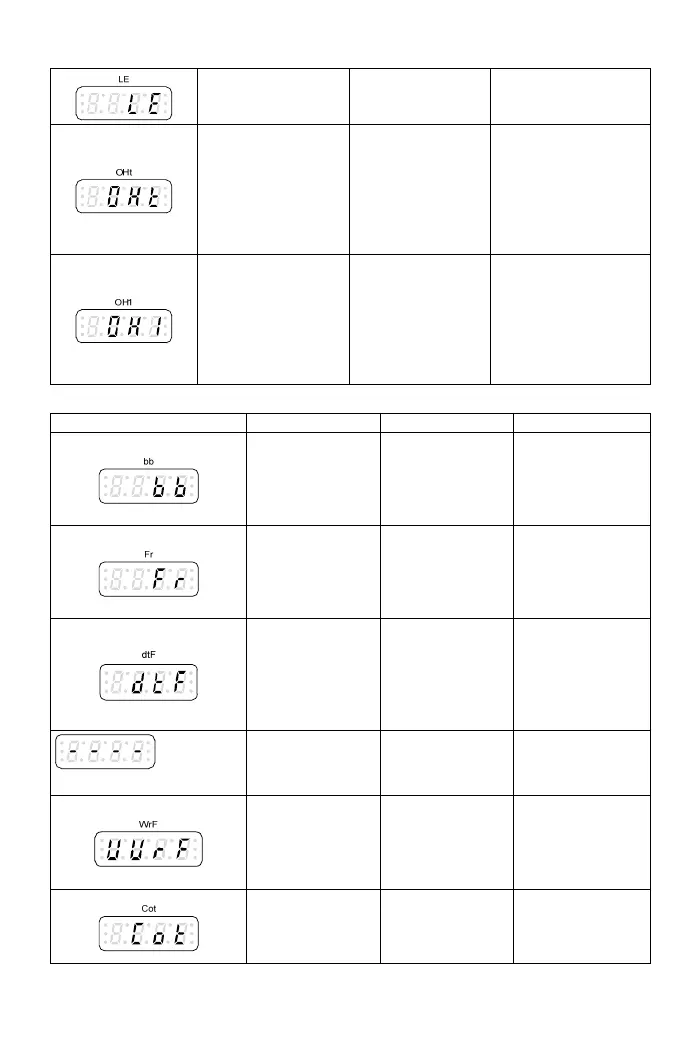
Drive warning message
Display Description Cause Troubleshooting
interruption output when the
output interruption
command is
interruption
command.
Drive output Drive stops the
activated.
Clear drive output
p e stops the
output when th
coast to stop
command is
activated.
mand.
Coast to sto Driv
e
Clear “coast to
stop” com
Forwad/re
c
verse
put
y
Input the
forward/reverse
command to one
Check the control
command. ommand in
simultaneousl
of X1~X4
terminals
simultaneously.
In r-d
with frequency com
erse
---
direction
command.
te isplay
mand
No input of
forward/rev
command
Check rotation
inter-copy
Different
software version
The software
version of drives
is different.
Check up the
software version is
corresponded.
Modb
us
communicati
on
overtime
Communicatio
wire is loosen o
connecting wire
is incorrect. wire.
n
r
Check the wiring
of
communication
102

Table of Contents

Related product manuals