F5 Multi-function Parameters
【F5.00】
“Pot knob” Selection (Analog Input)
The settings are listed as below:
0: Analog input gain
1: Frequency command
2: Current limit
3: Variable voltage of V/F pattern
【F5.01】 Analog Input AI Selection
The settings are listed as below:
0: Analog input gain
1: Frequency command
2: Current limit
3: Variable voltage of V/F pattern
4: PTC temperature
5: PID feedback
Pot
AI
X
F1.03=0,1,2
Pot
AI
Pot
AI
+/ -
+/ -
Pot
AI
Analog input gain
F5.00&F5.01
simultaneously setting
1 or 2 or 3
F1.03=3
(switch by multi-function)
F1.03 don't care
F1.03 don't care
Freq. command
or Current limit or
Variable voltage
of V/F pattern
F5.00&F5.01
simultaneously setting
1 or 2 or 3
F5.00&F5.01
not simultaneously
setting
1 or 2 or 3
F5.00&F5.01
either one setting 0
Freq. command
or Current limit or
Variable voltage
of V/F pattern
Freq. command
or Current limit or
Variable voltage
of V/F pattern
Freq. command
or Current limit or
Variable voltage
of V/F pattern
Freq. command
or Current limit or
Variable voltage
of V/F pattern
Freq. command
or Current limit or
Variable voltage
of V/F pattern
Freq. command
or Current limit or
Variable voltage
of V/F pattern
Freq. command
or Current limit or
Variable voltage
of V/F pattern
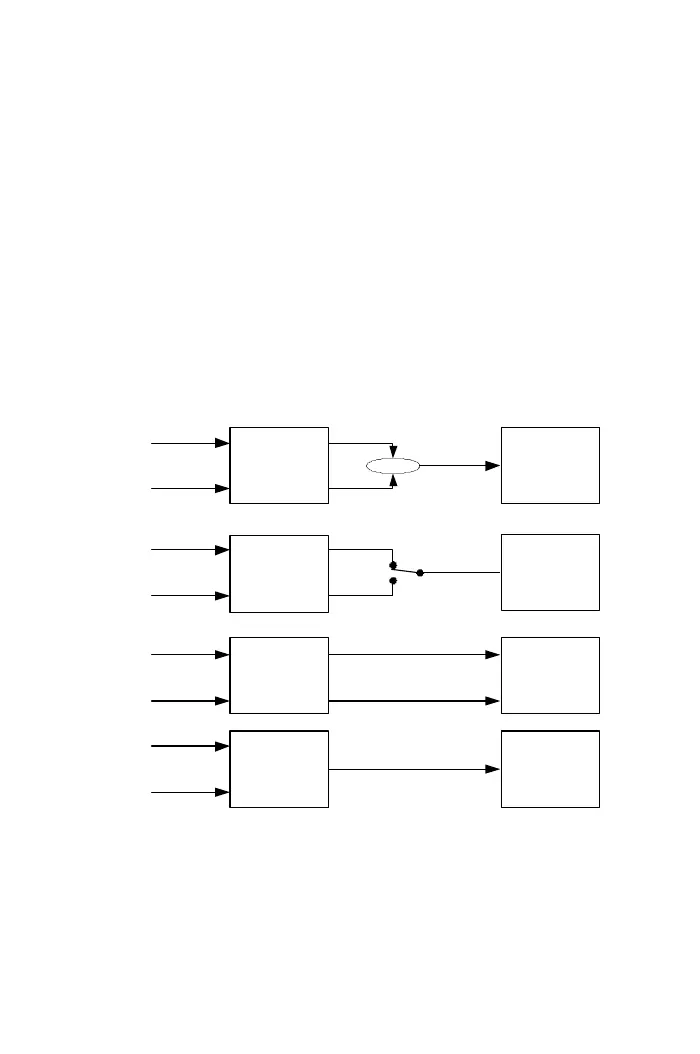
※When F1.01 is set to “0”, the frequency command inputs from analog input terminals,
function F5.00 or F5.01 must set to “1”; otherwise, the frequency command is 0.0Hz.
※When F5.00 and F5.01 are simultaneously setting 1 or 2 or 3, the function F1.03
= 0 or 1 or 2 will be activated.
※When F5.00(F5.01) is set to “0”, the gain adjustment must be with F5.00(F5.01)=1
or 2 or 3.
64



 To Next Page