EasyManua.ls Logo

TPG CA-202A - Page 101

Default Icon
200 pages
Print Icon
To Next Page IconTo Next Page
To Previous Page IconTo Previous Page
Loading...
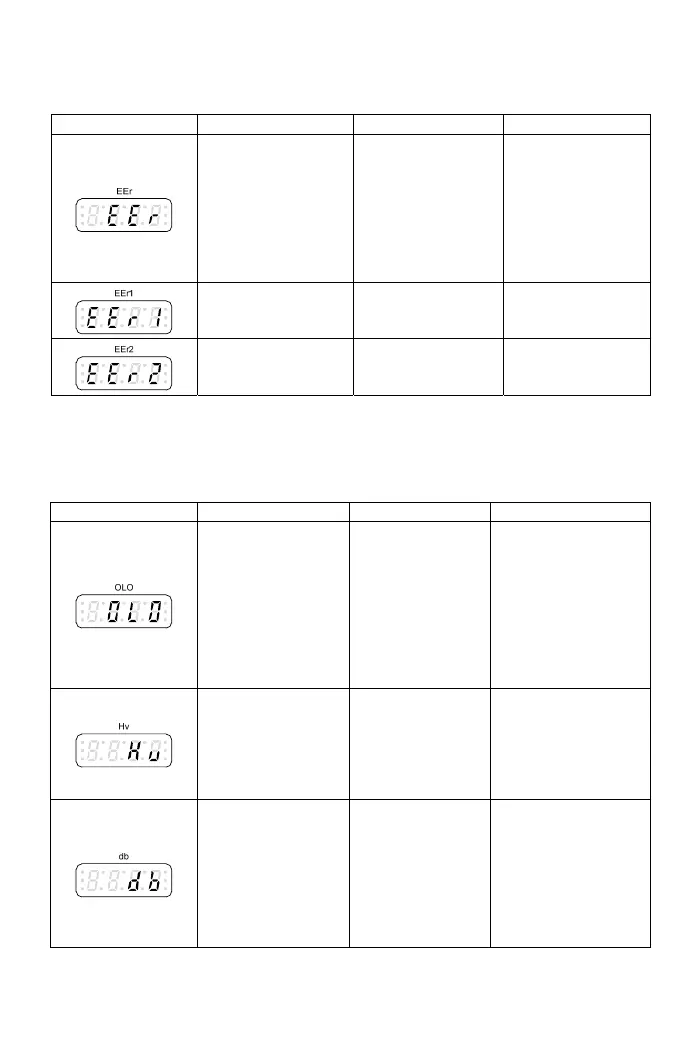
Drive error trip message
escription Cause TroubleshootingDisplay D
EEP EEPR a
.
to
ROM error OM dat
write fault.
EEPROM
component
defected.
Please reset all
parameters to
default value and
restart the drive
Return the drive
repair, when the
fault cannot be
eliminated.
Intern
al memory
error
CPU RAM is
malfunction.
Please call
customer service
for drive repair.
Intern
al memory The software Please call
rvice
error checksum is
incorrect.
customer se
for drive repair.
Drive warning mes
*Drive will stops outpu be
are trou
bleshoot d, t er
Display
sage
t when displaying
he drive will recov
low messages. After
to normal condition.
the fault conditions
e
Description Cause Troubleshooting
System overload
n
the
of
m
eq
Load is too heavy
tioand the opera
current reaches
active level.
Detection level:
F4.28
Detection time:
F4.29
--
Check the usage
echanical
uipment.
e
over the protection
.
voltage is too high. po
drive’s rated range.
Power source over
voltag
Power source
The internal DC bus
voltage of drive is
level during stop
Check if the input
wer is within
or
is active
The internal DC
ge of drive
g level:F3.27
b
“deceleration time”.
que
uce
rate voltage
Braking trans
ist
bus volta
is over the
protection level.
Settin
The deceleration
time of motor is too
short causing the
regenerate voltage
too high on DC
us.
braking method.
Add d
Increase the setting
value of
Use high tor
ynamic brake
nit to redu
regene
101

Table of Contents

Related product manuals