EasyManua.ls Logo

TPG CA-202A - Page 100

Default Icon
200 pages
Print Icon
To Next Page IconTo Next Page
To Previous Page IconTo Previous Page
Loading...
Driv p messa
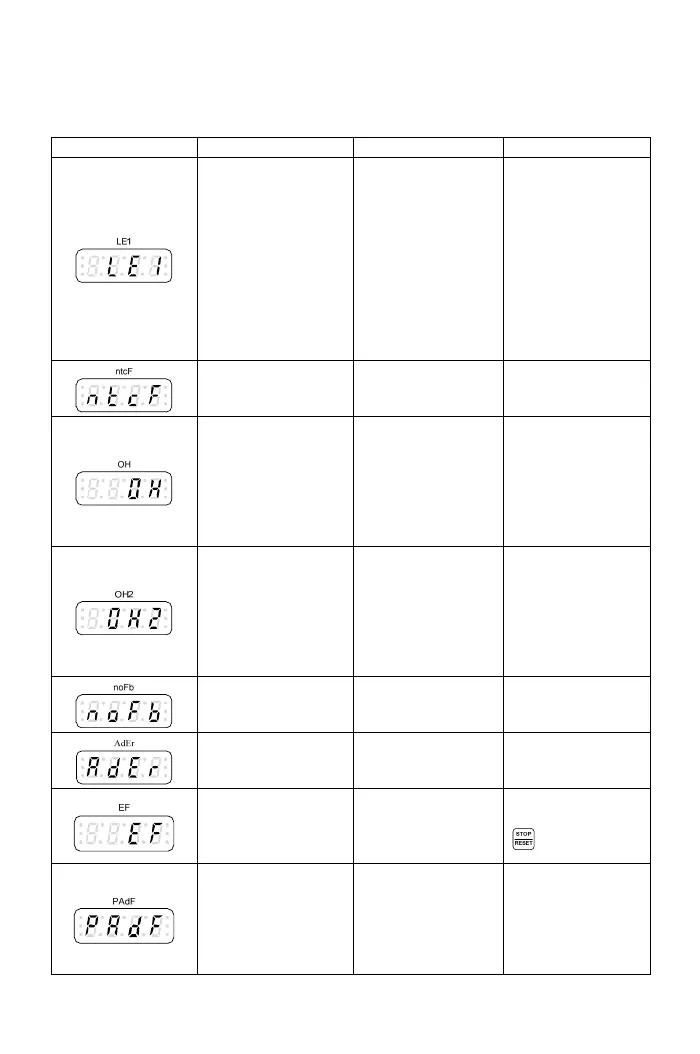
Display
e error tri ge
Description Cause Troubleshooting
DC bus
ow 70
ce for
V series
drive or 50% of
power source for
variation
of power source is
too high.
Motor with instant
r Under voltage
during operation
The internal
voltage is bel
of power sour
200V/400
%
power off.
Voltage
100V series drive.
Phase failure of
input power.
Instantaneous
oltage
drop of the power
cord.
overload causes
the high voltage
drop.
Increase the powe
capacity by
selecting higher
capacity drive to
avoid the v
Therm
al sensor
fault
Drive thermal
sensor (NTC) is
fault.
Please call
customer service
for drive repair
.
Drive overheat
s the trip
level.
Trip level: F4.12
The surrounding
as
ve is fault.
e
.
Return the drive to
replace the
The temperature of
drive’s heat sink
reache
temperature is too
high.
The heat sink h
foreign body.
The cooling fan of
dri
Clean the dust on
the heat sink.
Improve th
ventilation
cooling fan.
3
is overheat. r
heavy.
he
accel./decel. time
is too short.
Check if V/F
setting is proper.
Motor overheat
The internal
temperature of
motor is over the
trip level.
Trip level: F4.2
Motor Check if the moto
load is too
Check if t
PID feed
back s
error
ignal The feedback signal Check the feedback
wire tripped. signal wire.
A
/D converter error
---
Please call
customer service
for drive repair.
External faul
t The multi-function
terminal receives
the external fault
signal.
Clear the external
fault and then press
key.
Keypad
interruption durin
copy
of the keypad
is loosen.
The keypad jack of
the drive is
oxidized.
g
The connecting
wire
Check the
connecting wire of
keypad.
100

Table of Contents

Related product manuals