2 System components GeoExplorer Series Getting Started Guide
System components
This section lists the components of the GeoExplorer series system.
What’s in the box?
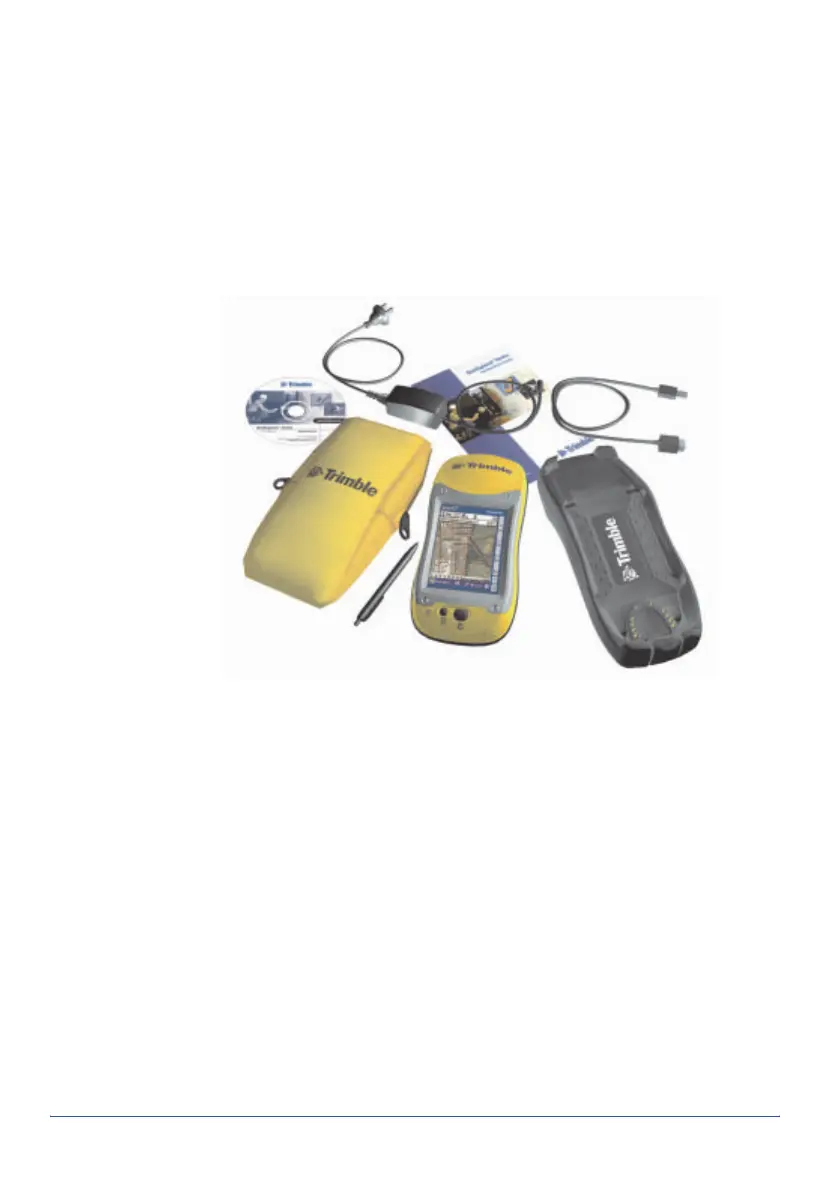
When you receive the GeoExplorer series handheld, check that you have
received all the components, as detailed on the packing list. The standard
components are shown below. Depending on the system that you have
purchased, you may have received additional components.
Inspecting the system
Inspect all contents for visible damage (scratches, dents) and if any
components appear damaged, notify the shipping carrier. Keep the
shipping and packaging material for the carrier’s inspection.
Accessories
The following optional accessories are available:
For more information, visit the Trimble website at
www.trimble.com/geoexplorer.html.
GeoExplorer
Pouch
Support
Stylus
AC power adaptor
USB data cable
Getting Started Guide
series handheld
module
Companion CD
• Power/serial clip
• Vehicle power adaptor
1
• Portable power kit
1
• External antenna
• Pole-mountable ground plane
1
Requires power/serial clip (sold separately).
• Baseball cap with antenna sleeve
• Backpack kit
• Hard carry case
• Null modem cable
1
• Beacon-on-a-Belt (BoB™) differential
correction receiver
1



 To Next Page