ENKOFORM VMK
Construcción
53
ENKOFORM VMK
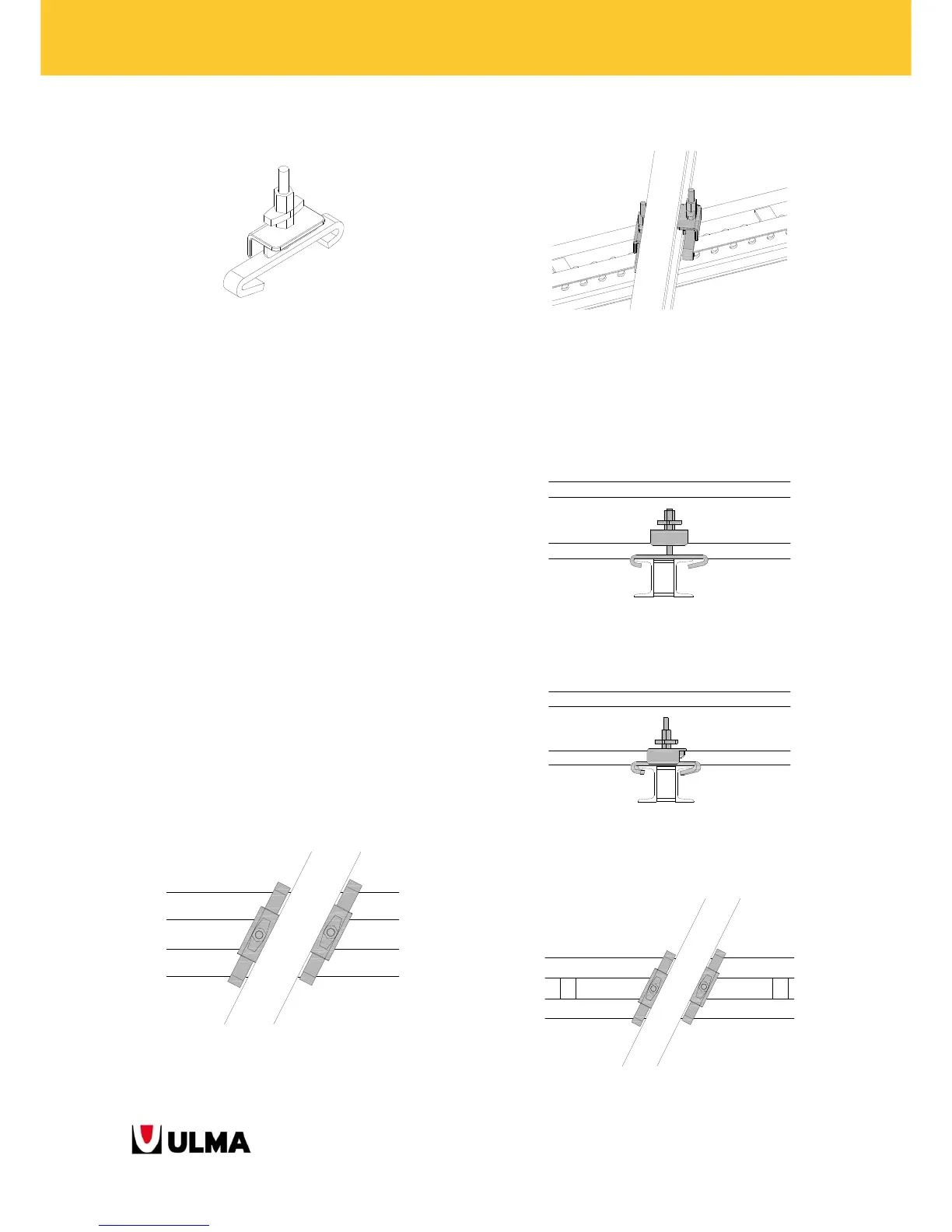
4.16.2 WALER-VM20 ANGULAR CLAMP
General view of the WALER-VM20 ANGULAR CLAMP.
The features of this component are:
The angle of the joint between the BEAM VM20
and the WALER MK-120 is between 74º and
106º.
Each joint point between the WALER and the
BEAM VM20 needs two WALER-VM20 ANGULAR
CLAMPS.
It has to be introduced from the ends of the
WALERS MK-120.
A nut has to be tightened to tie up the
component. (But 2 components in each joint
mean 2 nuts to tie up).
The nut is captive.
The assembly can be carried out on the floor.
(The nuts are tied up from above).
The LIFTING BRACKET E V-100 CANNOT be
placed in the BEAM VM20 that has already been
fixed to the WALER by means of this joint.
Top view of the assembly by means of two WALER-VM20
ANGULAR CLAMPS. The angle between the WALER MK-120 and
the BEAM VM20 will be between 74º-106º.
General view of the assembly of the WALER-VM20 ANGULAR
CLAMP.
Steps for assembling WALER-VM20 ANGULAR
CLAMPS:
1.- Introduce the CLAMP from one end of the
WALER.
5.- Turn the component until the desired angle. (The
allowed range is geometrically between 74º and
106º), and tighten the nut.
6.- Each joint will have 2 WALER-VM20 ANGULAR
CLAMPS. The top view would be:



 To Next Page