56
Hot pull
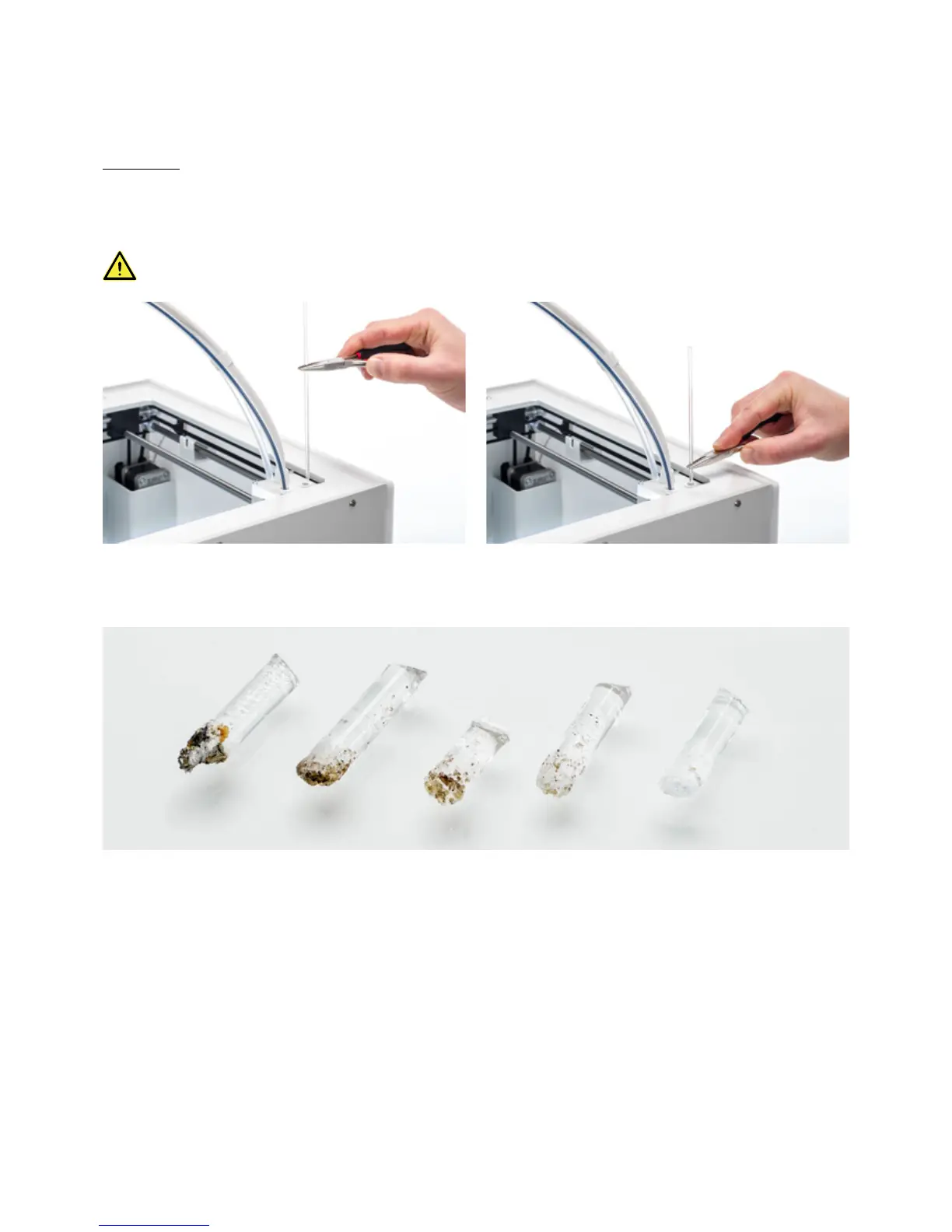
1. Insert the filament (Ultimaker cleaning filament or PLA) into the print head until you feel some resistance.
2. Hold the filament with pliers and gently apply pressure to the material for ±1 second so that it extrudes from the
print core or until it cannot be pushed any further, and directly pull the filament out with a quick, firm pull.
Use pliers to prevent injuries to your hands in case the material breaks.
3. Cut off the tip of the filament that you have just pulled out.
4. Check the color and the shape of the tip of the filament and compare it with the image below. The goal is to have a
clean tip.
5. Repeat this procedure until there is no more degraded material visible on the tip of the cleaning filament. The tip of
the filament should look as clean as the example on the right.
6. Once the tip of the filament is clean, manually flush some filament through the print core with pliers and take it out
again. Confirm to continue.














 To Next Page