57
Cold pull
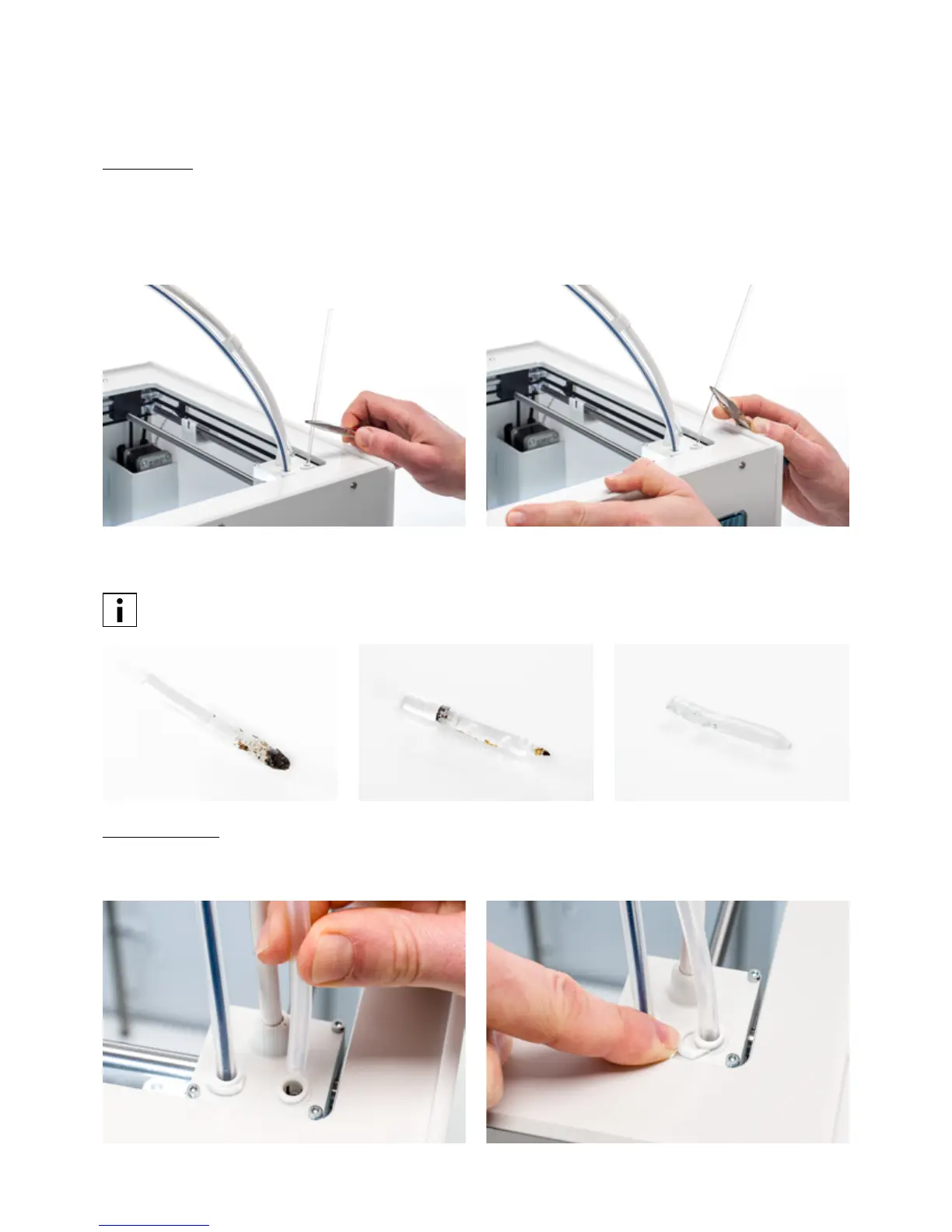
1. Insert the filament (Ultimaker cleaning filament or PLA) into the print head until you feel some resistance.
2. Hold the filament with pliers and gently apply pressure to extrude some material. Confirm to continue.
3. Maintain pressure on the filament with the pliers for the duration of the progress bar.
4. Release the filament and wait until the print core has cooled down.
5. Grab the filament with pliers and pull it out with a quick, firm pull. Confirm to continue.
6. Take a look at the tip of the filament and see if it has a clean, cone-shaped tip like shown on the example to the
right. Confirm to continue.
If the tip of the filament is not clean, go back to hot pull or cold pull to repeat the cleaning steps.
Reassembly
1. Insert the Bowden tube into the print head and secure with the clamp clip. Confirm to continue.
2. Wait for the Ultimaker S5 to finalize the cleaning procedure.














 To Next Page