ТМ
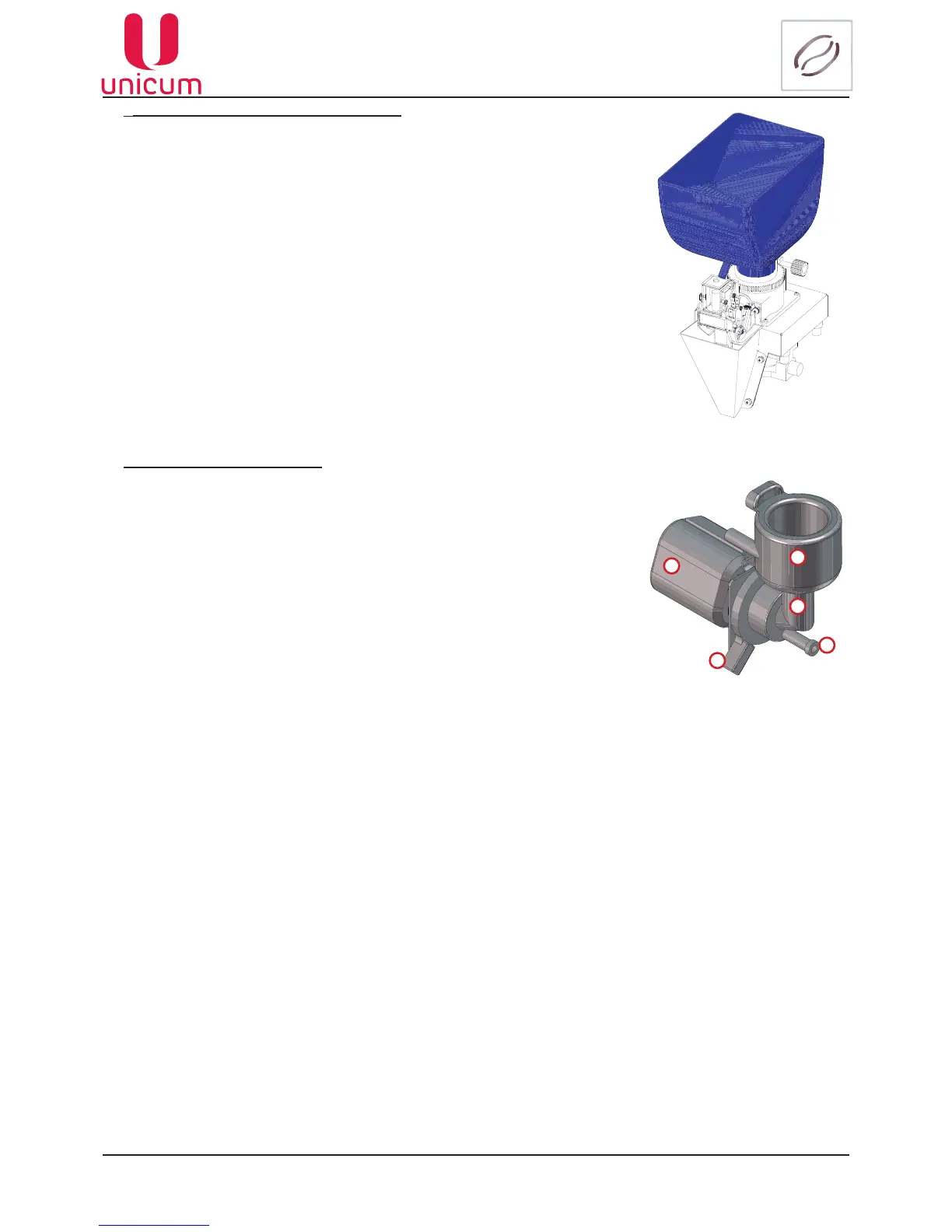
11.2.2.4Coffeecontainer(seeg.11.14)
1. Open the vending machine door.
2. Remove the cover by opening the container lock.
3. Remove the container from the vending machine (see section 5.5).
4. Empty the container.
5. Clean the container by hot water with a washing agent. Then rinse the
containers with hot water.
6. Dry the container thoroughly, wiping it dry with disposable towels. Make
sure that the container is completely dry.
7. Place the container back into the vending machine.
8. Load the container with coffee beans (see section 5.5).
Clean the coffee container once a week.
11.2.2.5Mixer(seeg.11.15)
1. Open the vending machine door.
2. Conduct the mixer removal operations (see section 5.10).
3. Clean: mixer funnel lid, mixer funnel, mixer impeller (not shown in the
gure)by using hot waterandthe washing agent.Then rinse independent
parts of the mixer by water and dry them thoroughly.
4. Assemble the mixer in reverse order and put it back into the vending
machine (see section 5.10). Make sure that the mixer is installed correctly.
1. Mixer funnel lid
2. Mixer motor
3. Mixer funnel
4. Drink give out tube adapter
5. Mixer funnel lock
2
3
1
4
5
Fig.11.15
Fig.11.14



 To Next Page