ТМ
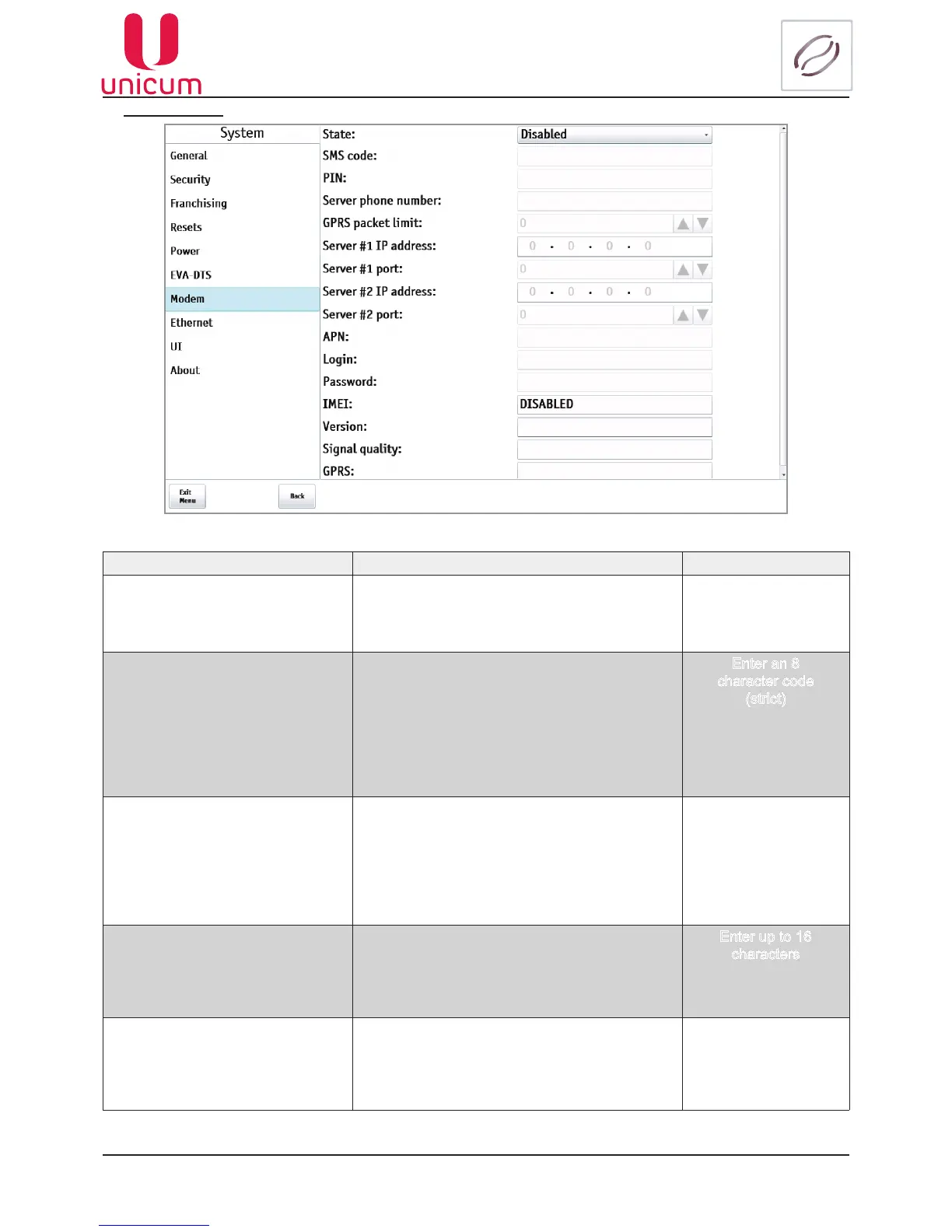
9.1.1.7 Modem
Fig.9.7 - System (Modem)
NAME DESCRIPTION VALUE
State Enable - allows modem usage. When enabled,
all resettable counters will be reset after the cash-
box or stacker removing
Disable - operating without modem
Disabled
Enabled
SMS code Enter an 8 digit code, using which the server can
carry out initial connection through SMS (manual
connection).
In case of manual connection of the Machine the
server asks for access code.
The entered code must correspond with the code
indicated in this menu item, otherwise connection
will not be established
Enter an 8
character code
(strict)
PIN Enter SIM’s PIN code.
This parameter does not change SIM’s PIN code.
If the SIM’s PIN code is activated, you must enter
the PIN code here, which corresponds with the
SIM’s PIN code.
It is not recommended to use PIN code, because
in case of wrong PIN entry the SIM can be blocked
Enter an 8
character code
(strict)
Server phone number Sets the telephone number.
Which will be dialled to establish server connec-
tion.
To make this parameter effective you must turn on
CLI for the Machine’s SIM card
Enter up to 16
characters
GPRS packet limit Allows you to limit the amount of information
transmitted in a single package (the decrease
leads to a strong slowdown in online monitoring,
but allows more likely to transmit data in unstable
communication)
1 - 255



 To Next Page