ТМ
9.1.3.2 Setting buttons
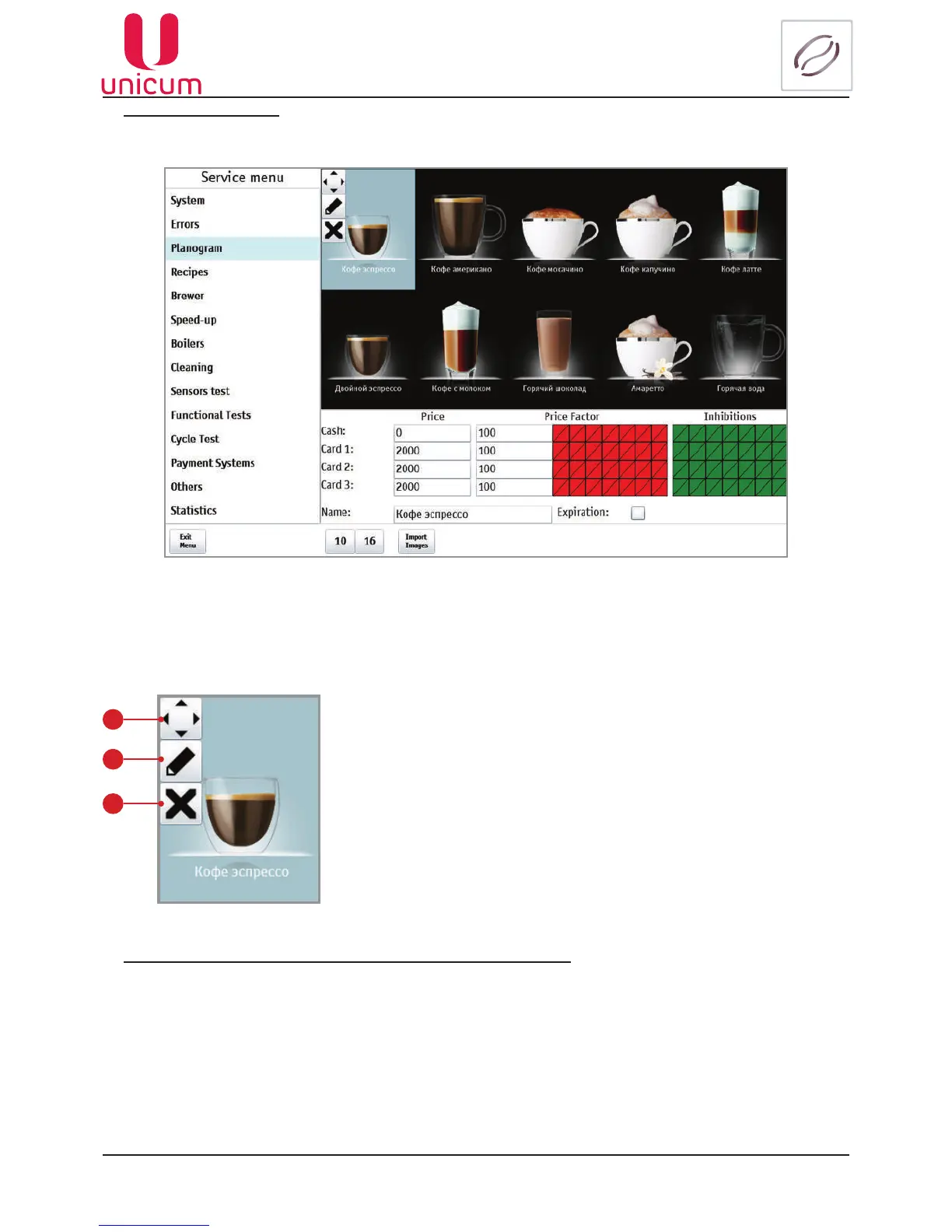
1.Afterselectinginthedrinkplanogram,thetuningbuttonsappear(seeg.9.12.3).
Fig.9.12.3 - Planogram (Setting buttons)
1
2
3
1. Movement
2. Image adjustment
3. Prohibition/permission (in the case of prohibition the drink in the planogram is
crossedout,seeg.9.12b).
Fig.9.12.4 - Setting buttons
1.Intheplanogramselectthedrink,whichimageyouwanttoedit(seeg.9.12.3).
2.Thentouchthebutton(2-pencil)(seeg.9.12.3and9.12.4).
2.Thetuningbuttonshavethefollowingpurpose(seeg.9.12.4).
Anexampleofthedrinkimageadjustmentisshownbelow



 To Next Page