ТМ
9.1.1.6 EVA-DTS
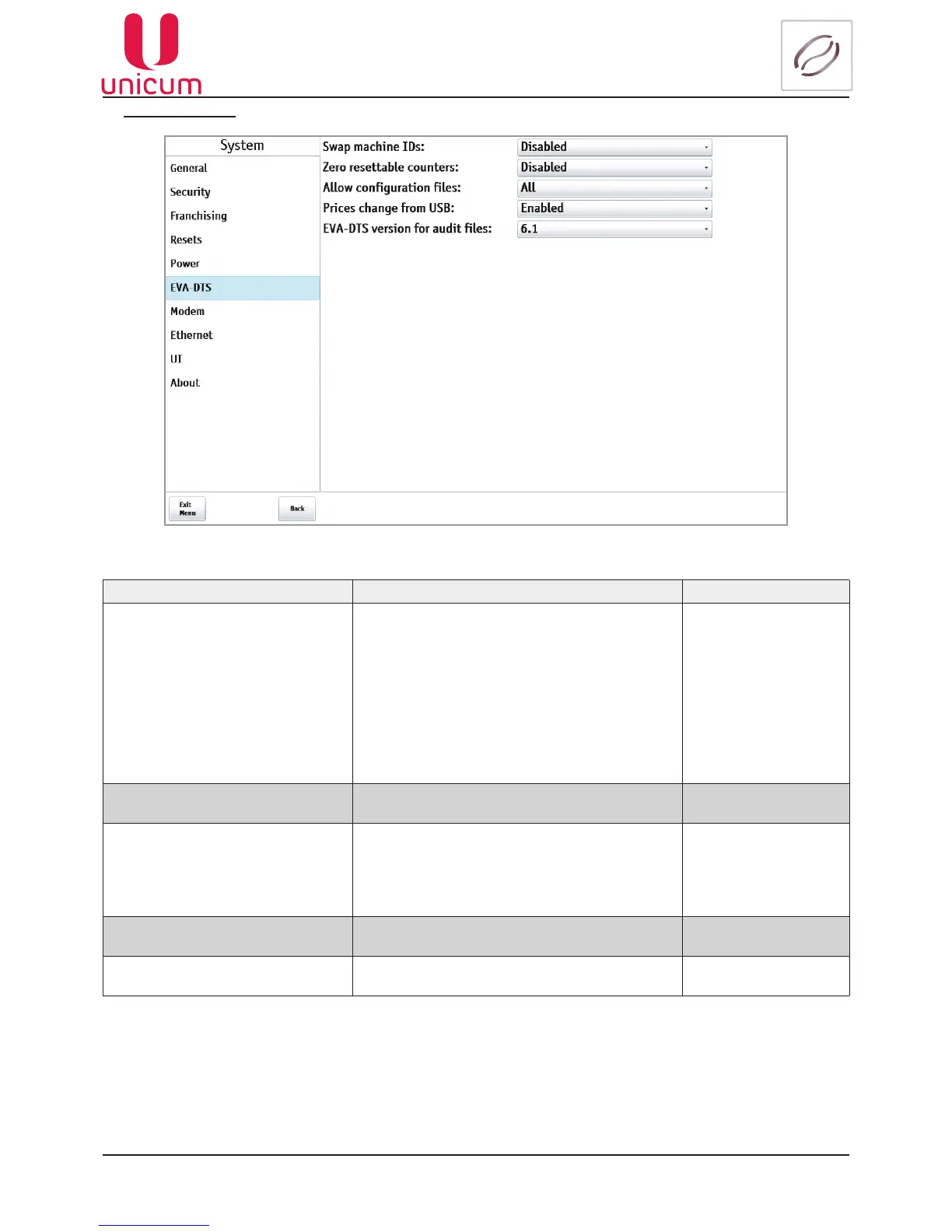
Fig.9.6 - System (EVA-DTS)
NAME DESCRIPTION VALUE
Swap machine IDs
Permitsswappingtheelds(thevendingmachine
number is replaced by the Main Board serial num-
ber, and the Main Board serial number is replaced
by the vending machine number). A vending ma-
chine number is a number that is set in the settings
and which is possible to change. The Main Board
serial number is a 12-digit number, recorded into
thecontrollerboardrmwareduring its manufac-
turing (it’s unique and can’t be changed via the
vending machine menu).
Disabled
Enabled
Zero resettable counters Enabled - Reset temporary data after saving
(copying)oflestoUSBdrive
Disabled
Enabled
Allowcongurationles • All-Allowsdownloadsfromallconguration
les
• Only CONF_GEN - Allows downloading only
from conguration les of only the format
CONF_GEN
All
Load Conf_Gen only
Prices change from USB AllowstochangepriceusingUSBashdrive Disabled
Enabled
EVA-DTSversionforauditles
SelectingtheversionofEVA-DTSle 6.0
6.1



 To Next Page