ТМ
9.1.3 Planogram
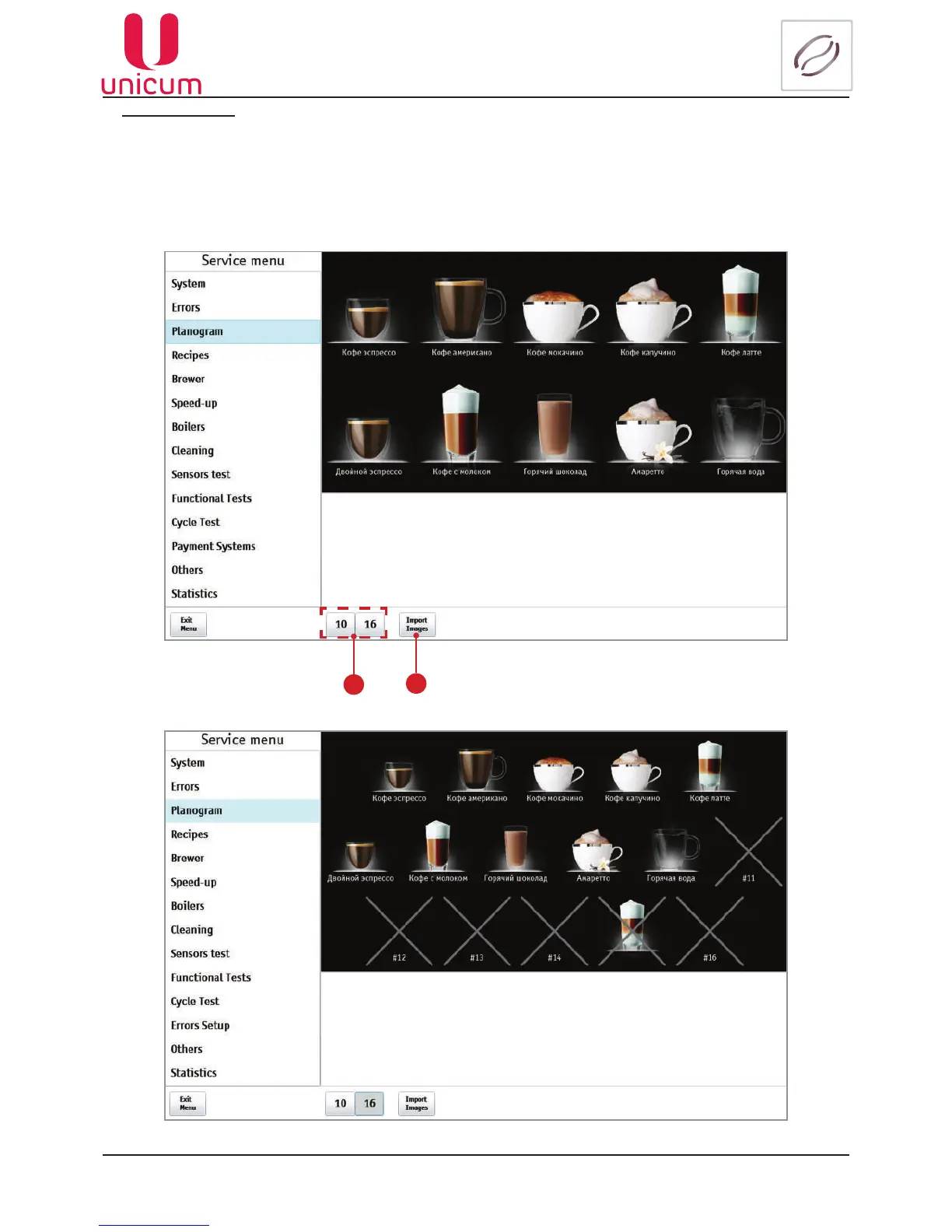
Toeditthedrinktouchitsimageintheplanogram(seeg.9.12aand9.12b).Thenthedrinksettingpageopens
(seeg.9.12.1).
For loading the drink image into the vending machine press the Imjportimages-2 button.
The buttons (1) are used for changing between the planogram layouts. Furthermore when in the vending mode
the layout is chosen automatically in accordance with the index of the last permitted product: if the index is more than
10,thenthelayout16isused,otherwisethelayout10(seeg.9.12b).
Fig.9.12а-Planogram(10)
Fig. 9.12b - Planogram (16)
1
2



 To Next Page