ТМ
Themachinemustbeconnectedtothewatersupplymains,onlybyaqualiedtechni-
cian!
Any traces of leakage of water show incorrect connection (loose connection) of water
supply or improper supply pressure, beyond the pressure range indicated for the vend-
ing machine!
The vending machine will switch to water supply network operation mode. To switch to the self-con-
tained water supply mode from the potable water container, perform the described above operations with
the exception of the following:
1. In item 1 select the setting (Installed);
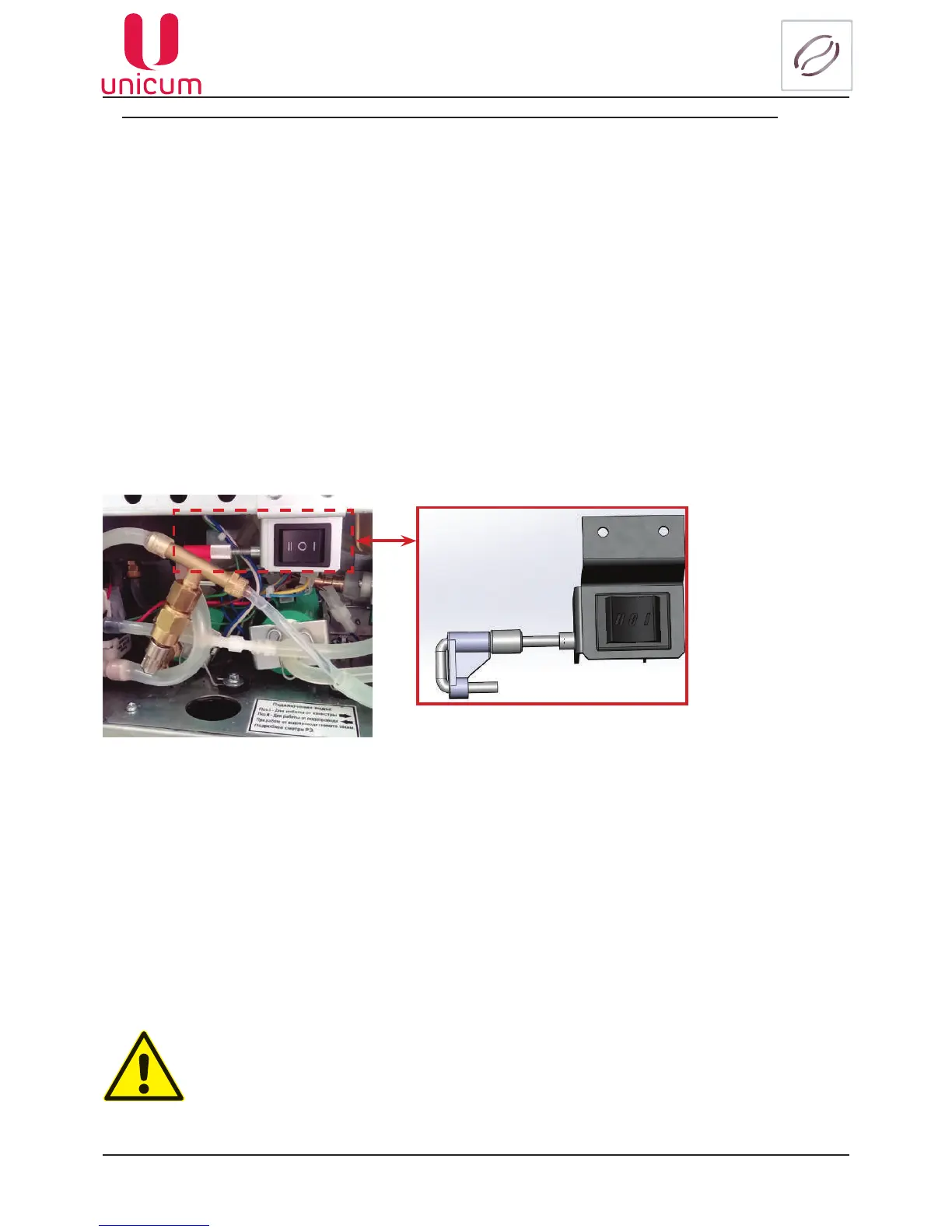
2.Initem5puttheclampbackonthetube(seeg.4.18);
3.Initem6turntheswitchtothe“I”position(seeg.4.18).
To connect the vending machine to the water supply network, use one set of new gaskets only. Don’t
use the materials repeatedly.
Before connecting the vending machine to the water supply mains: (new connection):
•In accordance with the instruction to the Congurator program (see at the website: www.
unicum.ru), go to the (Coffee) tab and in the (Water container)eldselect(Not installed).
CreatethecongurationleandplaceittotheUSBashdrive.Inaccordancewiththisman-
ual“load”theleintothevendingmachinesoftware.Withoutcarryingoutthisitemtherest
items are meaningless (the settings will have no effect).
• Set the switch on the switch board of the machine to position [O/OFF] (seeg.5.4pos.2);
• Unplugthemachinebyremovingtheplugfromthepowersocket;
• Removethevendingmachine’srearpanelbyremovingthescrews;
• Removetheclampfromthesiliconetube(seeg.4.18);
• Turntheswitchtothe“II”position(seeg.4.18);
• Fixtherearwallbackinitsplace;
• Plugthepowercordintoanelectricaloutlet;
• Set the switch on the switch board of the machine to position [I/ON] (seeg.5.4pos.2).
It is recommended to place the water supply tap (valve) outside the machine’s body at an easily acces-
sible spot.
Fig.4.18
Clamp



 To Next Page