ТМ
Filling the coffee beans into the container
• Tollthecontaineropenthelidbyusingthekey(ifneeded)andllitwithbeans.
• To avoid damaging the equipment as a result of impurities, the use of high-quality coffee beans is rec-
ommended.
• Comply with the maximum permissible level for the container.
• Close the lid carefully.
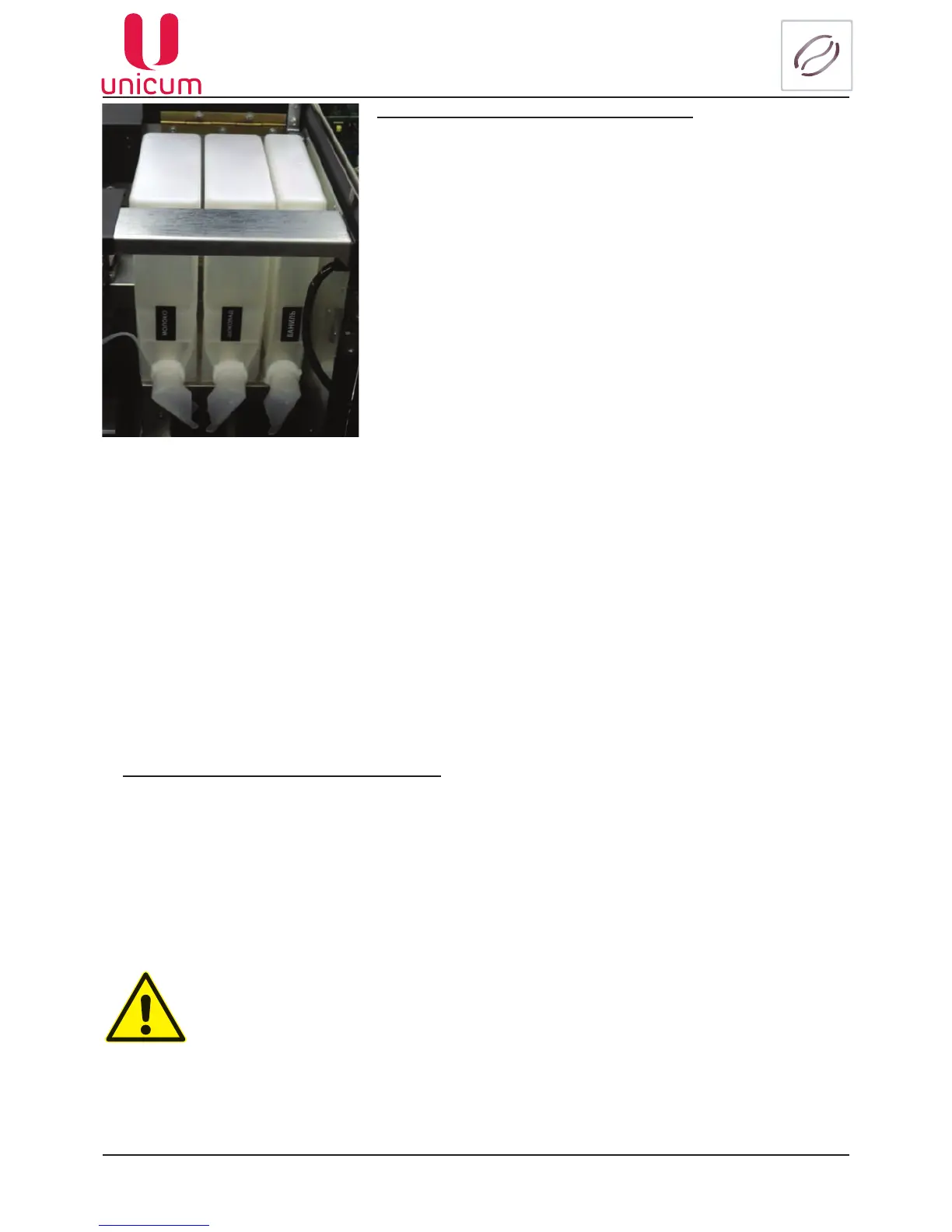
• Open the vending machine’s door
• Lift the top lid of the machine
• Lift the lid of the required container
• Fill the container ingredient, avoiding the formation of seals
and lumps
• Close the cap container
Ifnecessary(forconvenienceinlling)thecontainerscanberemovedfromthevendingmachine.For
the purpose:
• Turn the container’s “nose” upwards
• Slightly raise the container using the “nose” in such a way that the container’s base grip would be
removed from the body
• Pull out the container
The ingredient is supplied from the container using a reducer-motor, which is installed behind the con-
tainer. The reducer-motor supplies the required dose of ingredient into the mixer.
The quantity of the ingredient for each drink is set in the drinks recipe menu. The quantity is equal to the
duration of rotation of the motor multiplied by 100.
Afterllingthecontainer,makesurethattherearenoforeignobjectsinthecontainer.
Makesurethattheingredientdidnotgetcompressedduringthellingprocess.
Remove all remnants or spill-overs of ingredient from the outer surfaces of the contain-
er or the machine’s parts.
Filling the instant ingredients containers:
Fig.5.8



 To Next Page