ТМ
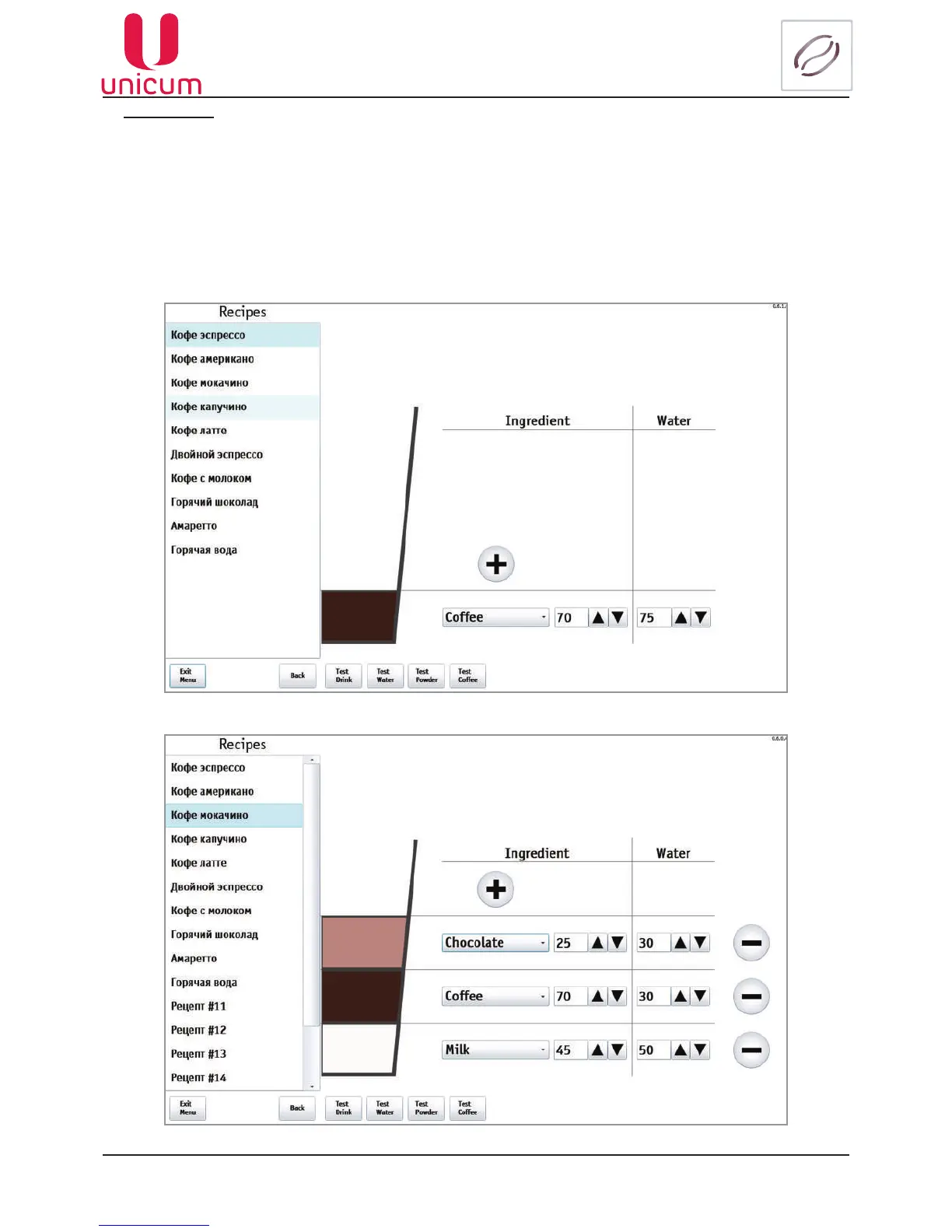
Fig.9.14.2 - Recipes
Fig.9.14.3 - Recipes
Buttons (7):
1. Test Drink - The machine performs operations for preparing the selected beverage.
2. Test Water - The machine performs operations for preparing the selected beverage without adding ingredients.
3. Test Powder -The machine performs operations for preparing the selected beverage without adding water.
This test allows removing mixer weighed amount of powder, which is used for the preparation of a beverage.
4. Test Coffee - The machine performs operations for preparing the selected beverage without adding water and
soluble ingredients.
When there’s more than one ingredient in the recipe, the button (1) appears on the screen for the ingredient re-
moval(seeg.9.14.2).



 To Next Page