8.5 Troubleshooting
Problem Possible Cause Solution
Functionalities are not available
in the Insight PC software.
The Insight PC software is in
Basic mode. Certain
functionalities are only
available in Advanced mode.
Change the user mode from
Basic mode to Advanced
mode in the Settings menu of
the Insight PC software.
Measurement performance
aected after calibration.
Probe has not been switched
from calibration mode to
normal operating mode in the
Insight PC software.
Open the Calibrate menu in the
Insight PC software. Exit the
menu with the Close selection,
and ensure that you confirm
closing the calibration mode
when exiting with the Yes
selection.
Analog output appears
incorrect.
The analog output channel
Adjustment mode has not
been switched o after
adjustment.
Open the analog output
adjustment menu in the Insight
PC software or the Indigo80
handheld indicator and switch
the adjustment mode o.
Note that each of the 3 analog
outputs has its own
configuration menu.
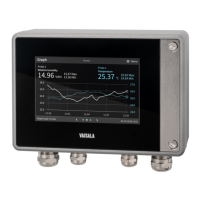
Transmitter display shows a
warning saying that outputs are
configured for a dierent
probe.
An analog output configuration
for another type of probe
already exists in the
transmitter, so the settings
cannot be received
automatically from the type of
probe you are connecting.
Configure the analog output
settings for the new probe, or
clear the analog output
configuration of the transmitter
to enable automatic receiving
of the settings.
You can do these tasks using
either the Insight PC software
or the Indigo80 handheld
indicator.
The push button for navigating
the transmitter display does
not function.
The push button has been
disabled, so you can currently
change the transmitter display
view only with the Insight PC
software or Indigo80 handheld
indicator.
Enable the push button using
the Insight PC software or the
Indigo80 handheld indicator.
8.6 Display messages
The following table lists the display messages that the transmitter uses to inform you about its state.
Chapter 8 – Maintenance and troubleshooting
59




 To Next Page