Page 99 of 244
4. Use the Collimator control command to find a value that satisfies the standard below.
Command Function
[SPM_CCST_03450] PANO collimator position movement control
[SPM_CAST_09200] CEPH collimator position movement control
[SPM_CFST_06350] CT collimator position movement control
5. Run EzEval.exe file (Path : C:\VCaptureSW\Utility\EzEval_Phantom)
6. Choose EzEvaluation for the tap menu on the top left, and choose collimator viewer from the
tap menu on the top right.
7. Set the Threshold value concerning the following standard, and check if 0010.raw satisfies
the collimator alignment cut standard.
The collimator alignment standard for each FOV is as follows.
※ Collimator alignment standard value
Collimator Min pixels Max pixels
Threshold 95%
Left 1 2
Right 1 2
Threshold 75% Upper 1 10
Lower 1 10
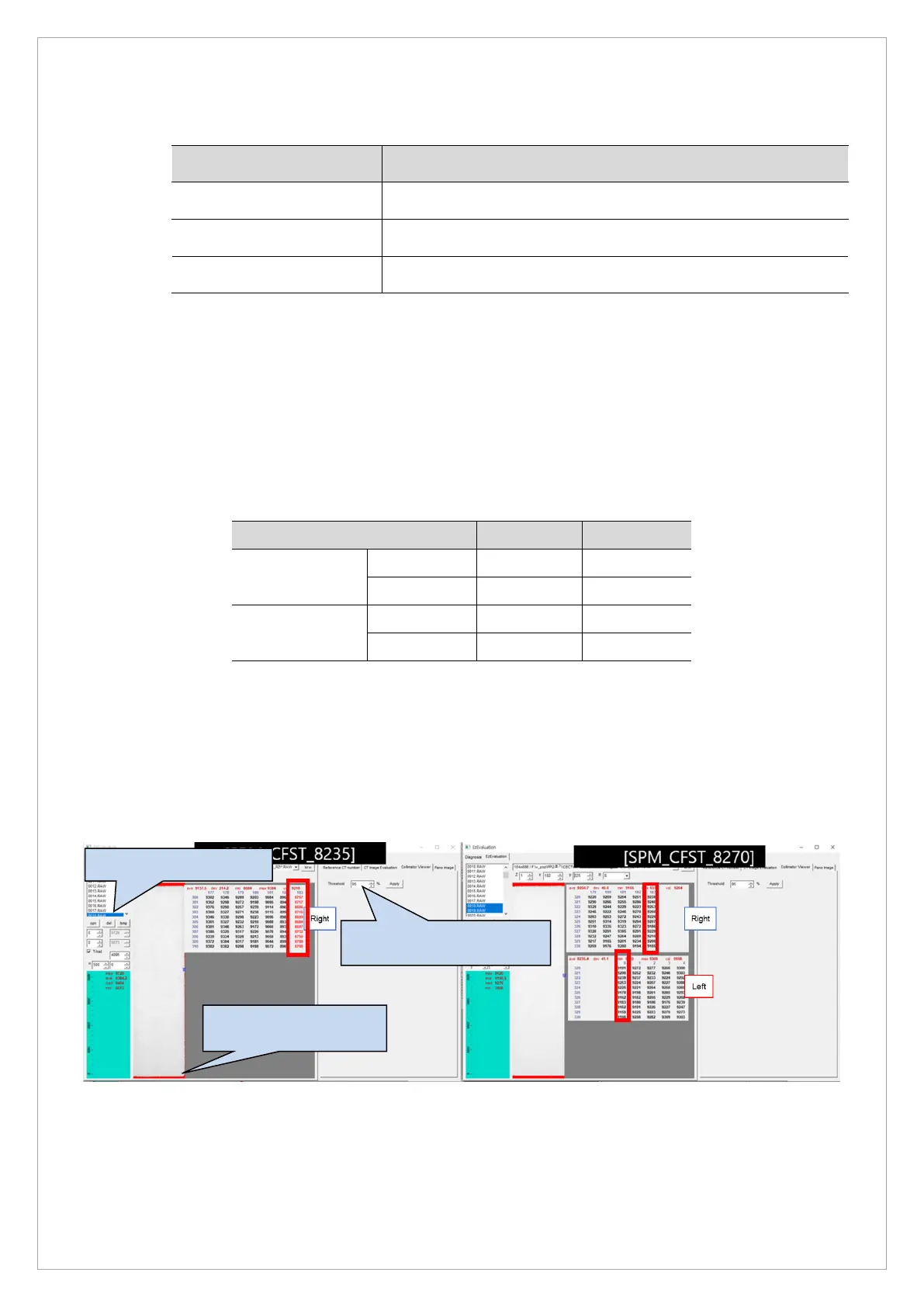
8. When 1~2 pixels are visible on the left, subtract the collimator parameter as much as 0.35
collimator value. Ex. [SPM_CFST_8235] → [SPM_CFST_8200]
9. When 1~2 pixels are visible on the right side, Add the collimator parameter as much as 0.35
collimator value. Ex. [SPM_CFST_8235] → [SPM_CFST_8270]
▲ Left/Right Collimator Setting
The cut area is marked
in red.
Set Threshold to 95 and
click the Apply button.



 To Next Page