Page 156 of 244
5.3. Noise evaluation
5.3.1. Noise standards
Parameter ROI 1 ROI 2 ROI 3 Remark
Noise(Dev) 40 or less 30 or less -
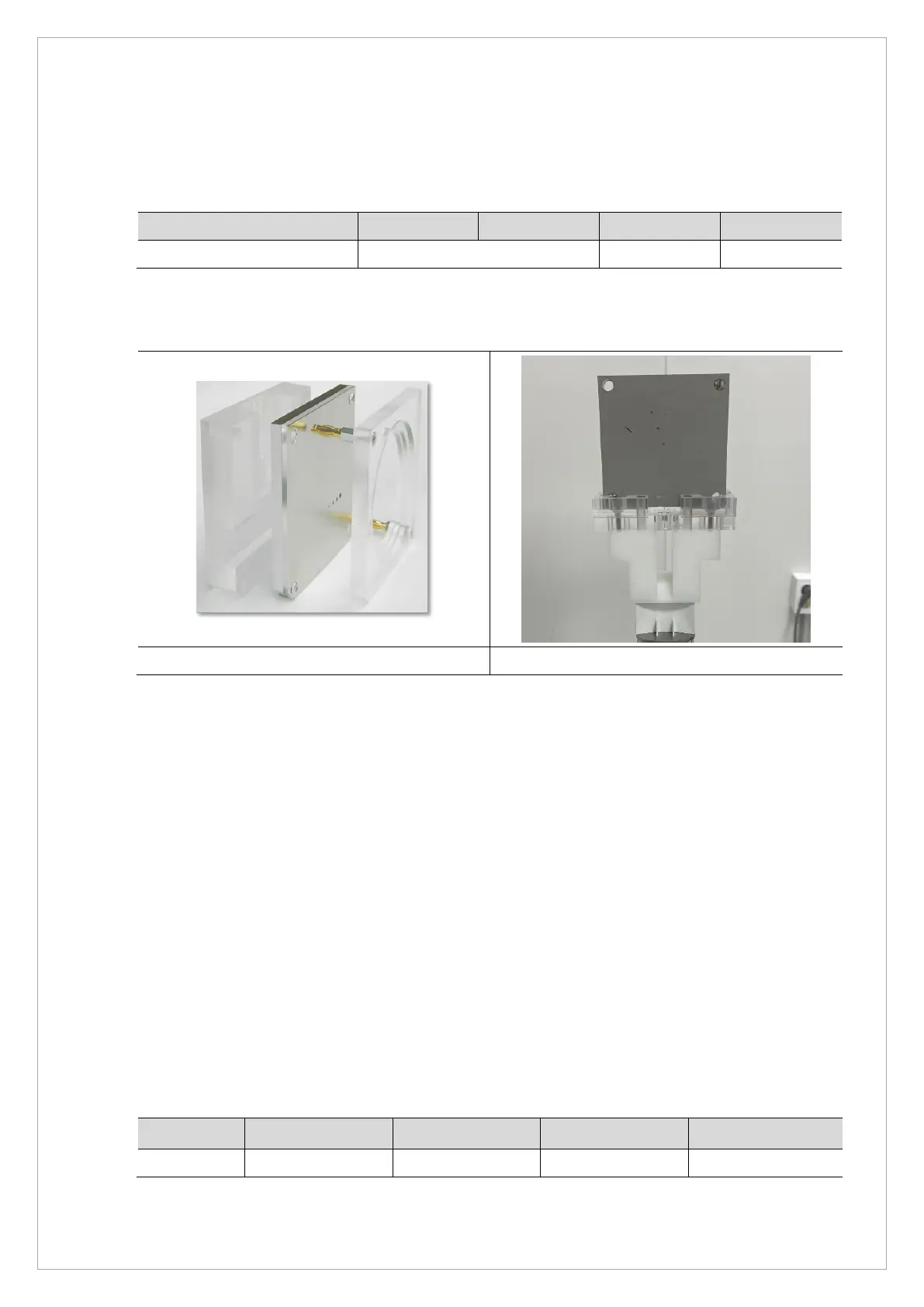
5.3.2. Phantom Specification
QUART Phantom QUART - Ball Phantom
5.3.3. Test Method
1. Run the Console Software and click the PANO button to go into PANO mode.
2. Choose the PANO Phantom mode, and click the Confirm button.
3. Attach PANO BALL Phantom + Quart Phantom Ass'y on Chinrest.
4. Click the READY button, and acquire/save the image according to the Console Software
guidance.
5. Run VAKCAP.exe
6. Click the Panorama tab and click V Pan to open View 16.
7. Click brw and select "ampt.raw" created in the
C:\VCaptureSW\Acquisition\PANO\WidePANO\PROJ_exposure time folder.
8. Set it as [M size = 40] and evaluate noise(dev) and Homogeneity(ave) of each ROI.
5.3.4. Test Result
Parameter ROI 1 (600, 800)
ROI 2 (2550, 800) ROI 3 (1574, 800)
Pass/Fail
Noise(Dev)



 To Next Page