Page 98 of 244
2.6. CT Collimator Alignment
2.6.1. CT Collimator Manual Alignment
1. Run the C:\VCaptureSW\Acquisition\CBCT\WidePANO\VACAP.exe file.
2. Send the following commands to the command window to set the CT sensor and collimator:
[SPM_ARCT], [SPM_CSON], [SPM_FIPM_0001], [SPM_FISS_0001], [SPM_FISM_0001],
[SPM_COLM_0001].
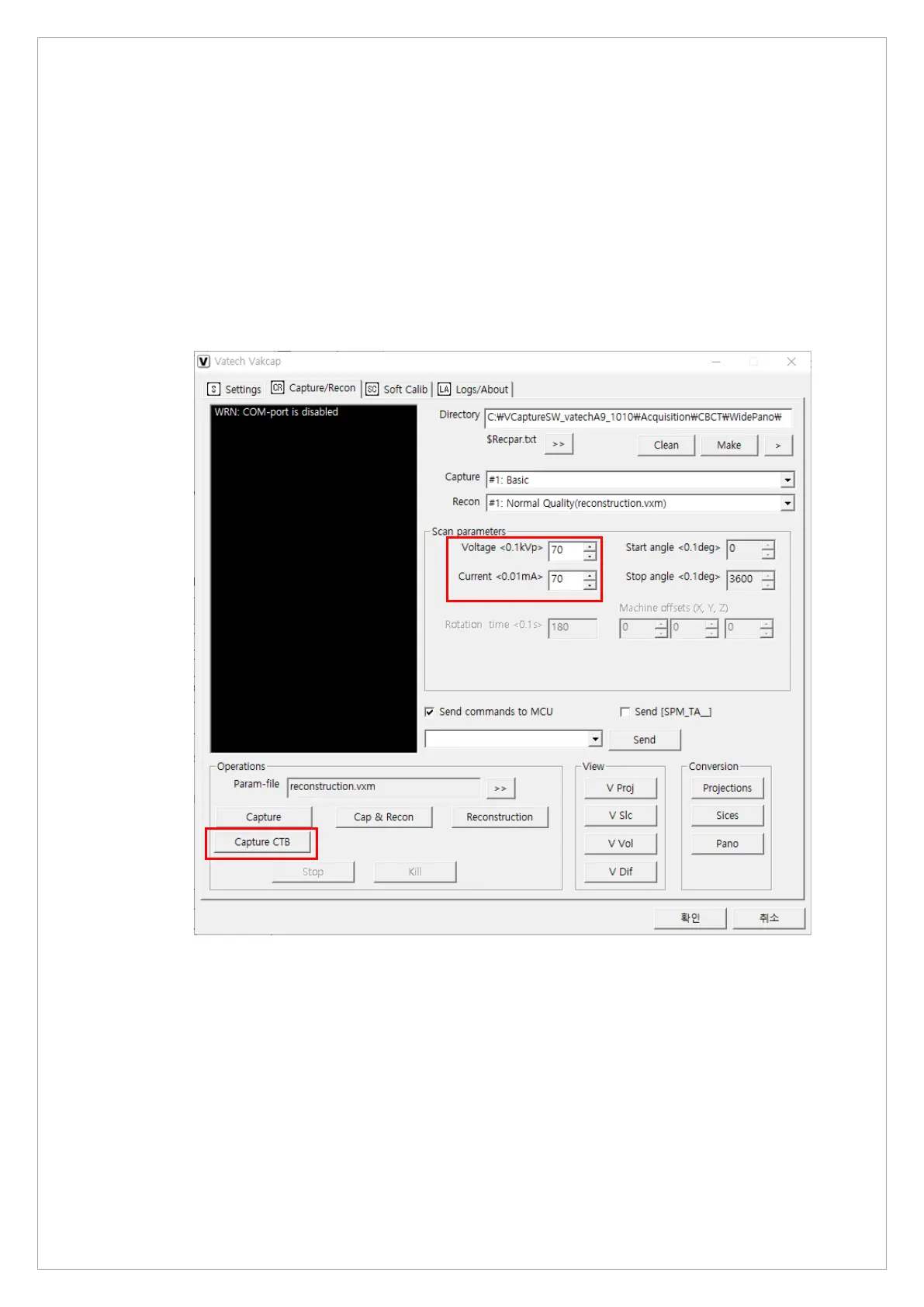
3. In the Scan parameters mesnu, set the voltage 94 kvp and the current 7.0 mA and click
Capture CTB button to acquire the image.



 To Next Page