Page 97 of 244
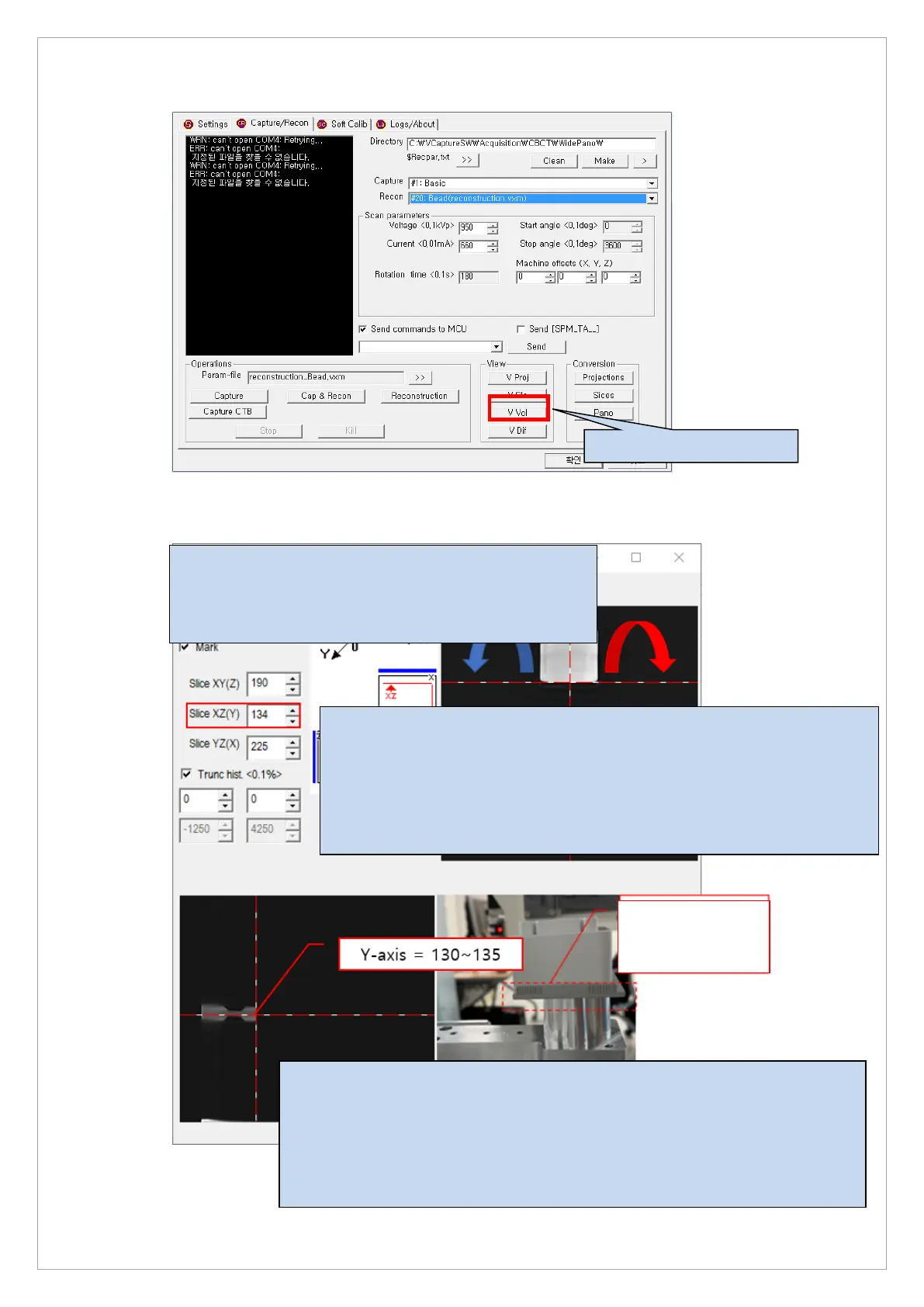
6. Click the V Vol button.
Y axis - reference range: 130 ~ 135
130 or less: Reassemble the bite block in the opposite direction of the
column (5 voxel value increase per cell)
135 or more: Reassemble the bite block in the direction of the column (5
voxel value decrease per cell)
X axis - reference range: 220 ~ 230
- 220 or less: move to the left based on the column
- Over 230: Move to the right based on the column
When moving to the right, Start angle: 0 ~ 10
When moving to the left, Start angle: 350 ~ 359
When the start angle is found, it is applied to the following folders.
C:\VCaptureSW\Acquisition\CBCT\WidePANO\REC\reconstruction.vxm
Change the value of the STARTANGLE parameter in the reconstruction.vxm
file
(5 voxel)



 To Next Page