Page 181 of 244
6.3. CEPH Collimator Alignment
6.3.1. CEPH Collimator Alignment
1. Run the C:\VCaptureSW\Acquisition\CEPH\WideCEPH\Norm\VACAP.exe file.
2. Send [SPM_CEPH], [SPM_HSON], [SPM_FREQ_0160], [SPM_COLM_0005], [SPM_CAMS],
[SPM_RET_], and [SPM_ERDY] commands to the Command window to configure the CEPH
sensor and collimator.
3. Set 90kvp, 10mA in VACAP, send the [SPM_SSB_] command to the Command window, and
click the Capture button to acquire the image.
4. Use the Collimator control command to find a value that satisfies the standard below.
Command Function
[SPM_CAST_XXXXX] CEPH mode collimator movement control
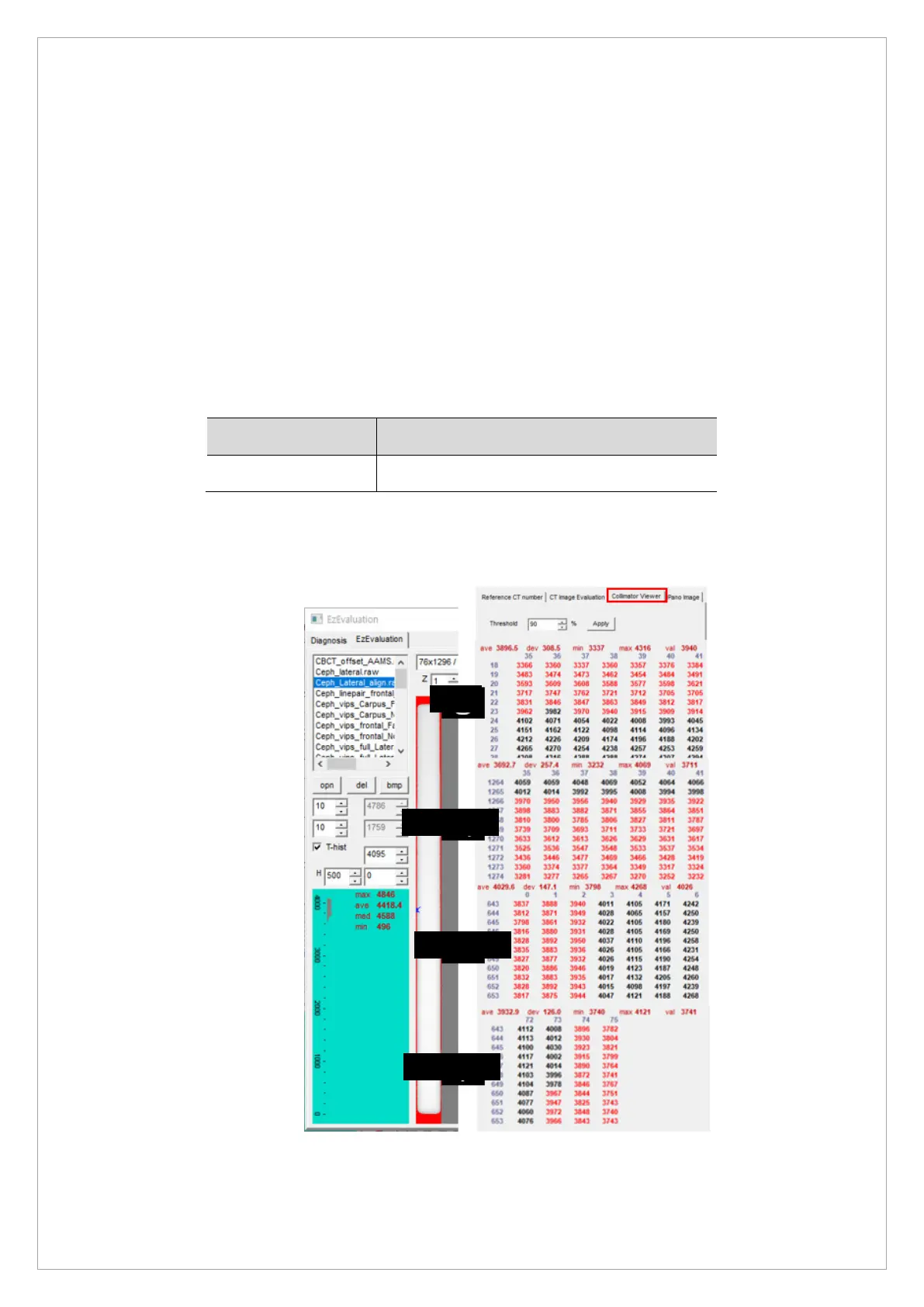
5. Run EzEval.exe, choose EzEvaluation for the tap menu on the top left and choose collimator
viewer from the tap menu on the top right.



 To Next Page